

Coordinating jobs, quotes, and compliance across a field service team often means juggling disconnected apps that do not fit the way UK trades actually work. Many field service management software tools charge per user with restrictive mobile capability or force generic project templates that slow down trade-specific workflows. This comparison covers plans, mobile features, and trade alignment across three leading platforms so you can choose the right system for your trade business without settling for slow or mismatched processes.
Table of Contents
TradeWise
At a Glance
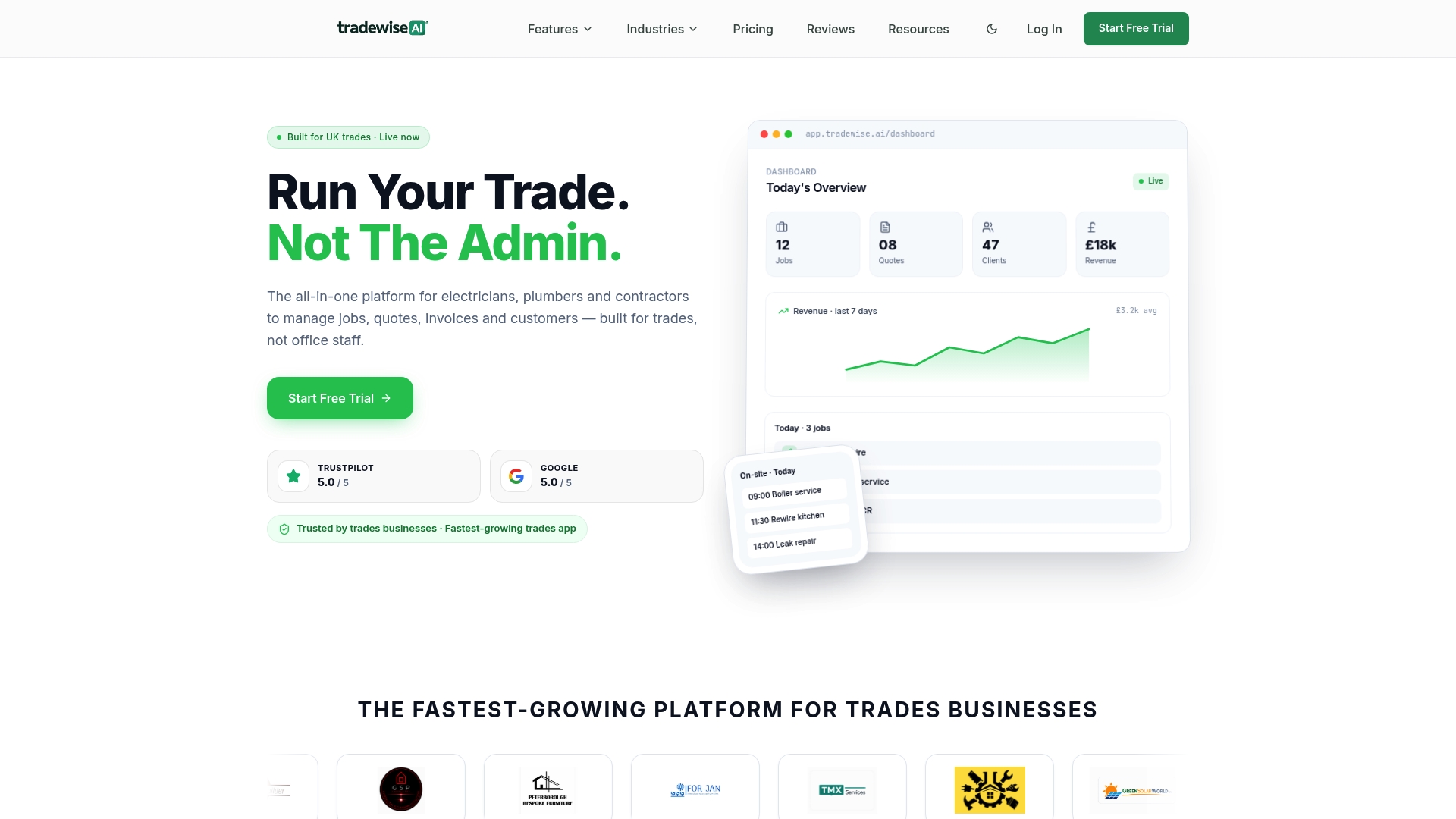
The vendor advertises a 5.0/5 rating on Trustpilot and Google, a strong signal of customer satisfaction according to its marketing. TradeWise pairs a mobile first app with an AI assistant and material comparison tools so tradespeople can work from the van as easily as from the office.
Core Features
- Job management for scheduling, progress updates and team allocation across jobs.
- Quotes & invoices generated on-site and tracked to payment status.
- AI assistant that automates routine admin such as follow-ups and simple admin tasks.
- Material comparison and ordering that lets you check supplier prices before you buy.
- Lead generation, website building and ad campaign tools that bring enquiries into the same system.
Key Differentiator
Built specifically for UK trades, TradeWise bundles job management, marketing and automation in one product tailored to electricians, plumbers, builders and HVAC teams. That industry focus shows through features that map directly to trade workflows rather than generic project templates.
Pros
-
Mobile first design makes quoting and invoicing on-site practical. Technicians can create a quote at a customer with fewer taps than many desktop-first tools.
-
The combined material comparison and ordering removes manual price checks. You see supplier options inside the job flow which speeds procurement decisions.
-
Automation via the AI assistant reduces repetitive admin such as lead follow-ups and invoice reminders, saving time on routine tasks.
-
The integrated marketing tools mean you can capture leads from your website and social channels without a separate marketing platform.
-
The vendor rating above suggests high user satisfaction with the product and support in the UK market.
Cons
- May not suit large enterprises that need highly customisable workflows and advanced integrations; TradeWise is strongest for small and mid-sized trade teams.
Who It's For
Solo tradespeople, small teams and growing maintenance or construction businesses in the UK that want to run jobs, quotes and basic marketing from a single mobile first platform. Less suited to multinational firms or operations that must heavily customise every process.
Unique Value Proposition
The platform lets a tradesperson create quotes on-site, compare materials and progress the same job record through invoicing and follow-up without moving between apps. That continuity reduces duplicate data entry and shortens the time from first visit to payment.
Real World Use Case
A three-person plumbing firm uses the mobile app to produce a quote at the property, order the cheapest approved part via the material broker, dispatch a follow-up automated message when a part arrives and send a final invoice from the same job record, cutting admin hours each week.
Pricing
TradeWise offers a free 14-day trial. Paid plans are tiered from £23 to £63 per month with custom enterprise options available for larger teams.
Website: https://tradewisehq.com
Eworks Manager
At a Glance
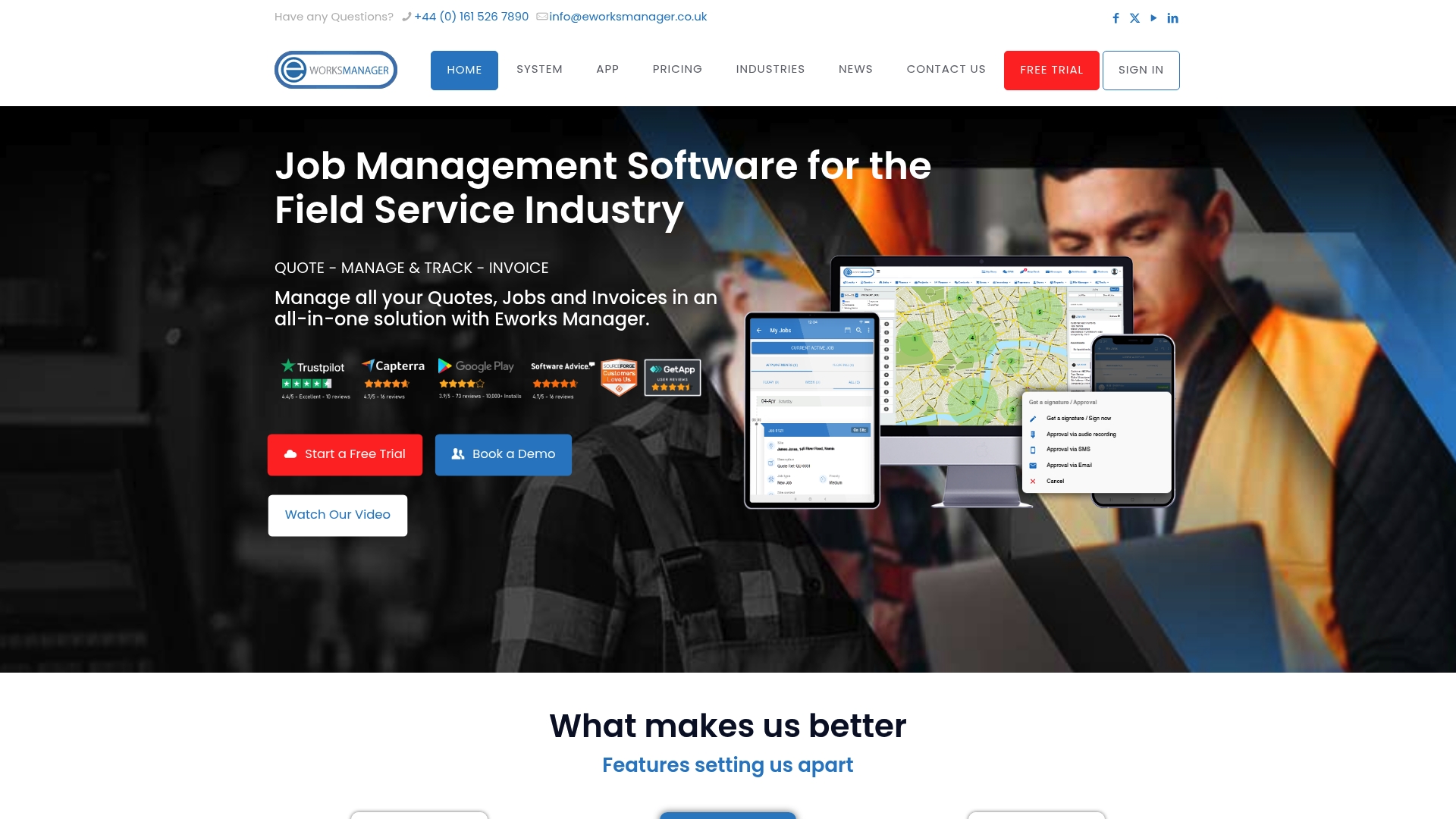
Pay per team, not per user, starting from £130/month for the standard plan with up to five users included. Additional modules, documents and storage are charged as paid add-ons, so the base cost is predictable while functionality can expand as needs change.
Core Features
- All-in-one job, quote, invoice and lead management that keeps sales and operations in one record.
- Advanced scheduling and route planning for field staff, including dispatch and optimisation tools.
- Mobile apps for field workers offering job sheets, asset management and real-time GPS tracking.
- CRM integration for customer communication and support tickets, plus compliance documentation.
- Embedded payments via EworksPay with online invoicing from mobile or desktop.
Key Differentiator
Eworks Manager bundles job management, scheduling, mobile apps, CRM and payments into a single configurable system aimed squarely at trades and service teams. Unlike Tradewisehq, which emphasizes AI-led automation and live workforce syncing, Eworks Manager leans towards module configurability and built-in payment handling for field billing.
Pros
- End to end workflow control from quote to invoice reduces paperwork and handoffs, keeping billing cycles tight.
- Real-time job tracking and GPS visibility make dispatch decisions faster and reduce dead travel.
- The system is highly customisable for trades such as plumbing, HVAC and electrical, so fields, forms and reports can match your processes.
- Vendor support, training and online resources are repeatedly cited by users as dependable during rollout and for ongoing questions.
- Integrations with accounting packages and Zapier mean you can link Eworks Manager to your finance stack without heavy development.
Cons
- Mobile app behaviour varies by task; some users report inconsistent functionality and limited visibility in certain on-site scenarios.
- Several reviewers mention contract and trial terms that felt restrictive during initial evaluation.
- The mobile interface does not always display every job in one view, which can force extra taps to confirm schedules.
When It May Not Fit
If your business relies on a fully featured mobile app for every on-site operation, Eworks Manager’s mobile limitations above could slow work. If AI-driven automation and live workforce prediction are central, a platform emphasising those capabilities may be a better match than the module-led approach here.
Who It's For
Trades and service businesses from small firms to enterprise operations that need a single place to manage jobs, scheduling, assets and payments. Teams that prefer per-team pricing rather than per-seat billing will find the licensing model attractive.
Real World Use Case
A regional plumbing firm uses Eworks Manager to schedule jobs, dispatch technicians via the mobile app and log asset checks on site. Technicians raise invoices immediately using EworksPay and the office closes jobs the same day, which shortens the billing cycle and improves cash flow.
Pricing
Pricing starts at £130/month per team, which includes up to five users on the standard plan. Advanced and premium plans are available at higher rates and additional modules, users, documents and storage are charged as add-ons.
Website: https://eworksmanager.co.uk
Site Manager Pro
At a Glance
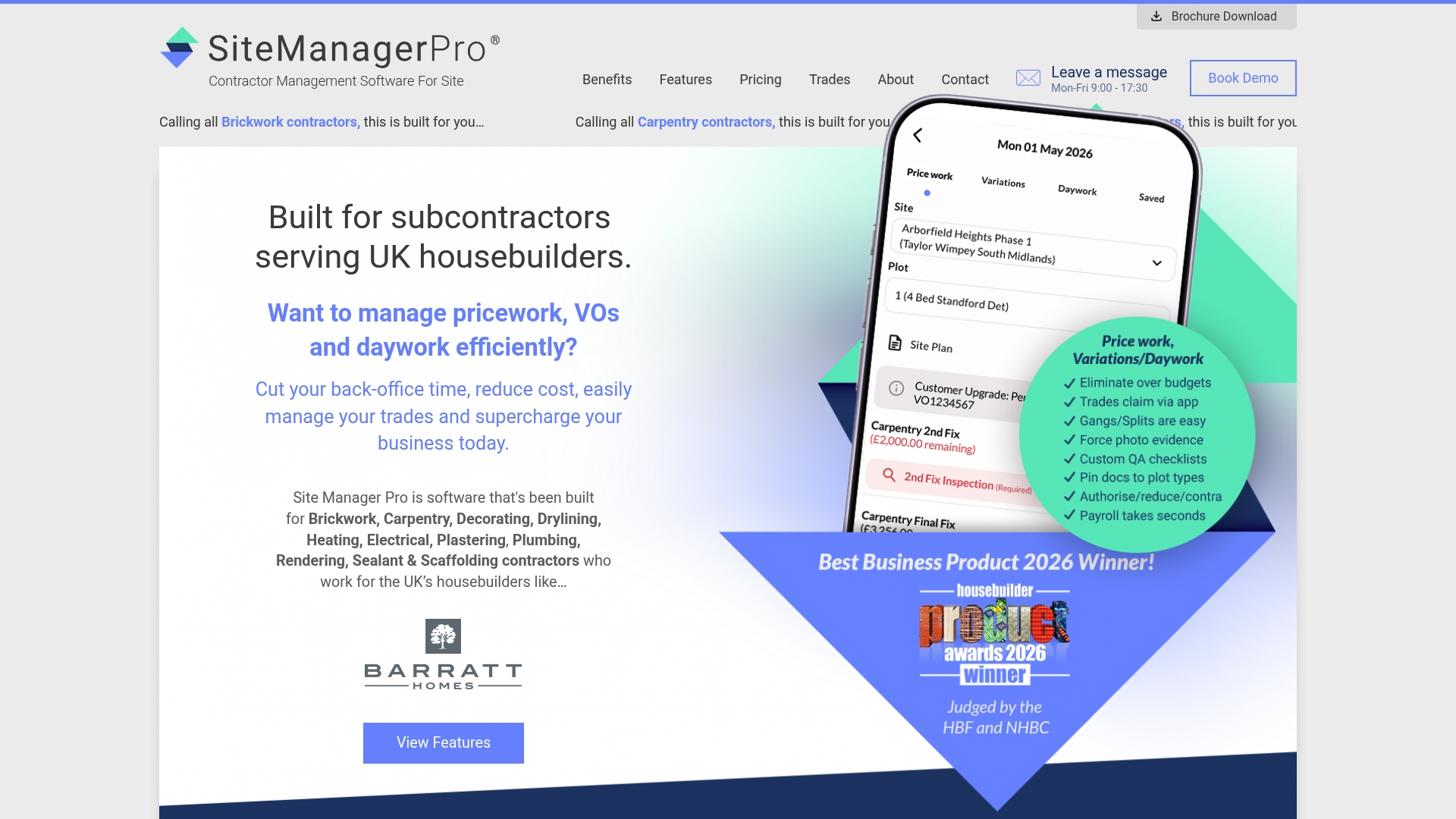
Plans start at £245/month for up to 25 site operatives, a concrete entry point for small subcontractors that need mobile wage booking and compliance tools. The vendor advertises tiered packages up to £1995/month for larger teams and extra modules.
Core Features
Site Manager Pro concentrates on site-facing workflows and compliance for housebuilding trades.
- Wages and wage control with mobile booking for daily payroll capture and reduced cash handling.
- Digital inspection and handover forms that replace paper check sheets and create an auditable record.
- Competency and certifications tracking with expiry reminders and evidence storage for audit trails.
- Document sharing with sign-offs and accountability tracking for subcontractor communication.
Key Differentiator
Built specifically for UK housebuilding trades, the platform aligns features to typical site routines and compliance checks rather than generic project management. That focus means modules mirror the paperwork and checks tradespeople already perform on site, from wage booking to handover forms.
Pros
- The vendor advertises that several well known UK housebuilders trust the product, which indicates strong sector alignment and relevant feature set.
- The integrated wage booking and time management lowers payroll errors by collecting payments at source rather than reconciling paper timesheets later.
- Dedicated onboarding and customer success support help teams move from paper to digital without losing control of site processes.
- Tiered pricing removes long contracts and gives small and large contractors room to choose modules relevant to their size and trade mix.
- Planned ongoing development means new modules arrive in response to industry needs rather than generic feature bloat.
Cons
- There are no detailed third party reviews available, so independent user-reported strengths and weaknesses remain scarce.
- The starting tier may feel expensive for sole traders or very small crews who run on minimal margins and informal payroll arrangements.
- Migrating established paper workflows requires staff training and time on site to reach steady state productivity.
- Limited integrations are listed, so connecting payroll or accounting packages may need manual processes or bespoke work.
When It May Not Fit
If your contracting work sits outside the UK or you focus on commercial or civil projects with different compliance rules, this product will feel narrowly tailored. Teams that prefer minimal change and want no new training will find the onboarding phase intrusive.
Who It's For
UK subcontractors managing multiple trades on housebuilding sites who need on-site wage control, auditable inspections, and a way to hold competence records centrally. Best for firms that work with structured housebuilders and are ready to replace paper with a mobile process.
Real World Use Case
A carpentry subcontractor working with major UK housebuilders uses the mobile wage booking every morning. Foremen record operatives, jobs and hours on phones, inspections are completed on site, and document sign-offs travel with the job rather than living in a van.
Pricing
Pricing is tiered. Plans begin at £245/month for small contractors up to 25 operatives and extend to £1995/month for large teams. Additional modules are priced separately and there are no long term contracts according to the vendor.
Website: https://sitemanagerpro.co.uk
"``markdown
Comparing Field Service Management Platforms for Trades
Field service management software provides essential tools to streamline operations, enhance communication, and increase efficiency for tradespeople and service teams. This section compares the TradeWise, Eworks Manager, and Site Manager Pro platforms, highlighting their strengths and limitations.
Suitability for Mobile-First Operations
TradeWise excels in offering a mobile-first design that facilitates quoting, invoicing, and material comparison directly from job sites. This makes it particularly advantageous for tradespeople requiring flexibility and efficiency while on the move. In contrast, while Eworks Manager and Site Manager Pro provide mobile apps, users have reported limitations regarding consistent functionality or requiring additional navigation steps for some tasks. This distinction underscores TradeWise’s focus on enabling seamless job-related operations in the field.
Customisability and Comprehensive Systems
Eworks Manager stands out for its highly configurable modules that cater to specialised requirements. For businesses demanding integration with accounting software and bespoke report creation, this configurability is invaluable. Meanwhile, Site Manager Pro focuses on UK housebuilding trades with features such as wage booking and compliance tracking, tailored closely to this niche. TradeWise, though less customisable than Eworks Manager, provides a comprehensive solution optimised for general trade and service workflows.
Best Fit Recommendations
- Choose TradeWise if your goal is optimising on-site operations through a mobile-first design that minimises admin delays and automation complexities.
- Opt for Eworks Manager when adaptable modules and tight integration with financial tools are required for your business processes.
- Prefer Site Manager Pro for housebuilding subcontractors prioritising compliance and payroll accuracy.
Our Pick: TradeWise
TradeWise’s mobile-first features and built-in AI assistant cater specifically to UK tradespeople, addressing common administrative and operational challenges directly. While other solutions have notable strengths, TradeWise’s focus on integrated workflows and time-saving tools offers substantial benefits to small and growing trade businesses seeking operational efficiency.
## Field Service Management Software Comparison
Choosing the right field service software is crucial for optimising workflows, and the table below compares key competitors to help inform your decision.
| **Product Name** | **Core Feature or Primary Use Case** | **Key Differentiator** | **Best For** | **Pricing** | **Notable Limitation** |
|-------------------|--------------------------------------|-------------------------|--------------|-------------|------------------------|
| TradeWise | Mobile-first job and quote management | AI assistant, tailored UK trade focus | UK trades businesses | £23–£63/month, free trial | Limited scalability for large enterprises |
| Eworks Manager | All-in-one job, scheduling, and payment management | Flexible pricing for teams, configurable modules | Service and trade firms | £130/month, up to 5 users | Varying mobile app functionality |
| Site Manager Pro | Compliance and payroll for housebuilding sites | Modules mirror UK housebuilding workflows | UK subcontractors | £245–£1995/month | Limited third-party reviews |
## Discover a Smarter Alternative to simprogroup.com with Tradewisehq
Are you seeking simprogroup.com alternatives that truly understand the unique demands of tradespeople and service businesses in the UK? Tradewisehq offers an AI-powered platform tailored just for electricians, plumbers, builders and HVAC teams. By combining job management, live workforce syncing and automated tools into one mobile-first solution, Tradewisehq tackles common pain points like juggling quotes, scheduling and material ordering all at once.
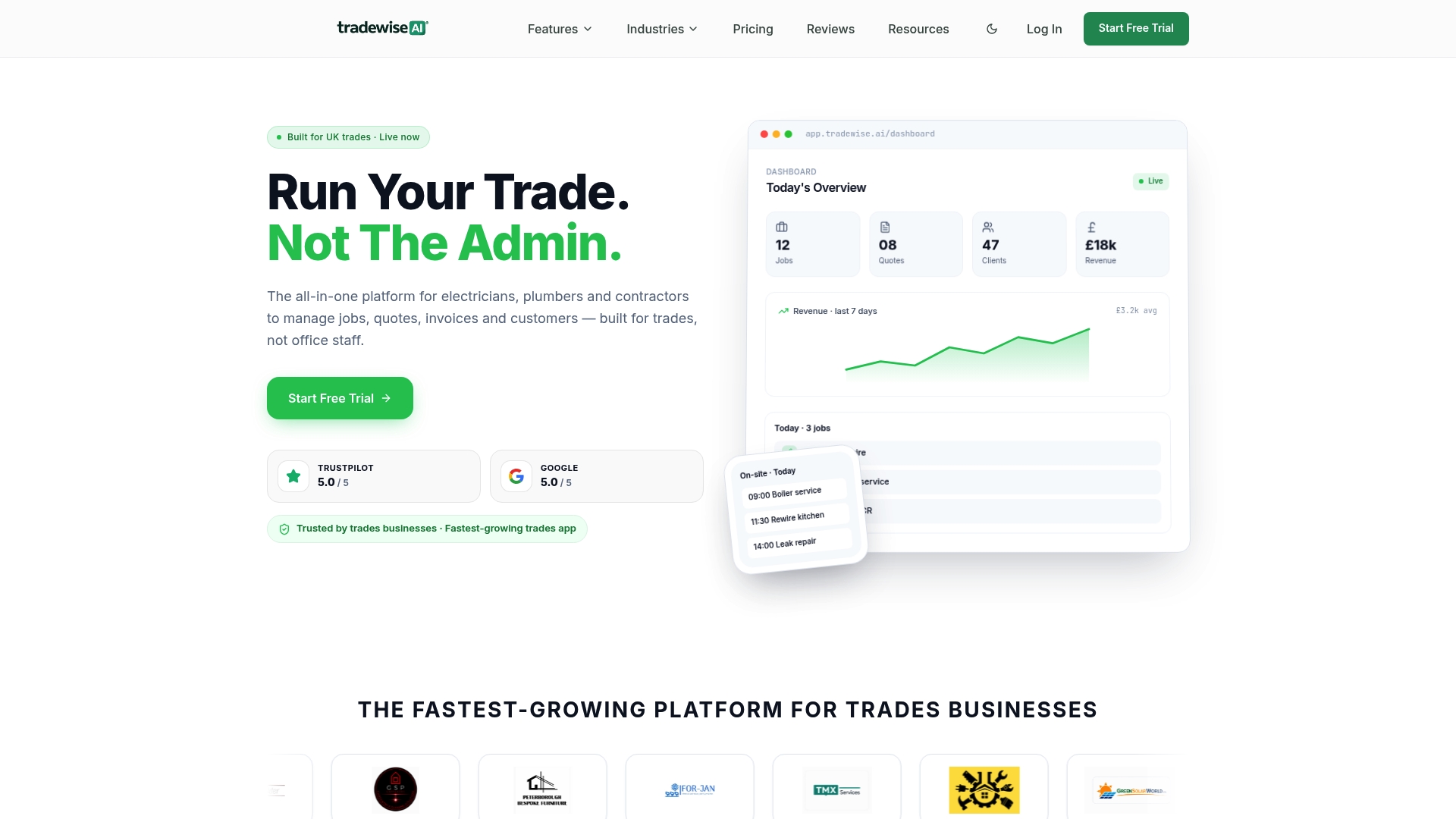
Experience the difference of managing your entire operation seamlessly from the van or office with fewer taps and less admin. Visit [TradeWise](https://tradewisehq.com) now to take control of your jobs and simplify your quoting process. Start your free trial and create on-site quotes while comparing materials instantly to accelerate payments and grow your trade business efficiently.
## Frequently Asked Questions
#### What features does TradeWise offer for field service management?
TradeWise provides features like job management, quotes and invoices, and an AI assistant for automating routine tasks. The mobile-first design of TradeWise allows tradespeople to generate quotes and manage jobs directly from their van, streamlining their workflow. You can experience these advantages directly during their free 14-day trial.
#### How does TradeWise compare to Eworks Manager in terms of pricing?
Eworks Manager has a starting price of £130 per month per team, which includes up to five users, while TradeWise offers tiered plans that range from £23 to £63 per month with a focus on individual users. If your business operates within tight budget constraints and requires multiple users, Eworks Manager may be appealing, but TradeWise’s lower entry tier could work better for solo tradespeople or small teams needing streamlined task management.
#### Can I track my job status with TradeWise as effectively as with Site Manager Pro?
TradeWise offers job management tools for progress updates and tracking payment statuses, while Site Manager Pro focuses on site-facing workflows and compliance checks with mobile wage booking. If your primary need is for comprehensive job tracking across multiple tasks, TradeWise may be a suitable choice, especially for smaller teams looking to streamline operations without complex compliance layers.
#### What benefits does the AI assistant from TradeWise provide to tradespeople?
TradeWise's AI assistant automates routine admin tasks like follow-ups and invoice reminders, which saves time for tradespeople. This capability ensures that tradespeople spend less time on administrative duties and more time on job completion. It’s particularly beneficial for those looking to reduce their workload and improve efficiency in daily tasks.
#### Is TradeWise suitable for larger enterprises needing custom workflows?
TradeWise is better suited for small to mid-sized trade teams rather than large enterprises requiring highly customisable workflows. This makes it an ideal fit for solo tradespeople or smaller businesses that can benefit from its streamlined approach without the need for extensive customization.
## Recommended
- [Top 5 askforeman.co.uk Alternatives in 2026](https://blog.tradewisehq.com/blog/askforeman-co-uk-alternatives-5)
- [Why builders need job management software in 2026](https://blog.tradewisehq.com/blog/why-builders-need-job-management-software-in-2026)
- [Tradewise AI — Trade Management Software](https://tradewisehq.com)
- [Construction subcontractor management tips for UK builders](https://blog.tradewisehq.com/blog/construction-subcontractor-management-tips-for-uk-builders)