

Switching between separate apps for quoting, job scheduling and invoicing routinely leaves field service teams with duplicated admin and missed updates. Most field service management software still charges extra for automation, restricts customisation unless you pay for enterprise plans or hides UK-specific compliance features behind support tickets. This comparison highlights features, pricing and integrations in five leading field service management platforms so you can pick one that matches your workflow without sacrificing transparency or local support.
Table of Contents
- TradeWise
- Eworks Manager
- Kantan
- pro-Forms
- Oneserve
- Comparative Analysis of Field Service Management Solutions
TradeWise
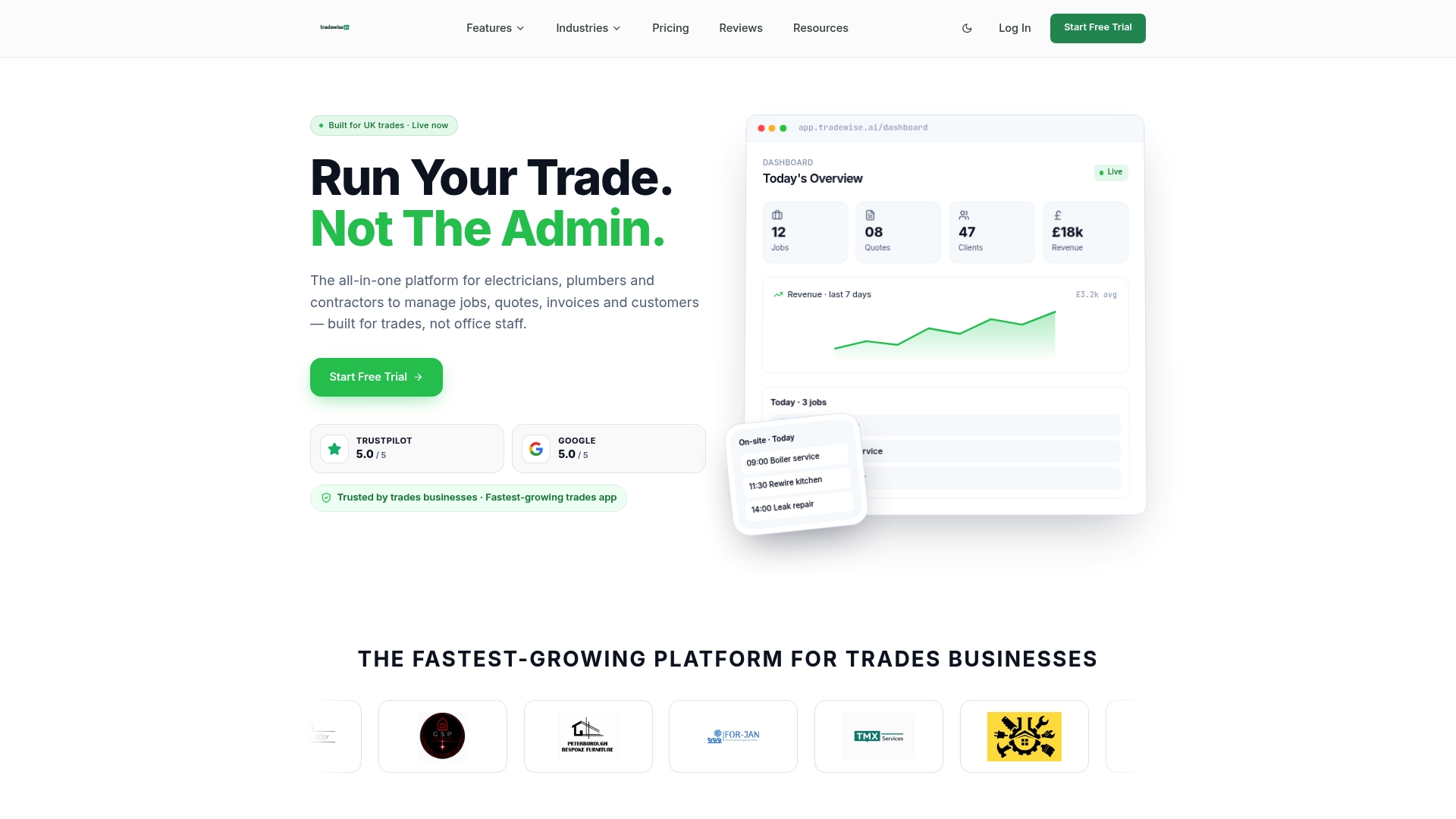
At a Glance
According to the vendor, TradeWise reduces admin time by combining job management, quoting, invoicing and lead capture into one mobile-first system aimed at UK trades. The platform also bundles an AI assistant and a Material broker for supplier comparison.
Core Features
- Job management and scheduling with mobile updates for teams on site.
- Quotes, invoicing and payment processing linked to customer records.
- AI assistant for admin automation and customer messages.
- Material broker for real-time supplier comparison and price checks.
- Lead generation, CRM and a website builder with form capture.
Key Differentiator
TradeWise is built specifically for UK trades and combines on-site mobile tools with automation aimed at trade workflows. The mix of supplier comparison alongside quoting means material cost decisions happen inside the same workflow as the quote.
That coupling is practical. It reduces manual price lookups and forces fewer spreadsheets into the quoting process, which speeds up job preparation on busy mornings.
Pros
- Designed for trades. Setup focuses on electricians, plumbers and builders so common trade fields and job types are preconfigured and ready to use.
- Mobile-first updates keep the office in sync with teams on site, reducing missed jobs and double bookings.
- Material broker shortcuts supplier selection and helps you compare parts and costs without leaving the quote screen.
- Built-in automation and the AI assistant handle routine admin such as follow-ups and message templates, freeing time for billable work.
- Integrates with Xero and QuickBooks for accounts so you avoid manual ledger exports and duplicated invoicing tasks.
Cons
- Customisation options can feel limited compared with bespoke systems, which may frustrate businesses that rely on highly tailored workflows.
Notable Integrations
- Accounting: Xero, QuickBooks.
- Payments and automation: Stripe, Zapier.
- Communication and calendar: Slack, Gmail, Google Calendar, Twilio.
Who It's For
Tradespeople and small to medium-sized contractors across the UK who want a single app for jobs, quoting and customer follow-up. Solo traders benefit from the mobile UX and growing teams benefit from role and scheduling controls.
Unique Value Proposition
The Material broker puts supplier pricing inside the quoting flow. That one capability changes the economics of quote accuracy because you no longer guess or chase prices after a survey. For jobs with variable parts costs the feature can cut re-quoting and margin leakage.
Real World Use Case
A plumbing contractor captures leads from a TradeWise website form, creates a quote on site using supplier prices from the Material broker, sends the invoice via Stripe and updates the job schedule. Admin drops and the job lifecycle moves from enquiry to completion without bouncing between apps.
Pricing
Plans start at £23/month for the Starter plan and scale up with additional users and automation features. The vendor advertises a 14-day free trial so you can test the mobile workflow and integrations before committing.
Website: https://tradewisehq.com
Eworks Manager
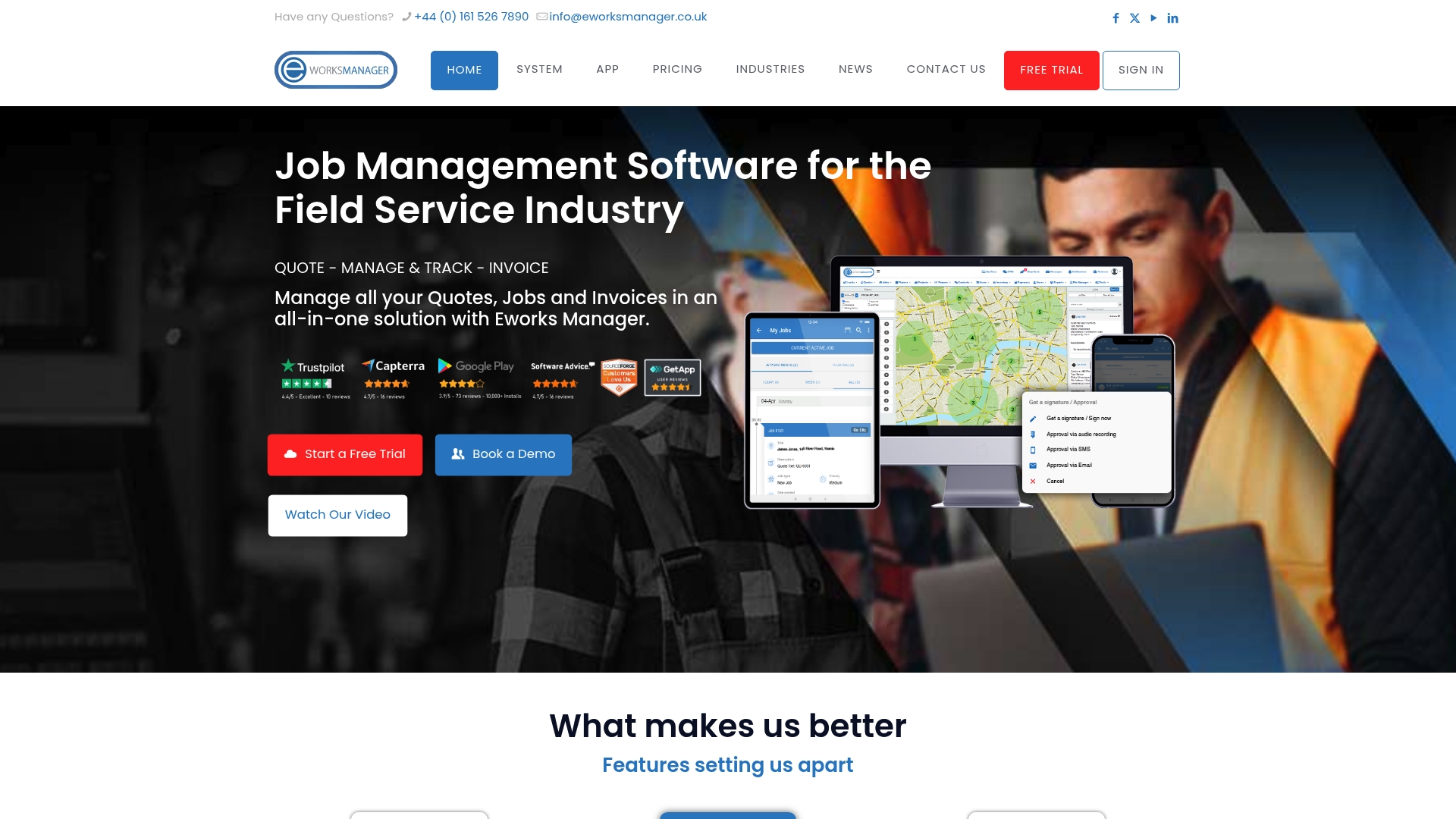
At a Glance
Plans start from £130 and rise to £151 per month, with modular add-ons for documents, extra storage and additional user modules. The vendor's materials report strong satisfaction on some review aggregators while noting lower trust scores on other sites, a polarised picture.
Core Features
Eworks Manager groups the field tools most trades teams need into one configurable system.
- Job Management including scheduling, progress tracking and real time updates for office and field staff.
- Mobile Applications for on-site job handling, expenses, asset records and offline work capability.
- EworksPay embedded payment processing alongside digital forms, electronic signatures and customer portal access.
- Asset and inventory control, route planning and GPS staff tracking are included to reduce idle travel and paperwork.
Key Differentiator
The product's angle is heavy customisation and tight operational coverage rather than single feature novelty. Compared with Tradewisehq's AI-led automation and live workforce syncing, Eworks Manager focuses on configurable modules, embedded payments and GPS tracking to support enterprise scale processes and onboarding.
Pros
-
Ease of use that helps non technical office staff pick up scheduling and quoting quickly, reducing admin training time.
-
Strong onboarding and ongoing support reported by many customers, including training programmes and assistance with configuration.
-
A free trial that requires no credit card gives you hands on access before committing to a subscription.
-
Broad functional coverage from lead and quote management through invoicing and SLA tracking cuts down on juggling separate apps.
-
Mobile features with real time GPS and digital forms let technicians capture evidence and close jobs on site.
Cons
-
Review sentiment is polarised; the vendor's own materials highlight high satisfaction on some aggregators but other review sites show lower trust scores, which creates uncertainty for risk averse operators.
-
Several reviews mention inconsistent experiences of support and occasional stability issues for specific workflows, making mission critical reliance feel risky for some teams.
-
Customisation and modular pricing mean costs can escalate as you add documents, storage or extra user modules beyond the base plan.
When It May Not Fit
If your business demands an ironclad trust record for 24 7 critical operations, the mixed review picture above is a clear concern. Small sole traders who prefer pay as you go simplicity will find the modular enterprise approach heavier than they need.
If you rely on bespoke integrations not covered below, verify compatibility before adopting.
Notable Integrations
Eworks Manager lists first party integrations with well known finance platforms and automation tools.
- Xero for accounting synchronisation.
- Sage for finance workflows.
- QuickBooks for bookkeeping connections.
- Zapier for lightweight automations and third party app bridging.
Who It's For
Mid sized to large field service and trade companies that need full operational control, mobile workforce management and compliance ready documentation. Teams with an implementation resource to tailor modules will extract the most value.
Real World Use Case
A UK electrical contractor uses Eworks Manager to schedule daily jobs, track technicians with GPS, process payments on site via the embedded gateway and produce weekly reports for project leads. Paper forms vanish and customer updates appear through the portal.
Pricing
Pricing is subscription based with tiered plans from £130 to £151 per month depending on included modules. Additional charges apply for extra modules, documents, storage and user licences and there are no fixed term contracts; a three month notice period applies.
Website: https://eworksmanager.co.uk
Kantan
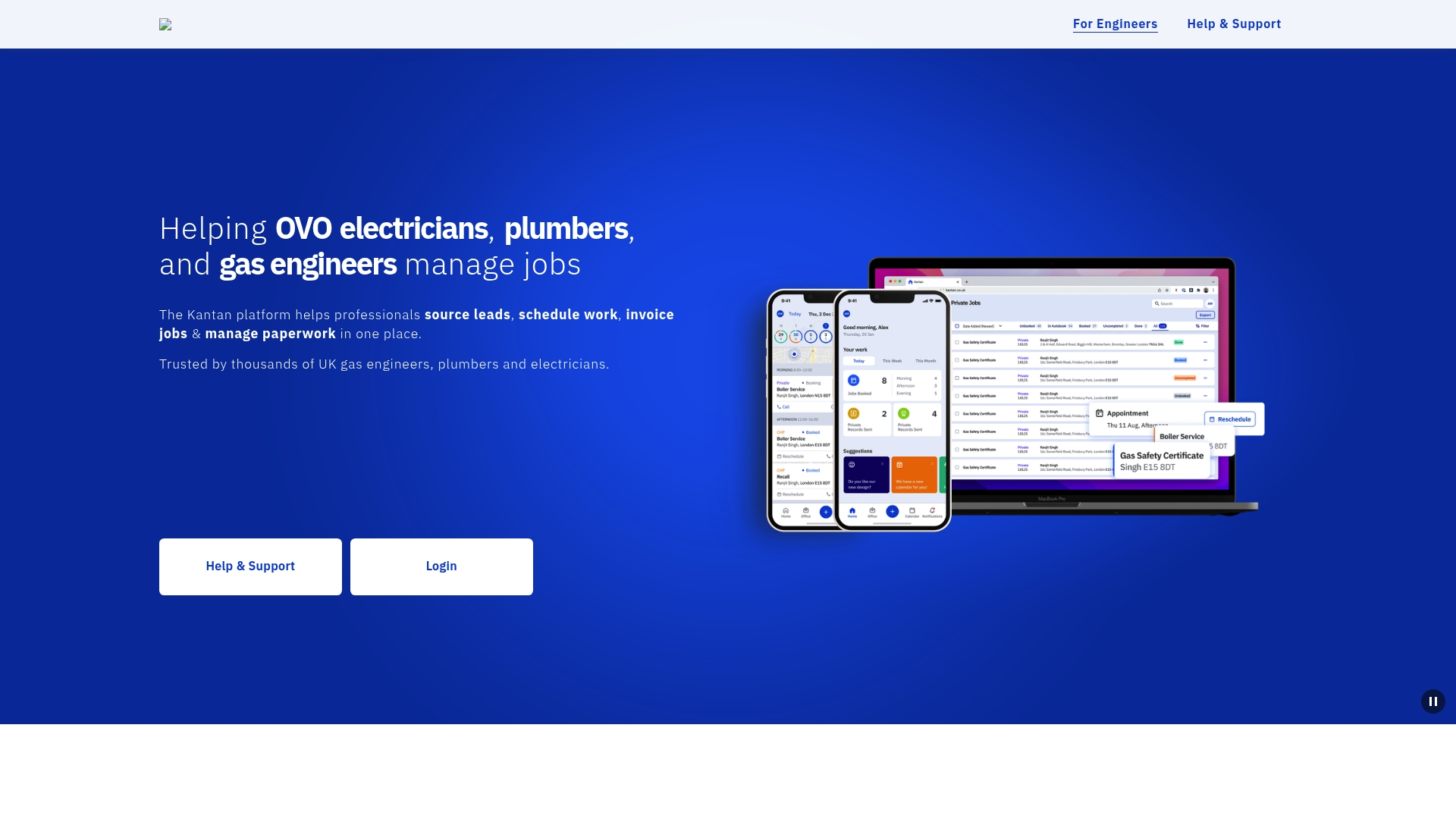
At a Glance
Kantan reports being trusted by thousands of UK trade professionals in 2026, according to its marketing materials. The platform groups lead sourcing, scheduling, invoicing and paperwork into one browser and mobile-accessible system. Users praise helpful customer support but third-party reviews cite contractor reliability issues.
Core Features
Kantan focuses on the operational tasks tradespeople face every day and exposes them through simple, mobile-friendly screens.
- Sourcing leads so contractors get notified of jobs in their area and trade.
- Scheduling work assignments with calendar views and appointment slots accessible from web, iPhone and Android.
- Invoicing jobs and managing job paperwork digitally, reducing time spent on administration.
Key Differentiator
The standout is a trade-focused feature mix rather than a generic job board. Kantan bundles lead generation, job scheduling and invoicing in a single interface that mirrors the workflow of plumbers, gas engineers and electricians in the UK. That product focus shortcuts configuration and keeps common trade tasks in one place.
Pros
-
Helpful customer service representatives respond quickly to setup and account questions, which speeds early adoption for small firms.
-
The platform makes it straightforward to find local work; installers report the lead flow helps fill quiet days. The figure above is referenced by vendors when discussing reach.
-
Access on web, iPhone and Android keeps office staff and engineers on the same page when appointments change or paperwork is signed on site.
-
The interface is user-friendly, so teams with limited admin time can learn core flows in a few hours rather than days.
-
Trusted by a broad set of UK trade professionals, which means the marketplace aspect has some density of listings and enquiries.
Cons
-
Users report poor communication around contractor scheduling; messages about times or cancellations are sometimes delayed, which creates friction with clients.
-
Cancelled or no-show appointments are cited in reviews on sites such as G2 and Trustpilot, and that variability undermines reliability for time-critical work.
-
Some tradespeople experience difficulty getting contractors to confirm jobs promptly, requiring manual follow-up from office staff.
When It May Not Fit
If your business operates outside the UK, Kantan’s market focus and lead network will likely be of limited value. Likewise, if you run high-dependability contracts where guaranteed attendance is contractually required, the reported scheduling and contractor reliability issues could be a material risk.
Who It's For
Small trade businesses and sole traders in plumbing, electrical and gas fitting who want a single place to receive job leads, book appointments and issue invoices. It suits teams that prioritise easy mobile access and modest setup effort over enterprise-grade guarantees.
Real World Use Case
A three-person plumbing company uses Kantan to receive local leads, allocate jobs to engineers, capture signed paperwork on site and raise invoices the same day. That workflow reduces admin time and shortens the cash conversion cycle for small firms.
Pricing
Not applicable — Kantan is presented as an informational and marketplace service in the provided data. The vendor does not publish a straightforward per-user SaaS price in the material supplied here.
Website: https://kantan.co.uk
pro-Forms
At a Glance
The vendor states pro-Forms advertises quick setup for field teams and hosts data in GDPR-compliant UK hosting, a combination targeted at UK organisations that must keep data onshore. That positioning is repeated in the product literature and appears central to the pitch.
Core Features
- Job management for scheduling, job status and basic work allocation.
- Asset management with tracking for maintenance histories and serial records.
- Mobile form builder and online form builder to replace paper checklists and inspections.
- Workflow automation tied to the platform and the UK data hosting claim above.
Key Differentiator
The vendor positions pro-Forms as an all-in-one suite that combines job, asset and form capabilities with UK-based data hosting. For teams that must satisfy UK data residency and want a single vendor for jobs and compliance forms, that combination is the central selling point.
Pros
- Easy initial roll-out. The product literature emphasises a fast setup without add-ons, which reduces the time before teams stop using paper forms.
- Multiple capabilities in a single place mean fewer tools to log into and fewer manual handoffs between jobs and asset records.
- Long-term customer relationships are cited; the vendor reports operating since 2006, and that longevity supports continuity and support knowledge.
- GDPR hosting in the UK helps organisations with public sector contracts or corporate data residency requirements.
Cons
- There is limited third-party review content, so independent customer sentiment and comparative metrics are scarce.
- Publicly accessible, detailed user feedback is thin, which makes trust decisions harder for procurement teams.
- The product site contains at least one navigation error reported in the product data, which may indicate content or maintenance issues on the vendor site.
When It May Not Fit
If you need an ecosystem rich in public reviews and benchmark comparisons, pro-Forms may frustrate you because third-party feedback is limited. If your operation relies on many third-party integrations, note the product data lists no integrations and you will likely need custom work.
Who It's For
UK-based field service teams and asset management groups that want to move from paper to digital forms while keeping data onshore. Best for organisations that value a single vendor for jobs, assets and compliance forms.
Real World Use Case
A UK facilities management company uses pro-Forms to schedule maintenance jobs, log asset lifecycles and replace paper inspection sheets with mobile forms. That deployment reduced paperwork and helped maintain consistent audit trails for compliance checks.
Pricing
The listing is informational only and the vendor does not publish public pricing in the product data. Contact pro-Forms directly for quotes and to discuss deployment scope.
Website: https://pro-forms.co.uk
Oneserve
At a Glance
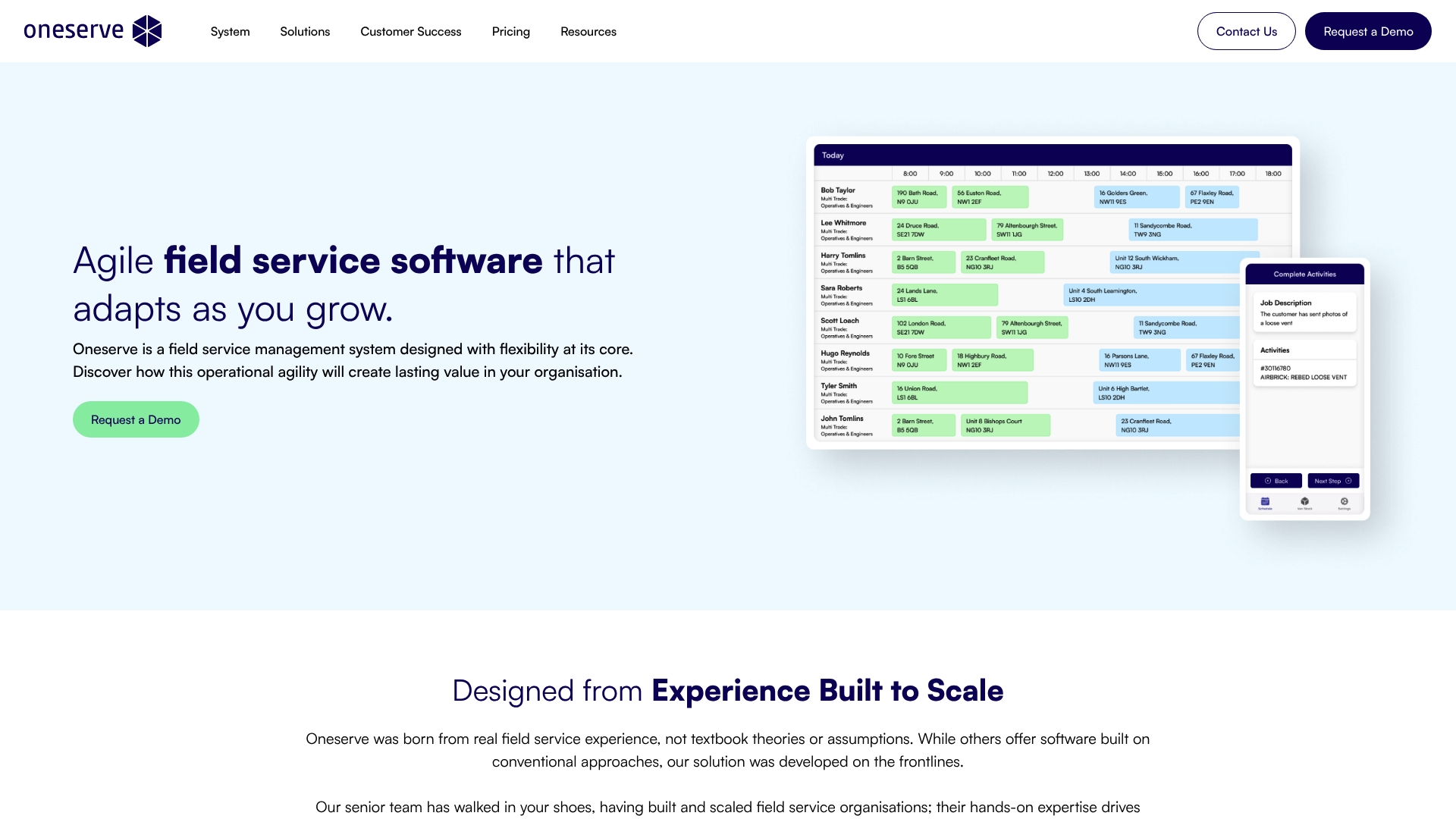
The vendor's marketing materials cite a social housing customer using Oneserve across a portfolio of over 25,000 properties. Oneserve is an agile field service management system built from frontline experience with strong workflow customisation and hands-on implementation support.
Core Features
-
Flexible workflow customisation that lets you model complex repair and maintenance processes without code.
-
End-to-end field service capabilities covering service operations, scheduling and dispatch, and reporting.
-
Offline mobile app for field teams with site and asset history tracking and compliance forms.
-
Van stock control and custom dashboards providing real-time data and analytics for operational oversight.
Key Differentiator
The product is explicitly built from frontline experience, so the configuration model focuses on real job types and paperwork that teams already use. That emphasis reduces the number of compromises between office planners and engineers on the tools they actually need.
Oneserve's configuration leans towards workflow depth rather than surface ease. If you need intricate compliance step logic or multi-stage sign-offs, Oneserve is designed to accommodate those details without heavy custom development.
Pros
-
Designed from frontline experience which makes the field forms and handover steps feel familiar to operatives rather than academic.
-
Modules span service operations to analytics so planners, schedulers and mobile teams share the same record of truth.
-
Strong implementation and ongoing support is part of the vendor pitch, which helps larger teams convert requirements into usable workflows.
-
Scalable for organisations that grow; the system is structured to take on additional job types and asset classes as teams expand.
-
Customer testimony cited ease of use and measurable operational improvements after rollout.
Cons
-
Limited independent third-party review content means you must rely more on vendor references when assessing fit.
-
Implementation costs are likely higher than off-the-shelf point solutions, especially where deep workflow customisation is required.
-
The platform may feel heavyweight for teams with fewer than 25 users or for businesses that want minimal configuration and immediate out-of-the-box simplicity.
When It May Not Fit
If your operation is a small contracting team with under 25 users and you want a simple quoting plus invoicing app, Oneserve will probably be more system than you need. The configuration and implementation cycle adds upfront time and cost compared with plug-and-play products.
Likewise, if your primary requirement is a lightweight estimating tool for ad hoc jobs rather than structured compliance and asset histories, a specialised quoting package will be easier to adopt.
Who It's For
Mid to large sized contractors, housing associations and maintenance teams that manage planned maintenance, responsive repairs and compliance programmes. If your work includes multi-stage refurbishments or detailed asset histories, Oneserve suits organisations that need workflow precision.
Real World Use Case
A social housing provider used Oneserve to improve job completion rates and resident satisfaction across the portfolio referenced above. Planners reported fewer repeat visits because operatives arrived with the right parts and compliance forms already attached to the job record.
Pricing
Pricing is not published on the website. The vendor operates a per-user subscription model with costs that depend on customisation and integrations. The company states there are no hidden charges for upgrades or support.
Website: https://oneserve.co.uk
Comparative Analysis of Field Service Management Solutions
When selecting field service management software, tradespeople and small to medium-sized contractors often seek solutions tailored to their operational needs such as efficient job management, resource allocation, and integration with accounting tools. TradeWise, Eworks Manager, Kantan, pro-Forms, and Oneserve each present a unique feature set catering to varied business requirements. Below, we delve into the key differences to help you identify the most suitable platform for your needs.
Cost and Flexibility Comparisons
TradeWise is an affordable option starting at £23/month with a 14-day free trial. Its pricing is scalable for growing teams, offering automation and mobile workforce features even on entry plans. Conversely, Eworks Manager offers more extensive modular customisation but at a significantly higher base cost of £130/month. Additional features lead to potential cost escalations, making it better suited for businesses with larger budgets. Meanwhile, neither Kantan nor pro-Forms provide upfront transparent pricing, which may lead to uncertainties in budgeting.
Integration and Feature Depth Evaluation
TradeWise distinguishes itself by integrating a unique Material broker functionality directly into its quoting workflow, streamlining material sourcing and accurate cost assessment, a feature particularly benefit for trades requiring detailed material specifications. On the other hand, Oneserve excels through workflow precision and scalability, utilising its experience-driven configurations to suit large-scale operations managing compliance-heavy and multi-stage projects. Eworks Manager provides generally broad but customisable features; however, its modularity could introduce long-term configuration management concerns.
Best Fit by Trade Business Needs
- For contractors needing an end-to-end solution that combines job scheduling, invoicing, lead capture, and material management, TradeWise addresses key workflows for UK trades professionals.
- Enterprises demanding workflow configurations for detailed compliance and larger assets should consider Oneserve due to its detailed process customisation capabilities.
- SME contractors valuing a hands-on trial experience with broad functional coverage may find appeal in Eworks Manager.
Our Pick: TradeWise
TradeWise emerges as the primary recommendation for trades professionals who require an integrated, cost-efficient platform tailored to their workflows. By uniquely embedding supplier cost insights directly into job quoting workflows, TradeWise facilitates accurate and efficient job planning. However, businesses with highly unique workflow demands or larger operations may find value in the customisable services of Oneserve or the scalable feature-laden system provided by Eworks Manager. This analysis underscores the importance of aligning tool selection with specific operational needs.
Field Service Management Software Comparison
Assess the top software choices based on features, adaptability, and pricing to find the best fit for your field service management needs.
| Software | Key Features | Best for | Pricing | Notable Limitation |
|---|---|---|---|---|
| Tradewisehq | Integrated quoting, invoicing, and AI assistant | UK tradespeople | £23/month upwards | Limited customisation options |
| Eworks Manager | Job management, GPS tracking, and mobile job updates | Mid-sized trade companies | £130–£151/month | Costs increase with modular add-ons |
| Kantan | Lead generation, scheduling, and invoicing | Small UK trade businesses | Not disclosed | Reliability issues in job scheduling |
| pro-Forms | Job management, asset management, and digital forms | UK teams needing onshore data | Not disclosed | Limited publicly available user reviews |
| Oneserve | Workflow customisation, mobile apps, and van stock control | Large contractors and housing associations | Not disclosed | Implementation cost can be substantial |
Discover a smart alternative to quantumquote.co.uk with Tradewisehq
If managing quotes, job scheduling and material costs feels like a heavy burden, Tradewisehq offers a clear solution designed just for UK tradespeople. Many users of quantumquote.co.uk alternatives seek faster quoting workflows combined with live supplier price comparison. Tradewisehq reduces guesswork by integrating a Material broker and AI assistant directly into your mobile-first job management system. You get real-time supplier costs inside your quotes eliminating tedious price lookups and cutting re-quoting risks.
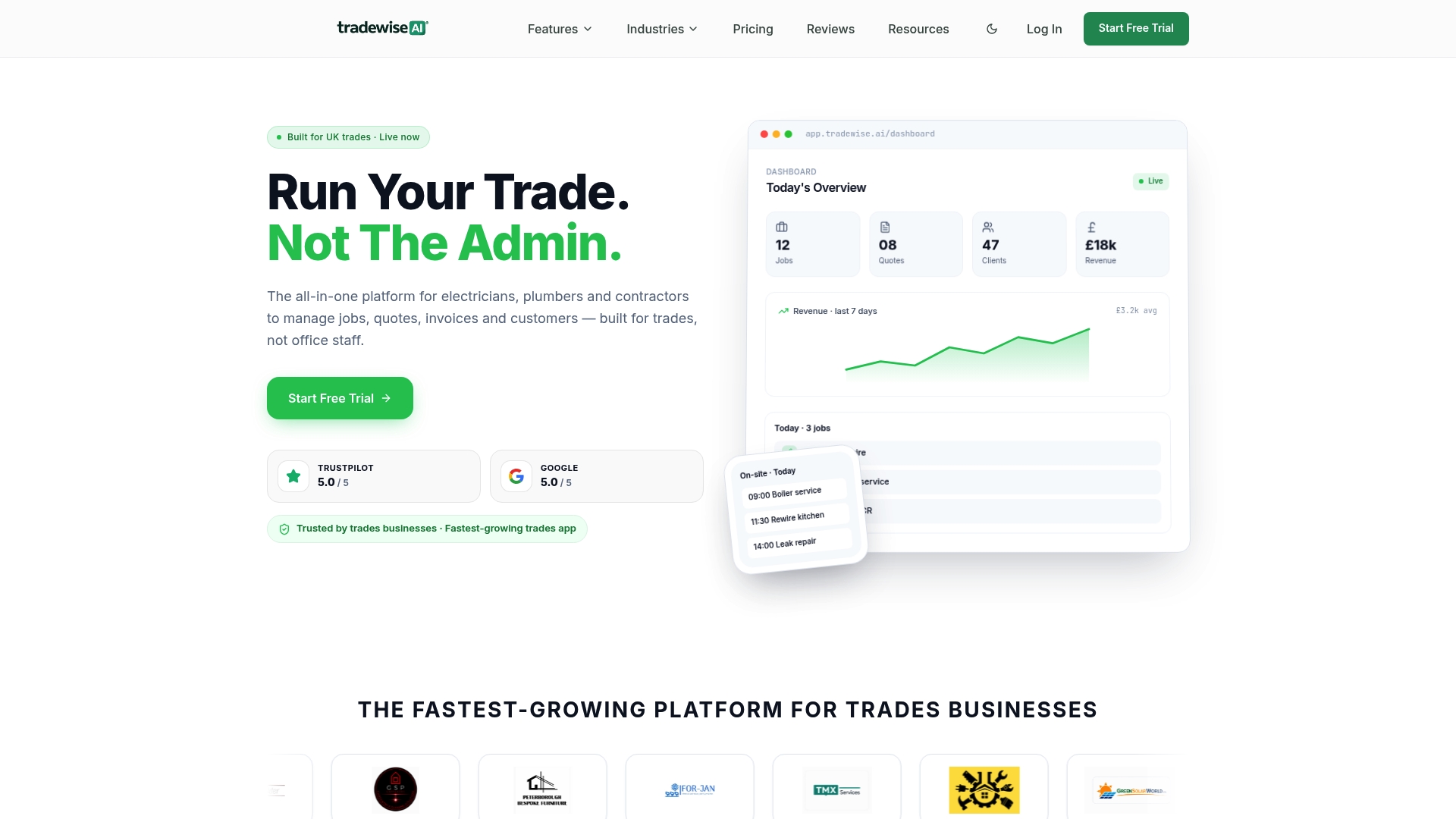
Ready to take charge of your trade business administration? Visit Tradewisehq to test a system built for electricians, plumbers and builders. Start your 14-day free trial now and create accurate quotes with live materials pricing on site — no spreadsheets needed.
Frequently Asked Questions
What features make Tradewisehq ideal for UK tradespeople?
Tradewisehq offers a mobile-first system specifically designed for UK trades that integrates job management, quoting, invoicing, and lead capture. Its core features include an AI assistant for admin automation and a material broker for real-time supplier comparison, streamlining workflows to enhance efficiency for electricians, plumbers, and builders. Businesses should expect reduced admin time and quicker job preparation.
How does the pricing of Tradewisehq compare with Eworks Manager?
Eworks Manager starts at £130 and rises to £151 per month, with additional charges for extra modules, while Tradewisehq's plans start at £23 per month. Eworks Manager focuses on extensive customisation and operational control, making it suitable for larger teams with specific needs, whereas Tradewisehq's pricing is more accessible for smaller businesses looking to streamline quoting and customer follow-ups. Consider Tradewisehq if you're in search of a more budget-friendly option with essential features.
What is the advantage of Tradewisehq’s material broker feature?
Tradewisehq’s material broker allows real-time supplier comparison alongside quoting, enabling tradespeople to make quicker and more informed material cost decisions. This feature reduces the need for manual price checks and helps avoid common delays in the quoting process, streamlining job estimates. Teams can initiate quotes more efficiently and improve overall reliability in their pricing.
Can small businesses benefit from using Tradewisehq over Eworks Manager?
Small businesses may find Tradewisehq more beneficial as it is designed specifically for UK tradespeople and focuses on ease of use with a mobile-first approach, while Eworks Manager is tailored for larger teams needing extensive customisation and a modular system. Tradewisehq allows for quicker setup and less complexity for single traders or small companies, making it an optimal choice for low-commitment engagements.
Is the lead generation feature of Tradewisehq beneficial for field service companies?
Yes, Tradewisehq includes a lead generation feature that allows tradespeople to capture leads effectively, streamlining the customer acquisition process. The comprehensive CRM and lead capture functionalities ensure that users can grow their client base and maintain all records in one place. This is essential for businesses looking to enhance their growth while reducing time spent on admin tasks.