

For UK small-to-midsize field service businesses, Tradewisehq is the recommended FieldPulse alternative in 2026, combining mobile-first AI automation with Xero and QuickBooks integration in a single platform built for tradespeople. If Tradewisehq is not the right shape for your business, the shortlist below covers the strongest options across different team sizes and use cases.
Top FieldPulse alternatives that work in the UK:
- Tradewisehq — AI-powered, mobile-first platform with live workforce syncing; best all-round pick for UK trades wanting automation without enterprise pricing
- Commusoft — UK-founded, strong on compliance workflows and customer communication; suits plumbing, HVAC and electrical contractors
- Joblogic — solid scheduling and asset management; popular with facilities management and multi-trade contractors
- Eworks Manager — UK-based support, good Xero/QuickBooks integration, suited to small-to-medium teams
- FieldAware — enterprise-grade scheduling and reporting; better for larger operations than entry-level teams
- simPRO — deep job costing and project management; strong fit for contractors running complex multi-stage jobs
This shortlist focuses on platforms available in the UK, with particular attention to accounting integrations (Xero, QuickBooks, Sage), mobile capability and onboarding transparency. It does not cover platforms that lack a meaningful UK presence or are priced exclusively for enterprise.
Pro Tip: Before you start comparing demos, write down the one specific feature or integration FieldPulse is missing for your business. Switching software is operationally heavy; a clear gap to solve keeps the evaluation focused and the migration justified.
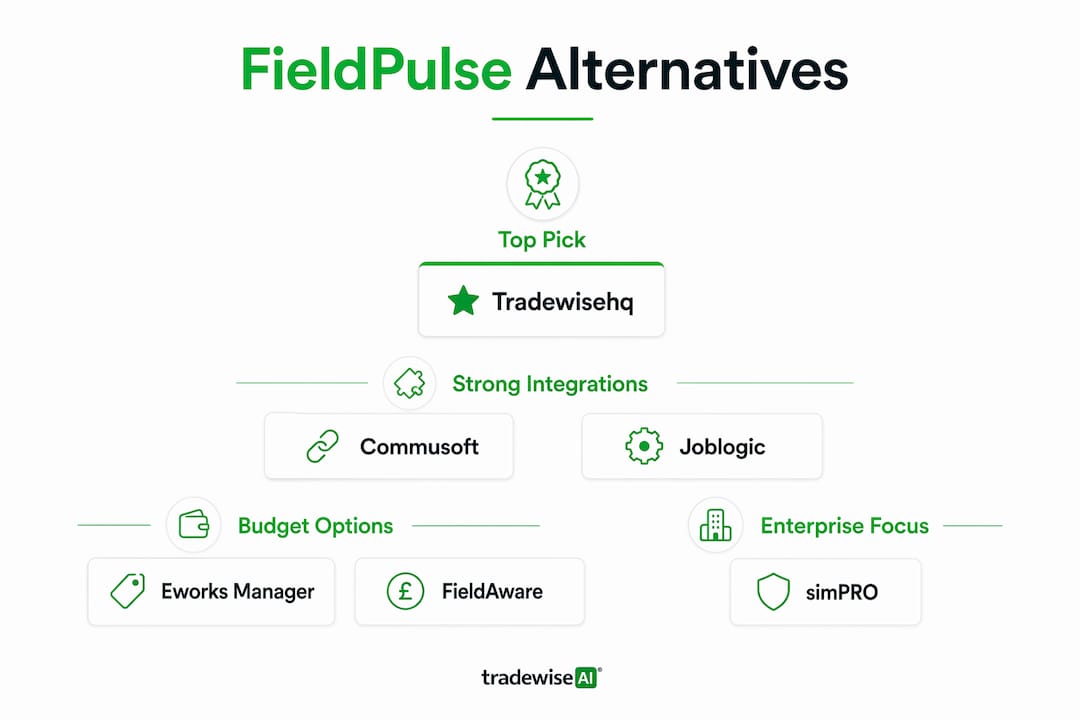
Table of Contents
- How do these FieldPulse alternatives compare at a glance?
- Vendor profiles: what each platform actually does well
- How do you choose the right FieldPulse alternative for your UK business?
- What are the real pricing and hidden costs when you replace FieldPulse?
- Step-by-step migration checklist for moving off FieldPulse
- Why Tradewisehq is the recommended pick for UK trades
- Key takeaways
- What UK trades businesses get wrong when switching software
- Tradewisehq: the practical next step for UK trades businesses
- Sources and further reading
How do these FieldPulse alternatives compare at a glance?
UK-based field service businesses consistently treat Xero and QuickBooks integration as a decisive selection criterion, and the platforms below reflect that priority.
| Platform | Best for | Starting price | Xero | QuickBooks | Sage | Mobile offline | Onboarding | UK support | Key features |
|---|---|---|---|---|---|---|---|---|---|
| Tradewisehq | Small–mid trades, AI automation | Not publicly listed | ✓ | ✓ | Partial | ✓ Strong | Fast, guided | Yes | Scheduling, quotes, invoices, AI dispatch, timesheets |
| Commusoft | Plumbing, HVAC, electrical | Not publicly listed | ✓ | ✓ | ✓ | ✓ Good | 2–4 weeks | UK-based | Job management, compliance, customer comms |
| Joblogic | Multi-trade, facilities mgmt | From ~£45/user/mo | ✓ | ✓ | ✓ | ✓ Good | 2–6 weeks | UK-based | Asset management, PPM, scheduling |
| Eworks Manager | Small–mid teams | Not publicly listed | ✓ | ✓ | ✓ | ✓ Good | 1–3 weeks | UK-based | Scheduling, invoicing, GPS tracking |
| FieldAware | Larger field operations | Custom quote | Partial | Partial | No | ✓ Strong | 4–8 weeks | Regional | Advanced scheduling, analytics |
| simPRO | Complex project contractors | Not publicly listed | ✓ | ✓ | ✓ | ✓ Good | 4–10 weeks | UK-based | Job costing, project mgmt, inventory |
Platforms marked "not publicly listed" require a sales conversation for pricing. Budget for onboarding fees on top of monthly subscription costs — this is where total cost of ownership often diverges from the advertised rate.
Aggregated review signals from platforms like G2 and Software Advice are worth checking alongside vendor claims, since editorial comparisons rank alternatives by feature trade-offs and real-user ratings rather than marketing copy alone.
Vendor profiles: what each platform actually does well
Tradewisehq
Tradewisehq is an AI-powered operating system built specifically for tradespeople: electricians, plumbers, builders, HVAC teams and contractors. The platform handles jobs, scheduling, quotes, invoices, materials, navigation and client communication in one mobile-first interface, with live workforce syncing that keeps office and field aligned in real time.

Standout feature: AI-driven automation that handles dispatch suggestions, quote generation and client messaging without manual input, reducing admin time for small teams that cannot afford a dedicated coordinator.
Pros:
- Mobile-first design built for tradespeople, not adapted from a generic CRM
- Xero and QuickBooks integration; Sage partial
- AI tools for scheduling, quoting and communication
- Fast onboarding with guided setup
Cons:
- Pricing not publicly listed; requires a sales conversation
- Sage integration is partial rather than full
- Newer to market than some established UK rivals
UK notes: Designed with UK trades workflows in mind, including VAT-ready invoicing and UK payment processor support. Support is UK-accessible. Demo and trial available via tradewisehq.com.
Commusoft
Founded in London in 2006, Commusoft has a long track record with UK plumbing, HVAC and electrical businesses. Its strength is compliance workflow management: gas safety certificates, service reminders and customer communication are tightly integrated, which matters for regulated trades.
Pros:
- UK-founded with deep understanding of trades compliance requirements
- Strong customer communication tools (automated reminders, portals)
- Full Xero, QuickBooks and Sage integration
Cons:
- Pricing not publicly listed; mid-market positioning means costs can be significant for very small teams
- Feature depth can feel excessive for businesses running straightforward job-and-invoice workflows
- Onboarding takes 2–4 weeks and may carry a setup fee
UK notes: Particularly well suited to gas engineers and heating contractors who need compliance documentation built into the job workflow. UK-based support.

Joblogic
Joblogic is a UK-developed platform with particular strength in planned preventative maintenance (PPM) and asset management. It suits multi-trade contractors and facilities management businesses that need to track equipment across multiple client sites.
Pros:
- Strong PPM and asset management modules
- Full Xero, QuickBooks and Sage support
- Transparent starting price (from approximately £45 per user per month, though tiers vary)
Cons:
- Interface can feel dated compared with newer mobile-first platforms
- Onboarding ranges from 2–6 weeks depending on data complexity
- Inventory management is less developed than job costing tools
UK notes: Popular with local authority contractors and facilities management firms. UK-based support team. Free demo available.
Eworks Manager
Eworks Manager is a UK-based field service platform aimed squarely at small-to-medium trades businesses. It covers scheduling, invoicing, GPS tracking and customer management without the complexity of enterprise-grade systems.
Pros:
- UK-based support team with good response times
- Full Xero, QuickBooks and Sage integration
- Relatively fast onboarding (1–3 weeks for most small teams)
- GPS tracking and real-time job updates included
Cons:
- Pricing not publicly listed
- Reporting and analytics are less sophisticated than simPRO or FieldAware
- Limited project management depth for complex multi-stage jobs
UK notes: A practical, no-frills option for trades businesses that want solid UK accounting integration and local support without paying for features they will not use.
FieldAware
FieldAware is an enterprise-grade FSM platform with advanced scheduling, analytics and workforce management. It is more appropriate for larger field operations than for a five-person electrical contractor.
Pros:
- Advanced scheduling and dispatch optimisation
- Strong analytics and reporting
- Robust mobile app with offline capability
Cons:
- Custom pricing only; typically out of reach for small teams on tight budgets
- Xero and QuickBooks integrations are partial rather than native
- Onboarding takes 4–8 weeks and is resource-intensive
- Less suited to the compliance workflows UK regulated trades need
UK notes: Better evaluated by businesses with 20+ field technicians. Not the right starting point for a small trades team replacing FieldPulse.
simPRO
simPRO is the go-to platform for contractors running complex, multi-stage projects with detailed job costing requirements. It handles inventory, purchase orders, subcontractor management and project tracking at a depth that simpler FSM tools cannot match. For a closer look at how it compares against other options, the simPRO alternatives guide covers the main trade-offs.
Pros:
- Deep job costing and project management
- Full Xero, QuickBooks and Sage integration
- Strong inventory and parts management
Cons:
- Onboarding is long (4–10 weeks) and typically carries a significant setup fee
- Complexity is overkill for straightforward service businesses
- Pricing not publicly listed; enterprise-level costs for smaller teams
UK notes: Best for electrical, mechanical and fire protection contractors running projects rather than reactive service calls. UK-based support available.
How do you choose the right FieldPulse alternative for your UK business?
The single most important criterion is not feature count. It is whether the platform solves the specific gap that made you look elsewhere in the first place. Switching decisions driven by a clear feature gap or scalability bottleneck are far less likely to result in a costly, disruptive migration that leaves the business no better off.
Checklist for UK trades businesses:
- Xero/QuickBooks/Sage integration — confirm it is native, not a third-party connector that adds cost and failure points
- Offline mobile capability — your engineers need the app to work in basements, plant rooms and rural sites without signal
- VAT-ready invoicing — the platform must handle UK VAT schemes correctly out of the box
- Parts and inventory management — if you stock materials, check whether inventory is included or a paid add-on
- Scheduling complexity — recurring jobs, PPM and multi-engineer scheduling need different tools than simple one-off callouts
- Reporting and job costing — do you need project-level profitability or is job-level reporting sufficient?
- Onboarding support — is there a dedicated implementation resource, or are you handed a help centre and left to it?
- Data export — confirm you can export your client list, job history and pricebook in a standard format before you sign
Questions to ask vendors in the demo:
- What is the onboarding fee, and what does it include?
- Is Xero/QuickBooks integration included in the base plan or a paid add-on?
- Can I export all my data (clients, jobs, invoices, pricebooks) in CSV or similar at any time?
- Do you have UK-based support, and what are the hours?
- Which features are locked to higher tiers?
Red flags to watch for:
- Vague answers about integration costs or "it depends" on API access
- Onboarding described as "self-serve" for a platform with complex data structures
- No clear data export policy in the contract
A realistic timeline from shortlisting to going live is 8–12 weeks for most small-to-midsize businesses. Allow two weeks for evaluation and demos, two weeks for contract and data preparation, two to four weeks for import, testing and training, and a final two-week parallel run before full cutover.
Pro Tip: Ask every vendor for a reference from a UK trades business of similar size. A vendor confident in their product will provide one without hesitation.
What are the real pricing and hidden costs when you replace FieldPulse?
The advertised monthly subscription is rarely the full picture. Analysts consistently warn that onboarding fees, training costs and enterprise-only feature gating are the three categories most likely to double your expected first-year cost.
The three highest-impact hidden cost categories:
- Onboarding and implementation fees — these can range from a few hundred pounds for a self-guided setup to several thousand for a fully managed migration on enterprise platforms like simPRO or FieldAware
- Integration fees — some platforms charge separately for Xero or QuickBooks connectors, or restrict API access to higher-tier plans; always confirm this before signing
- Feature gating — batch invoicing, advanced reporting, inventory management and custom workflows are frequently locked to mid or upper tiers, meaning the entry-level price gets you less than the demo showed
For a small trades business (2–5 users), expect to pay a monthly subscription plus a one-off onboarding cost. Mid-market platforms (Commusoft, Joblogic, simPRO) typically carry more substantial setup fees that reflect the complexity of their configuration. Enterprise platforms (FieldAware) operate on custom contracts where the headline price is rarely the final number.
VAT and invoicing: Any platform you choose must handle UK VAT correctly, including the Construction Industry Scheme (CIS) if relevant to your work. Check whether CIS deductions, reverse charge VAT and Making Tax Digital (MTD) compliance are built in or require a workaround. For practical guidance on VAT and trade invoicing in the UK context, that is worth reviewing before your vendor conversations.
Pro Tip: Onboarding and integration fees are negotiable, particularly at contract renewal or when you are signing a multi-year deal. Ask for the onboarding fee to be waived or reduced in exchange for a longer initial commitment — vendors with high confidence in their retention will often agree.
Owners commonly underestimate non-monthly costs. Onboarding, integration fees and tiered feature gating can materially alter total cost of ownership compared with the advertised subscription rate unless confirmed and negotiated upfront.
Step-by-step migration checklist for moving off FieldPulse
Migration complexity is a key reason businesses stay on platforms longer than they should. A structured approach keeps downtime short and data loss to zero.
- Audit your current data (Week 1) — list every data type you need to move: client records, job history, pricebooks, parts lists, invoice history, recurring job templates and custom fields
- Export from FieldPulse (Week 1–2) — export clients, jobs, invoices and pricebooks in CSV format; check FieldPulse's status and data export documentation for any known limitations
- Map fields to the new platform (Week 2–3) — match FieldPulse field names to the new system's equivalents; flag any custom fields that have no direct equivalent and decide how to handle them
- Clean your data (Week 2–3) — remove duplicate client records, standardise address formats and correct any known data quality issues before import; garbage in, garbage out applies here more than anywhere
- Test import on a staging environment (Week 3–4) — import a sample dataset (50–100 records) and verify that client details, job history and invoice totals match the source
- Train your team (Week 4–6) — run mobile app training for field engineers separately from office admin training; the workflows differ significantly
- Parallel run (Week 6–8) — operate both systems simultaneously for two weeks; new jobs go into the new platform, historical reference stays in FieldPulse
- Cutover (Week 8) — switch fully to the new platform; retain read-only access to FieldPulse for at least 90 days for historical reference
Common pitfalls:
- Assuming custom fields will map automatically — they rarely do
- Migrating historical invoices without checking VAT treatment in the new system
- Skipping the parallel run to save time, then discovering data gaps after cutover
Pro Tip: Keep a read-only archive of your FieldPulse data for at least three months post-cutover. HMRC requires you to retain VAT records for six years, and historical job data is frequently needed for warranty claims and customer disputes.
Why Tradewisehq is the recommended pick for UK trades
Tradewisehq earns the top spot on this shortlist for one concrete reason: it is built from the ground up for tradespeople, not adapted from a generic service management platform. The mobile-first design, AI-driven automation and live workforce syncing address the day-to-day reality of running a trades business, where the office and the van need to stay aligned without constant phone calls.
Feature highlights for UK trades:
- AI-powered scheduling and dispatch — suggests optimal job allocation based on location, skill and availability
- Quotes and invoices — VAT-ready, with automated follow-up and payment processing
- Live workforce syncing — real-time job status visible to office and field simultaneously
- Materials and parts management — track stock and raise purchase orders from the mobile app
- Client communication — automated appointment reminders and job updates reduce no-shows and inbound calls
- Xero and QuickBooks integration — native connectors keep accounts reconciled without manual data entry
Onboarding: Tradewisehq offers guided onboarding with a dedicated setup process, significantly faster than the 4–10 week timelines typical of enterprise platforms. For teams already familiar with mobile-first tools, the learning curve is short.
Who gets most value:
- Electricians, plumbers, builders and HVAC contractors with 2–25 field staff
- Businesses currently losing time to manual scheduling, paper invoices or WhatsApp job coordination
- Teams that need Xero or QuickBooks to stay reconciled without a bookkeeper manually re-entering data
Pros:
- Purpose-built for UK tradespeople
- AI automation reduces admin without requiring a dedicated coordinator
- Fast onboarding relative to mid-market rivals
- Mobile-first with strong offline capability
Cons:
- Pricing requires a sales conversation
- Sage integration is partial
- Newer brand compared with Commusoft or Joblogic
Tradewisehq combines the automation depth of enterprise FSM platforms with the simplicity a five-person trades business can actually adopt — without a six-week implementation project.
For job costing best practices that complement the platform's capabilities, that resource covers the fundamentals UK contractors need before going live.
Pro Tip: Book the Tradewisehq demo with your most complex job type in mind — multi-engineer scheduling, a recurring maintenance contract, or a job with CIS deductions. If the platform handles your hardest case cleanly, it will handle everything else.
Key takeaways
The strongest FieldPulse alternative for most UK small-to-midsize trades businesses is Tradewisehq, chosen for its AI-powered automation, native Xero and QuickBooks integration, and mobile-first design built specifically for tradespeople.
| Point | Details |
|---|---|
| Match platform to your specific gap | Switch because of a clear feature or integration gap, not general dissatisfaction; that focus keeps migration costs proportionate. |
| Confirm integration costs upfront | Xero, QuickBooks and Sage connectors are sometimes paid add-ons; verify before signing, not after. |
| Budget for hidden costs | Onboarding fees, training and feature gating can materially raise first-year costs beyond the advertised subscription. |
| Allow 8–12 weeks to migrate | Realistic timelines for small-to-midsize businesses include data prep, testing, training and a parallel run before cutover. |
| Tradewisehq for UK trades | Purpose-built for tradespeople with AI automation and UK accounting integrations; book a demo at tradewisehq.com to see it with your own job types. |
What UK trades businesses get wrong when switching software
The mistake most businesses make is treating a software switch as a technology project rather than an operational one. They spend weeks comparing feature lists and pricing tiers, then rush the migration in a fortnight because the new contract has already started. The result is corrupted data, undertrained engineers and a frustrated office team who revert to spreadsheets within a month.
The corrective is simple but rarely followed: run the parallel period properly. Two weeks of operating both systems feels inefficient, but it is the only reliable way to catch data gaps, workflow mismatches and integration failures before they become customer-facing problems. Every business that skips it regrets it.
The second common error is evaluating software on a desktop demo and never testing the mobile app in the field. Office managers love a clean dashboard. Engineers care about whether the app loads a job sheet in a plant room with no signal. Those are different tests, and only one of them reflects how the software will actually be used.
Tradewisehq's mobile-first architecture addresses the second problem directly. The first problem, the rushed migration, is a process failure that no platform can solve for you.
Tradewisehq: the practical next step for UK trades businesses
Fewer admin hours, less chasing, and a field team that always knows where to be next. That is what Tradewisehq delivers for UK electricians, plumbers, builders and HVAC contractors who are done managing jobs across WhatsApp threads and disconnected spreadsheets.
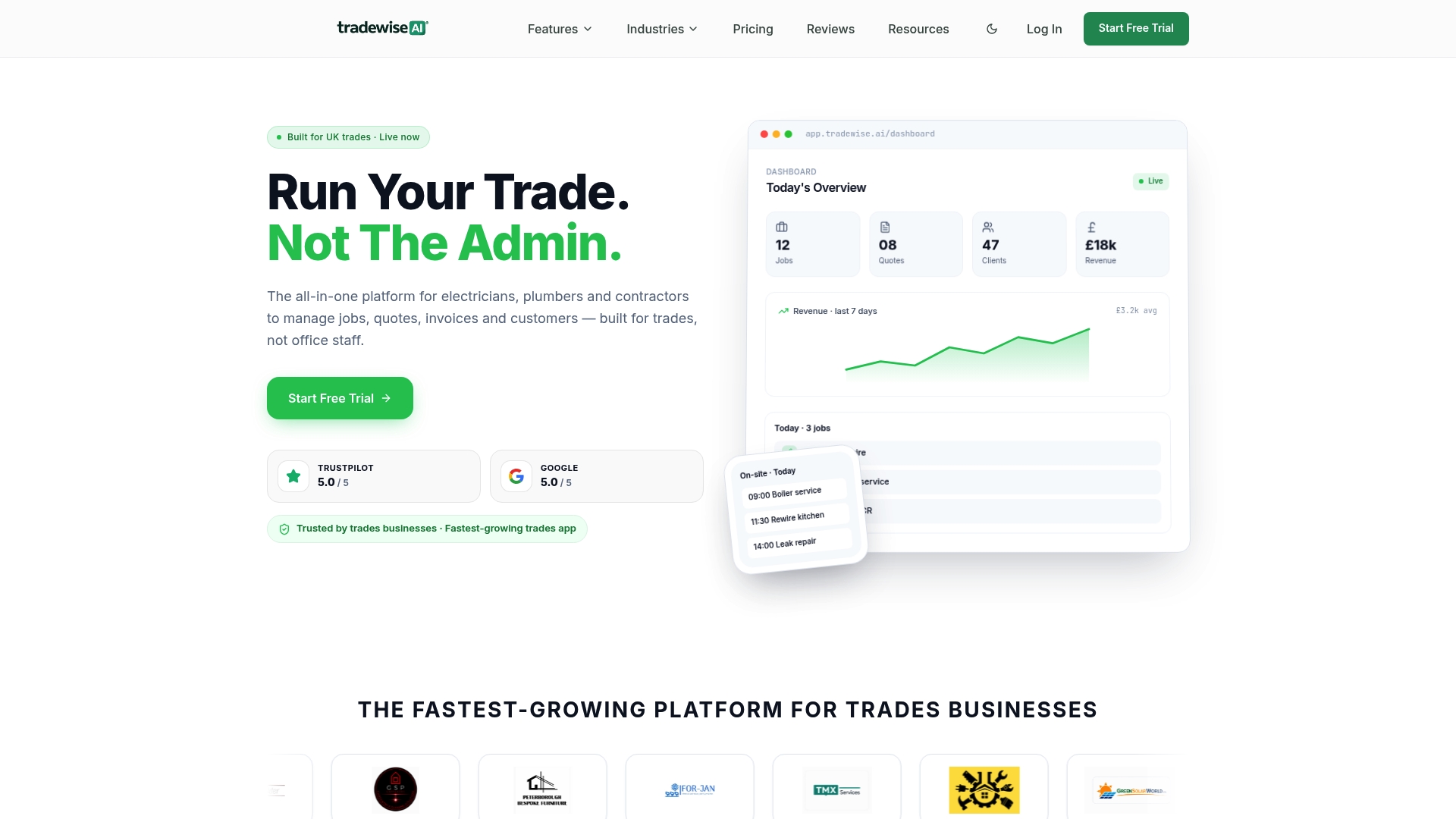
Tradewisehq is an AI-powered platform built for tradespeople, not repurposed from generic service software. It handles scheduling, quoting, invoicing, materials and client communication in one mobile-first system, with native Xero and QuickBooks integration so your accounts stay reconciled without manual re-entry. Onboarding is guided and significantly faster than the multi-week implementations typical of mid-market rivals.
Book a demo at tradewisehq.com and bring your most complex job type. If it handles that cleanly, it will handle your whole operation.
Sources and further reading
The following sources informed this comparison and are worth reviewing directly for additional signals on vendor ratings, market position and migration guidance.
| Source | What it covers |
|---|---|
| SaaSHub — FieldPulse alternatives | Aggregated list of 10+ alternatives with community ratings; useful for a broad market view |
| ToolRadar — FieldPulse alternatives | Editorial comparison of eight alternatives by pricing, features and use case |
| Tracxn — FieldPulse company profile | Company profile, funding summary and competitor landscape for market context |
| StatusGator — FieldPulse status | Historical uptime and outage records for FieldPulse reliability reference |
| G2 — FieldPulse alternatives | Verified user reviews and ratings for FieldPulse and its alternatives |
| Software Advice — FieldPulse alternatives | Curated shortlist with user ratings and feature comparisons |
| CB Insights — FieldPulse competitors | Market intelligence on FieldPulse's competitive position and rival profiles |
For additional review signals: G2 and Capterra both carry verified reviews from UK field service businesses. Filter by company size (1–50 employees) and industry (electrical, plumbing, HVAC) to find the most relevant comparisons for your situation. Aggregated ratings from these platforms, combined with editorial comparisons, give a more reliable picture than vendor-supplied case studies alone.
This article provides general information for comparison purposes and does not constitute professional procurement or legal advice. Confirm current pricing, integration availability and contract terms directly with each vendor before making a purchasing decision.