

Job management software is a unified platform that connects scheduling, quoting, job tracking, and invoicing into a single system, and for UK construction professionals, it delivers measurable gains in productivity, cash flow, and project control. Trades and construction SMEs report cutting invoice admin time by up to 70% using integrated platforms, a figure that translates directly into hours recovered and errors avoided. Whether you run a two-person electrical firm or manage a multi-trade contracting business, the advantages of project management tools at this level are no longer optional. They are the difference between a business that scales and one that stalls.
1. The core benefits of job management software, defined
Job management software, also referred to in the industry as field service management (FSM) software, covers the full operational cycle of a trade or construction business. It replaces disconnected spreadsheets, paper job sheets, and separate invoicing tools with one connected system. The core benefits are speed, accuracy, and visibility across every job from first enquiry to final payment. For UK builders and project managers, this means fewer missed appointments, faster billing, and a clearer picture of where every pound is going.
2. Reduced administrative time and fewer errors
The single biggest drain on a construction business is not the work itself. It is the paperwork that surrounds it. Workers lose nearly four hours weekly toggling between disconnected apps, and that figure compounds across an entire team. A five-person crew loses the equivalent of a full working day every week before a single brick is laid.

Integrated job management software removes the need for data re-entry across quoting, scheduling, and invoicing. When a quote is accepted, the job details flow automatically into the schedule, and when the job is complete, the invoice is pre-populated from the same data. This single-entry model eliminates the transcription errors that cause disputes and delays.
Key administrative gains construction teams report include:
- Quoting to invoicing without re-keying any client or job data
- Centralised audit trails that show every change made to a job record
- Automated reminders for follow-ups, renewals, and outstanding payments
- Reduced phone traffic between site and office for status updates
Pro Tip: Start with one or two core modules, such as job scheduling and invoicing, before activating the full feature set. Modular activation improves adoption rates and lets your team build confidence gradually rather than facing a steep learning curve all at once.
3. Faster payments and tighter financial control
Cash flow is the number one pressure point for UK construction businesses, and integrated invoicing directly addresses it. Businesses using digital invoicing tools are paid up to four times faster, reducing the typical five-week cash gap to three weeks and freeing capital that would otherwise sit locked in unpaid invoices. For a contractor running multiple jobs simultaneously, that two-week difference can cover materials, wages, or subcontractor costs without touching an overdraft.
| Billing method | Typical payment cycle | Admin time per invoice |
|---|---|---|
| Manual paper invoicing | 5 weeks average | High, with re-entry risk |
| Spreadsheet-based billing | 3 to 4 weeks | Medium, prone to version errors |
| Integrated digital invoicing | 1 to 2 weeks | Low, auto-populated from job data |
Finance professionals using automation spend 20 to 30% less time on manual finance tasks, which for a project manager means fewer Friday evenings reconciling figures and more time on site decisions that actually move jobs forward.
Job management software also acts as an early warning system by providing visibility into actual spend vs forecast, allowing early detection of overruns before they become costly. Real-time accounts receivable views flag slow payers before they become bad debts.
Pro Tip: Set automated payment reminders at 7 days and 14 days after invoice issue. Most platforms allow this to run without manual input, and it removes the awkward chasing conversation entirely.
4. Centralised data and real-time reporting
Construction project managers have historically made decisions based on information that is days or weeks old. Job management software changes this by providing a single source of truth that updates in real time. Managers can see profit per job, job stage, and resource allocation without waiting for end-of-week reports.
The four hours saved weekly per worker from eliminating app-switching is only part of the story. The deeper gain is decision quality. When a site manager can see at 9am that a job is running 15% over budget, they can act before the overrun compounds. When that information arrives on Friday afternoon, the damage is already done.
Reporting dashboards in modern FSM platforms typically surface:
- Live profit per job against quoted value
- Job stage tracking from survey through to sign-off
- KPI views for first-time fix rates, job completion times, and revisit rates
- Workforce utilisation showing who is available, on-site, or travelling
83% of businesses view AI-driven automation as essential for shifting project managers from reactive roles to strategic decision-makers. This is the practical mechanism: when reporting is automated, managers stop firefighting and start planning. For UK construction teams managing multiple concurrent projects, this shift in focus is where the real competitive advantage lies. You can read more about this in Tradewisehq's guide to AI tools for builders.
5. Smarter scheduling and field productivity
Job scheduling software benefits go well beyond putting names against time slots. Intelligent dispatch considers technician skills, certifications, current location, and live traffic conditions to assign the right person to the right job at the right time. The result is a measurable improvement in first-time fix rates, which directly reduces the cost of revisits and the reputational damage of failed appointments.
Automated dispatch reduces windshield miles, fuel bills, and carbon footprint while raising first-time fix rates and customer satisfaction scores. For a construction business operating across a county or region, route optimisation alone can recover a meaningful portion of fuel costs each month.
The scheduling benefits that matter most to UK construction teams include:
- Skills-based assignment matching the right tradesperson to each job type
- Live schedule updates pushed directly to field staff mobile devices
- Automatic timesheet syncing removing the need for manual time recording
- Conflict detection that flags double-bookings or unrealistic travel windows before they cause problems
A manufacturing IT department that moved to a centralised scheduling system reduced maintenance time by 65% and achieved a 99.8% job success rate. The principle transfers directly to construction: when scheduling is driven by data rather than guesswork, completion rates rise and rework falls. Tradewisehq's detailed guide on workforce scheduling in construction covers this in depth for UK project managers.
6. Mobile and cloud access from site
The job tracking software benefits that field teams notice first are the ones that remove friction from their working day. A tradesperson who can build and send a quote, log job notes, upload site photos, and record hours from their van is not just more productive. They are also more accurate, because the information is captured at the point of work rather than reconstructed from memory at the end of the day.
Mobile apps enable tradespeople to operate fully on site, reducing office calls and eliminating the paper job sheets that get lost, damaged, or misread. For a project manager overseeing multiple sites, this means a live feed of job status without needing to call each team individually.
The practical gains from mobile-first job management include:
- On-site quoting with materials pricing pulled from a live catalogue
- Photo documentation attached directly to job records for dispute resolution
- Real-time client updates sent automatically at key job milestones
- Accurate time capture that feeds directly into payroll without manual transcription
For trades businesses managing digital timesheets, the shift from paper to mobile recording removes one of the most common sources of payroll disputes and timesheet fraud.
7. Why job management software improves subcontractor oversight
Construction projects rarely run with employed staff alone. Subcontractors introduce a layer of complexity that paper-based systems handle poorly. Job management software gives main contractors visibility into subcontractor job status, attendance, and completion without relying on phone calls or end-of-day reports.
Assigning jobs to subcontractors through the platform means their work appears in the same dashboard as directly employed staff. Completion confirmations, photo evidence, and sign-off records are captured in the same audit trail. This matters for CIS compliance, retention management, and dispute resolution. Tradewisehq's guide to subcontractor management covers the specific workflow considerations for UK builders working with subbies.
Key takeaways
Job management software delivers its greatest value when it connects scheduling, invoicing, and field reporting into a single platform rather than replacing individual tools in isolation.
| Point | Details |
|---|---|
| Admin time reduction | Integrated platforms cut invoice admin time by up to 70%, recovering hours across the whole team each week. |
| Faster payment cycles | Digital invoicing reduces the typical five-week cash gap to three weeks, freeing capital for materials and wages. |
| Real-time project visibility | Live dashboards show profit per job and job stage, enabling managers to act on overruns before they compound. |
| Smarter field scheduling | Skills-based dispatch and route optimisation raise first-time fix rates and reduce fuel costs simultaneously. |
| Mobile-first accuracy | On-site data capture removes transcription errors and reduces the volume of calls between field staff and the office. |
The part most builders get wrong when adopting this software
I have watched construction businesses invest in job management software and see almost no return, not because the software was poor, but because they digitised broken processes. Simply moving a chaotic paper workflow into a digital system produces a faster, more visible version of the same chaos. The underlying operations must be sorted first. If your quoting process is inconsistent, no software will fix that. It will just make the inconsistency easier to track.
The second mistake I see consistently is trying to implement everything at once. Most platforms offer modular features precisely because full adoption in one go overwhelms field staff who are used to paper. Start with job scheduling and basic invoicing. Get those working properly, then add reporting, then mobile time capture. Each phase builds confidence and reduces resistance.
The third thing worth saying plainly: assign one person in your business to own the software rollout. Not IT, not management, but someone who works alongside the field team and understands their daily friction. A digital champion who can answer questions on site and translate between the software and the workflow is worth more than any amount of vendor training. Without that person, adoption stalls within six weeks in most businesses I have seen.
The advantages of project management tools are real and well-documented, but they are not automatic. They require deliberate implementation, honest process review, and someone willing to push through the initial resistance.
— Mateusz
See how Tradewisehq handles this for UK trade businesses
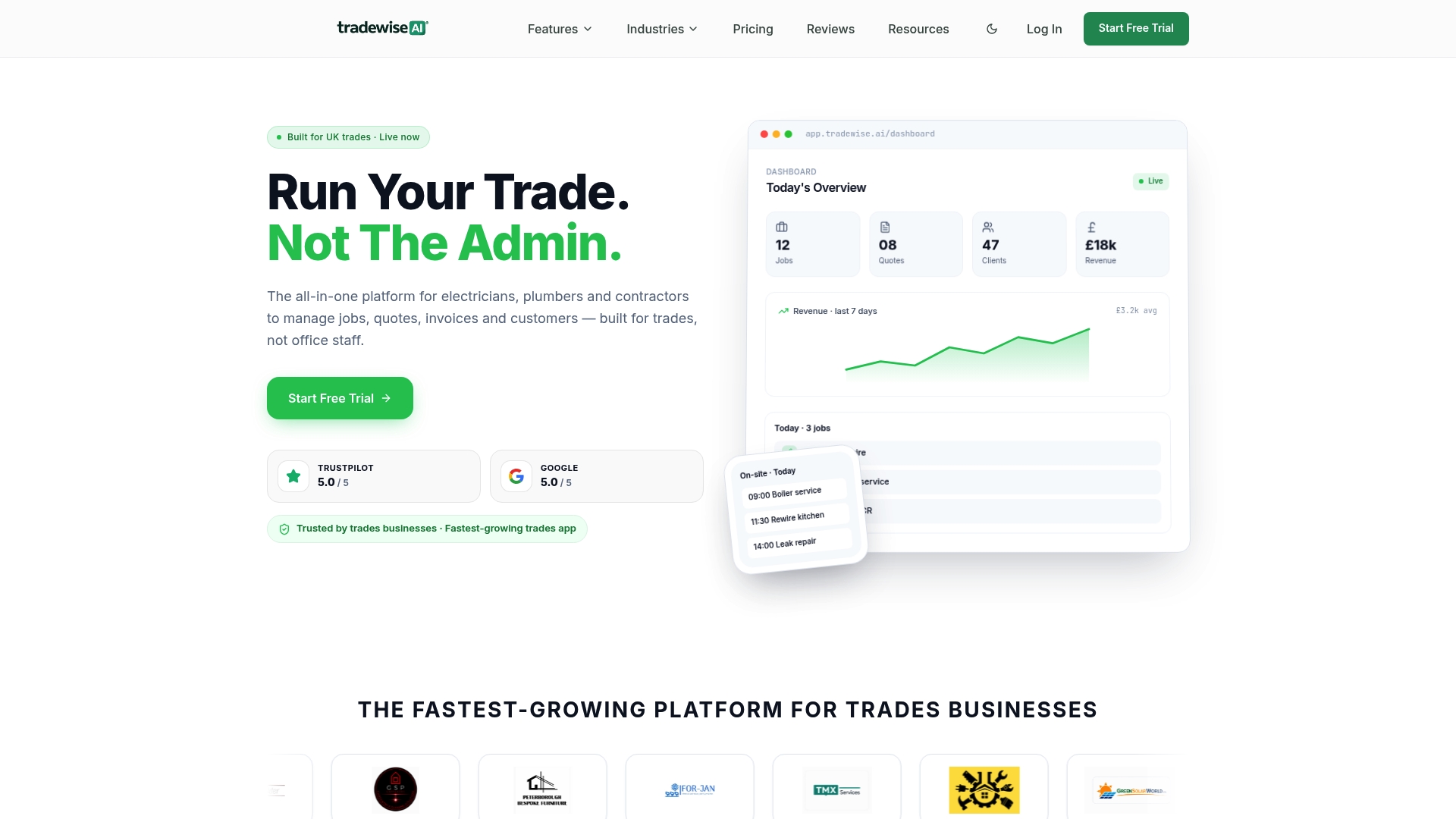
Tradewisehq is built specifically for UK tradespeople and construction teams who need scheduling, quoting, invoicing, and live job tracking in one mobile-first platform. It connects field staff and office in real time, automates invoice generation from completed job data, and gives project managers the live reporting they need to stay ahead of overruns. If you are ready to see what integrated job management software looks like in practice for a UK construction business, Tradewisehq is worth exploring. The platform is designed for adoption by trade teams, not enterprise IT departments, which means you can be operational with core features in days rather than months.
FAQ
What is job management software used for in construction?
Job management software connects scheduling, quoting, job tracking, and invoicing into one platform, replacing disconnected spreadsheets and paper job sheets. For UK construction teams, it provides real-time visibility into job status, workforce location, and project costs.
How does job management software improve cash flow?
Businesses using integrated digital invoicing are paid up to four times faster, reducing the typical five-week payment gap to around three weeks. Auto-populated invoices and automated payment reminders remove the manual steps that delay billing after job completion.
Is job management software suitable for small construction firms?
Most platforms offer modular features that can be activated progressively, starting with core job tracking and invoicing before expanding to full reporting and dispatch tools. This makes them practical for firms of two people upwards, not just large contractors.
How quickly can a construction team adopt job management software?
Adoption speed depends on starting with one or two core features rather than the full platform. Teams that begin with scheduling and invoicing typically reach confident daily use within two to four weeks, particularly when a designated team member leads the rollout.
Does job management software help with subcontractor management?
Job management software assigns subcontractor jobs through the same dashboard as directly employed staff, capturing completion confirmations, photo evidence, and sign-off records in a single audit trail. This supports CIS compliance and removes the reliance on phone calls for status updates.