

Finding field service management software that matches UK trades' full workflow without excess add-ons is still harder than it should be. Many established platforms still tie key features such as quoting, payment collection, or offline mobile access behind separate modules or unclear pricing. This comparison covers price, mobile features, and integration support so field service teams can shortlist software that suits their workflow and budget.
Table of Contents
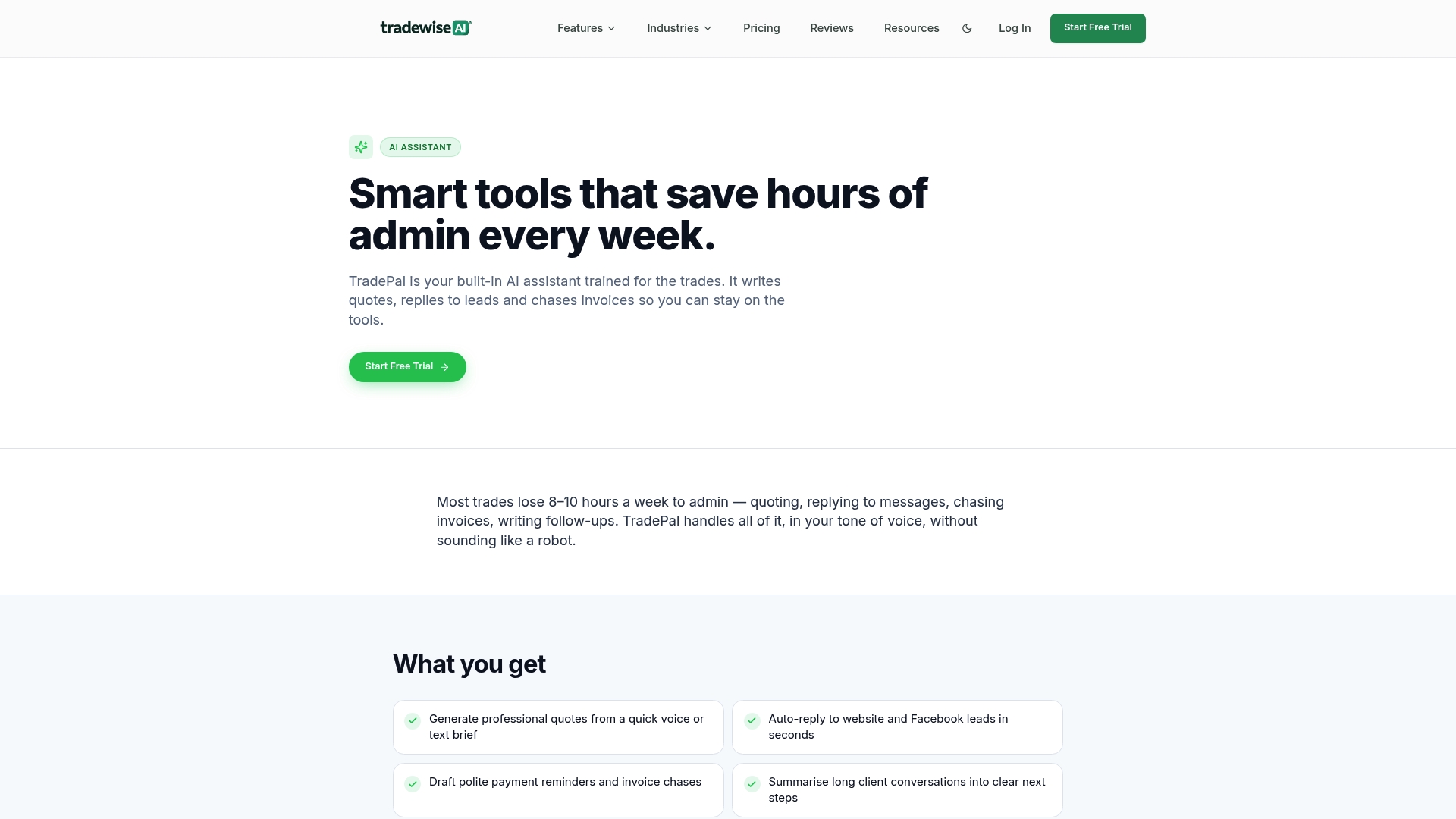
TradeWise
At a Glance
Material sourcing, comparison and order management sit alongside an AI assistant and an ad launcher. The platform bundles job scheduling, quotes and invoices with a website builder tailored for trades. That combination gives trades a single place for purchasing, customer acquisition and field operations.
Core Features
Job management and scheduling link with quotes and invoice creation so you can move a job from lead to payment in one flow. The platform offers an AI assistant for admin messages and automated replies, plus a website builder and marketing tools for lead capture and ad campaigns. Mobile first apps, real time reporting, workflow automation and the material broker close gaps between the office and the van.
Key Differentiator
Designed specifically for UK electricians, plumbers, roofers and builders, TradeWise merges admin, marketing and operational tools in a single mobile first platform. Its material sourcing tools sit inside the same workflow as quotes and job scheduling. That focus on trade specific purchasing and customer acquisition separates it from generic job managers.
Pros
According to the company, most users are operational within minutes. The product targets trade workflows so quoting, supplies and scheduling match the way tradespeople work. Integrated marketing and lead capture reduce the need for separate tools, while the AI powered admin features cut time spent on routine messages and follow ups.
Cons
- Limited offline access: the app is primarily cloud based, so crews working in poor signal areas will see reduced functionality.
Who It's For
TradeWise suits UK trade businesses that want one place for jobs, customer records, quotes and marketing. It fits solo tradespeople who need quick setup and larger teams that require scheduling and purchase management. The platform also appeals to firms that want to centralise advertising and review automation alongside job management.
Unique Value Proposition
The material broker paired with onsite marketing tools lets trades control cost and capture leads from the same dashboard. That arrangement reduces admin steps between quoting, ordering and billing. For businesses that buy materials frequently and run local ads, this can shorten the purchase cycle and centralise supplier choices.
Real World Use Case
A small plumbing business used TradeWise to automate quotes, centralise customer enquiries and coordinate team schedules. The team ordered materials through the broker and tracked cash flow from the same dashboard. The vendor says this led to faster payments and increased booked jobs.
Pricing
Plans start at £23/month for Solo, £39/month for Pro and £63/month for Business, with custom pricing for Enterprise. A free trial is available so you can test quoting, material sourcing and mobile features before subscribing. Subscriptions scale by plan to support a single trader or multi person teams.
Website: https://tradewisehq.com
Eworks Manager
At a Glance
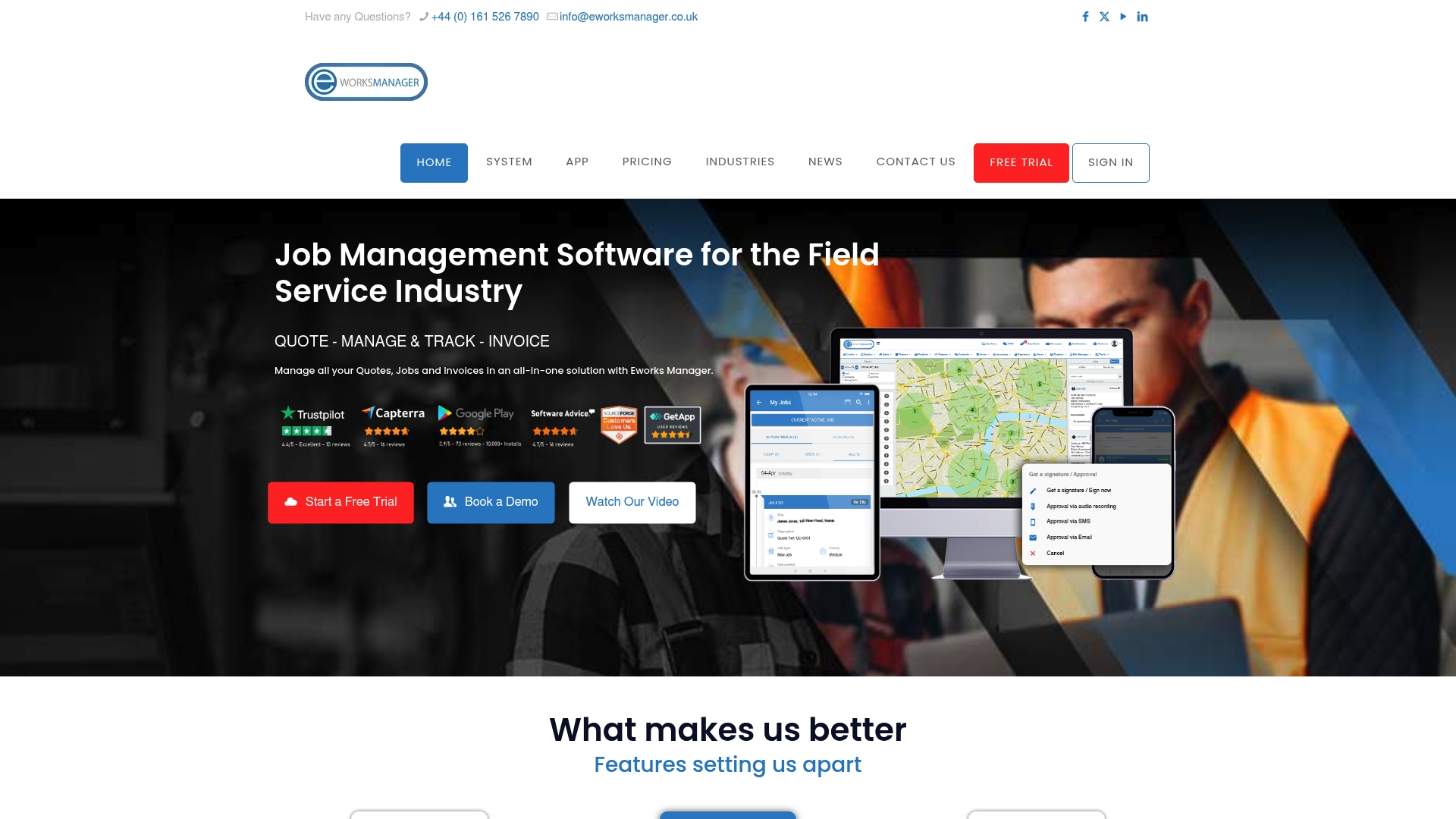
GBP £130–£151 per month is the published price range for Eworks Manager. This covers the core platform with optional add‑ons and modules available. The system centralises job scheduling, asset tracking, invoicing and on‑site payments for field service teams.
Core Features
Eworks Manager combines advanced scheduling and route planning with asset and inventory control, plus digital document storage. The mobile app supports offline work and real‑time job tracking, while CRM links, Zapier automation and APIs let you connect other systems. Embedded payments through the vendor’s payment solution let technicians take payments on site.
Key Differentiator
The standout capability is the platform’s embedded payments tied to field workflows, which reduces paperwork at invoicing. The scheduling engine and route planning aim to cut technician travel time and improve daily dispatch. Together these two features target businesses that collect payment on site and need tight coordination of mobile teams.
Pros
The interface remains approachable for teams that already use mobile devices. The vendor advertises strong onboarding and training packages, which helps with initial adoption. The mobile app maintains job visibility offline and reports technician location in real time. Integration options include Zapier and a public API, which allows you to automate common tasks and link accounting or CRM systems. Pricing is offered by team size rather than per user, which suits crews with fluctuating headcount.
Cons
- Potential for a steep learning curve for new users who have never used a full field management system.
- Cost may be high for very small teams or startups that only need simple scheduling and invoicing.
- Requires time investment for full customisation and training to get advanced workflows working well.
When It May Not Fit
Eworks Manager may not suit sole traders or very small teams seeking a lightweight scheduler with minimal setup. Businesses with minimal need for asset tracking or embedded payments will pay for features they will not use. Firms that lack capacity for a multiweek onboarding process should consider simpler alternatives.
Notable Integrations
Eworks Manager connects to Zapier, enabling prebuilt automations with common apps. The product also exposes APIs for custom integrations with accounting, CRM or procurement platforms. These options let you avoid manual data entry and link field updates to back office systems.
Who It's For
This product fits small to medium sized field service companies that need an integrated operational system with mobile support. Typical buyers include electricians, plumbers, HVAC contractors and maintenance teams that collect payments on site. It suits teams prepared to invest time in setup and training to gain long term control over jobs and assets.
Real World Use Case
A plumbing company uses Eworks Manager to assign jobs to mobile technicians and track progress in real time. Technicians file digital job sheets and upload signed contracts on site, then take customer payments using the embedded payment option. The office team closes invoices faster and reconciles payments without chasing paperwork.
Pricing
Pricing starts at GBP £130–£151 per month depending on the plan, with additional modules and add‑ons available. The vendor advertises no large upfront setup fees and a three‑month notice period rather than long contracts. Expect extra charges for premium modules or bespoke integrations.
Website: https://eworksmanager.co.uk
Workever
At a Glance
Starting at £29/month, Workever offers per user pricing and a 30 day free trial. The platform targets small and medium service firms with mobile apps that continue to record work when offline. It also advertises stock and asset modules plus direct links to popular accounting software.
Core Features
Workever covers job creation, scheduling, field tracking, invoicing, and a customer portal from a single cloud access point. Mobile apps let technicians capture forms, photos, and signatures while offline and then sync when back online. The system also includes stock control, asset tracking, service contract reminders, and a forms builder for compliance paperwork.
Key Differentiator
The combination of a mobile offline app and native connections to accounting packages sets Workever apart for trades with variable connectivity. That mix reduces duplicate data entry between field teams and accounts. It suits businesses that need field tools plus bookkeeping links without separate bespoke integrations.
Pros
Workever offers a straightforward, user friendly interface that speeds initial setup and daily use for office staff. Mobile functionality works when connectivity is poor, which keeps technicians productive on remote jobs. The platform integrates with Xero and QuickBooks, and payment capture via Stripe Payments reduces time to invoice. Customer feedback mentioned reliable support and practical usability for trades teams.
Cons
- Detailed pricing tiers are not publicly listed. This makes budget planning harder for firms that expect clear feature limits per plan.
- Advanced customisation can require training. Teams with complex workflows may face a learning curve before they get full value.
- Some features depend on internet access, even though the app supports offline data capture. Office functions and third party syncs need connectivity.
When It May Not Fit
Large operations that need enterprise grade reporting or heavily customised workflows may find the out-of-the-box options limiting. Teams that require fully transparent, all inclusive pricing per site rather than per user should look elsewhere. Businesses expecting plug and play enterprise integrations across many back office systems may need a different product.
Notable Integrations
Workever connects to Xero and QuickBooks for accounting reconciliation and invoicing. It also supports Stripe Payments for card collection. These connections reduce manual bookkeeping for small to medium service firms.
Who It's For
Workever suits small to medium trades and service businesses that want job scheduling, field reporting, and invoicing in one system. It matches teams that send technicians to customer sites and need offline mobile capability. Office administrators who handle quotes, invoices, and stock control will also find the feature set relevant.
Real World Use Case
A plumbing firm uses Workever to assign jobs to technicians, capture site photos and forms on the app, and generate invoices once work is complete. Jobs recorded offline sync automatically when a technician returns to a signal. That process reduces paperwork and speeds payment cycles for the firm.
Pricing
Plans start at £29/month per user for the basic tier and £39/month per user for the upgraded tier. Additional features and third party integrations are available as add ons. A free 30 day trial is offered so you can test the core features.
Website: https://workever.com
Kantan
At a Glance
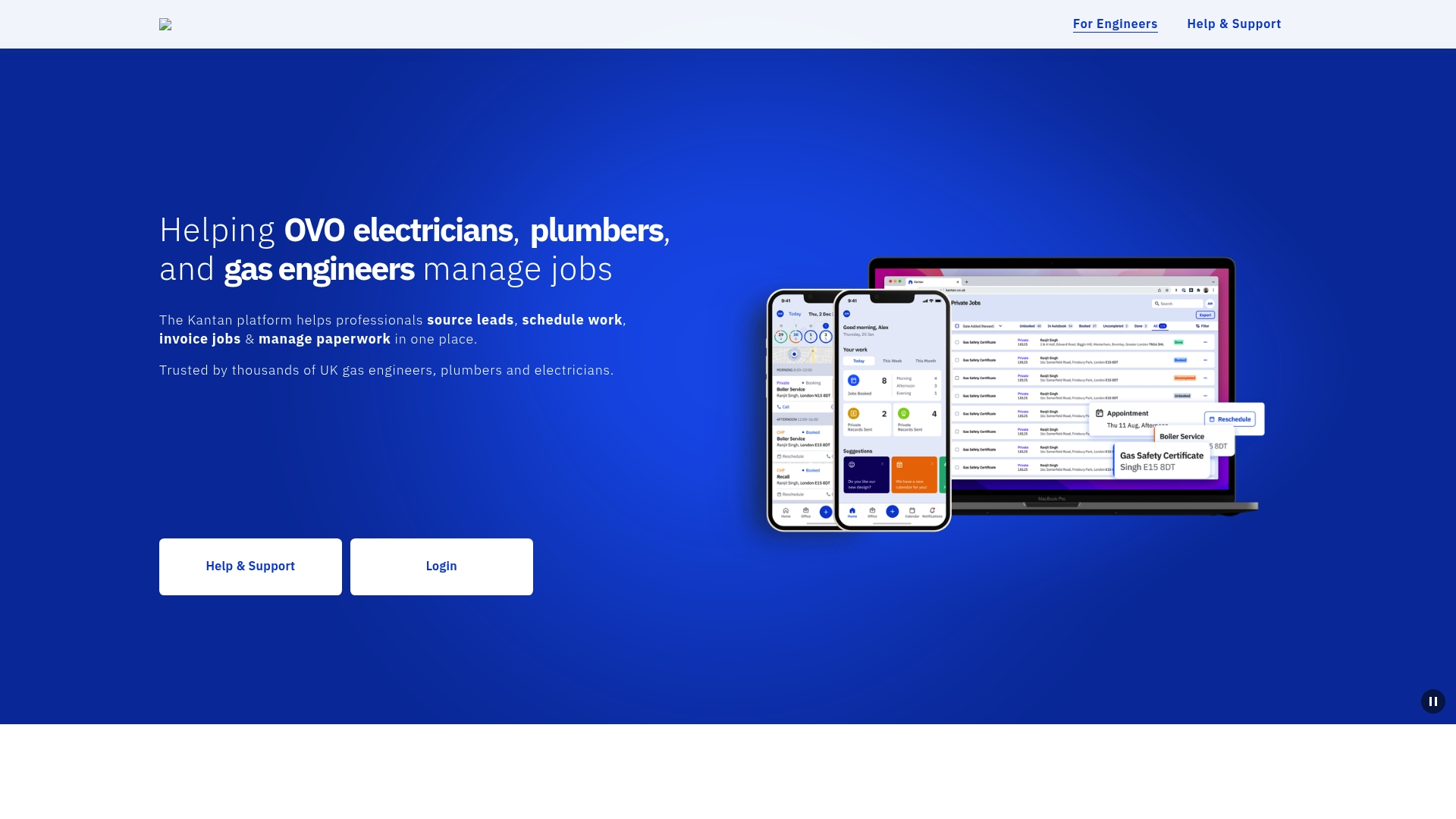
Kantan reports being trusted by thousands of UK gas engineers, plumbers and electricians. The platform combines lead sourcing, job scheduling and invoicing into a single web and mobile interface. It also stores paperwork so you can access job records on an iPhone, Android or desktop. That breadth aims to reduce day to day admin for small trade teams.
Core Features
Kantan lets tradespeople source leads, schedule work and invoice jobs from the same account. The service also helps you manage paperwork and keep client records accessible on browser, iPhone and Android devices. These features join operational tasks so you do not need multiple apps for quoting and job tracking.
Key Differentiator
Kantan focuses specifically on UK tradespeople and bundles lead generation with job and paperwork management. That focus suits sole traders and small local teams who prefer a single workflow over juggling separate tools. The platform’s emphasis on mobile and desktop access keeps site work and office admin in the same place.
Pros
The platform groups key tasks into one app, which cuts the number of systems you must check each day. Kantan reports being trusted by thousands, and that figure suggests there is a peer community and some market traction. Mobile and web access means you can create invoices and check schedules while on site or back in the office. The interface is shown on both phone and desktop, which helps technicians who alternate between field and office work.
Cons
-
Third party reviews are not detailed publicly, so user complaints or praised features are not easy to verify.
-
Public information on advanced functions and integrations is limited, which may restrict connections to accounting or CRM tools.
-
Relying on a single platform for leads, scheduling and paperwork may require a change in habits for teams used to separate systems.
Who It's For
Tradespeople in the UK such as electricians, plumbers and gas engineers will find Kantan relevant. It fits sole traders and small teams that want to centralise leads, schedules and invoices. Businesses that value simple mobile access over deep customisation will benefit most.
Real World Use Case
A UK gas engineer uses Kantan to find new work, book service visits and produce invoices after each job. The engineer opens the app on a phone at site, updates the job status and uploads a completion record. Office staff then access the same paperwork on a desktop to follow up and file records.
Pricing
Kantan lists pricing as not applicable and describes the offering as informational only. No public pricing tiers are listed on the site. If you require a published pricing model, contact Kantan for current plans and licences.
Website: https://kantan.co.uk
MARKUS
At a Glance
MARKUS reports over 1,000 field engineers in the UK use MARKUS MOBILE. That figure shows adoption among maintenance teams managing property and services. The platform targets property, gas, electrical, HVAC, and facilities contractors who need mobile, and back office coordination.
Core Features
MARKUS delivers real time job visibility and centralised job management, with integrated scheduling for responsive and planned maintenance. The mobile app supports timesheet logging, digital forms, electronic signatures and photo uploads while workflow automation covers billing, invoicing and compliance documentation. System interfacing connects to common accounting and property management platforms to pass data between field teams and finance.
Key Differentiator
The product focuses on maintenance contractors and maps workflows specific to property, gas, electrical, HVAC and facilities work. That industry specific design ties the mobile experience directly to back office processes, reducing duplicated entry between field records and accounts.
Pros
Tailored templates and job types reflect maintenance work and make forms and compliance checks relevant to technicians. The mobile app improves field accuracy by capturing signatures, photos and timesheets on site. Integrations with mainstream accounting and property management systems reduce manual posting and help keep invoicing aligned with recorded job time and materials.
Cons
- Market focus is mainly UK maintenance and service industries. This limits suitability for non maintenance sectors or international expansion.
- Third party reviews suggest restrictions in customising very complex workflows. Highly bespoke processes may need additional workarounds.
- Pricing and plan details are not published publicly. That makes budget planning harder for smaller businesses.
When It May Not Fit
Companies operating outside the UK or those running non maintenance workloads will find the product less aligned to their needs. Teams that require deep workflow customisation beyond standard maintenance templates may need a platform that exposes more configurable rules. Organisations seeking transparent, self service pricing will find supplier information here limited.
Notable Integrations
- Xero
- Sage Line 50
- QuickBooks
- Evolution Accounts
- The Access Group
Who It's For
Maintenance and service contractors managing multiple trades will get the most value. Teams focused on property maintenance, gas, electrical, refrigeration and facilities management match the product profile. Firms that need mobile data capture tied directly to accounting and compliance workflows fit this tool well.
Real World Use Case
A property maintenance company schedules trades across several sites, dispatches technicians from the mobile app and records timesheets and photos on each job. Back office staff receive completed digital forms and automated invoices for rapid posting to accounts. That setup reduces paper, speeds billing and makes compliance certificates easier to produce.
Pricing
Pricing is not listed publicly and the vendor provides pricing on request. Prospective buyers should contact the supplier for a quote that matches their number of engineers and integration requirements.
Website: https://epixsystems.co.uk
pro-Forms
At a Glance
pro-Forms reports use across UK construction, fire and security, HVAC, and facilities management since 2006. The platform is UK hosted and positions GDPR compliance as a primary selling point. The vendor emphasises fast setup and intuitive tools to replace paper forms and cut admin time.
Core Features
pro-Forms bundles job scheduling and management, asset tracking and both digital mobile forms and online forms into a single platform. The product also includes workflow automation and supports connectors and data plugins for data sharing. These capabilities aim to let operations teams handle scheduling, inspections and reporting without multiple point solutions.
Key Differentiator
pro-Forms focuses on UK hosted delivery and GDPR compliance, a deliberate choice for businesses that must keep data onshore. That focus makes it a narrower option than vendors that prioritise AI tools or global hosting. The product aims to combine asset, job and form management in one system for UK organisations.
Pros
The platform reduces reliance on paper by combining forms, scheduling and asset tracking in one place. UK hosted infrastructure with GDPR compliance appeals to public sector suppliers and regulated firms. Users report fast onboarding and straightforward configuration, which shortens the time to value for teams. The product offers multiple vertical solutions so construction, facilities and service businesses can pick workflows that match their operations.
Cons
- Some third party reviews say the feature set can feel complex for small teams. This may lengthen the learning curve for sole traders.
- Several pages and links on the website have led to 404 errors, which makes researching features harder before contact.
- Detailed pricing is not widely published, so prospective buyers must contact sales for exact figures and plan comparisons.
When It May Not Fit
If you need clear, publicly listed pricing for rapid procurement, pro-Forms may slow your decision process. Organisations requiring flawless website documentation may find the public site inconsistent. Small teams that want a heavily simplified, self serve plan could find the platform more feature rich than needed.
Notable Integrations
pro-Forms lists connectors and data sharing options on its integrations page. The vendor describes integration via connectors and data plugins rather than naming a long list of third party apps. Prospective buyers should check the integrations page or speak to sales for specifics.
Who It's For
Business managers and operations teams in the UK running mobile workforces will find the product relevant. It suits companies in construction, facilities management, engineering and regulated services that must keep data on UK servers. Teams that need asset tracking alongside job scheduling will get direct value.
Real World Use Case
A regional electrical company uses pro-Forms to schedule field jobs, track equipment and digitise daily reports. The company moved paper records to mobile first forms and improved compliance with audit trails. The change reduced administrative handover for office staff and field teams.
Pricing
Pricing is offered via individual plan links for enterprise asset management, work management and online or mobile forms. The vendor advertises free trials and issues custom quotes for many customers. Because detailed rates are limited publicly, contacting sales is required for a firm price.
Website: https://pro-forms.co.uk
Comparison of alternatives
TradeWise provides a distinctive integration between material sourcing and operational workflows that remains among its alternatives. Through assessing these solutions, we aim to clarify their individual strengths regarding specific trade business scenarios.
Material management and operational backbone
TradeWise stands out for integrating material sourcing directly into its job management workflow. This feature eliminates the need for separate material procurement tools and directly connects stock costs to project invoicing, streamlining administrative oversight. In comparison, while MARKUS and Workever also support inventory control, they lack the depth of integration with scheduling tools exhibited by TradeWise. For trade teams frequently managing supplies alongside their schedules, this offers a compelling advantage.
Payment collection and mobile usability
While TradeWise excels in consolidating administrative, marketing, and operational activities, Eworks Manager particularly shines in on-site payment collection. Its embedded payment transactions reduce invoicing delays and manual payment reconciliation. This is especially beneficial for firms collecting payments post-service where speed and accuracy are priorities. Similarly, Workever's offline functionality addresses job visibility challenges in areas with poor connectivity, ensuring team productivity even when internet access is unavailable.
Best fit
- Trade teams seeking integrated tools for material procurement, operational coordination, and job scheduling are best aligned with TradeWise’s offerings.
- Field service companies requiring functional mobile apps to maintain job tracking in low-connectivity scenarios benefit from Workever.
- Businesses emphasising direct payment collection through service visits find Eworks Manager highly advantageous.
Our pick
TradeWise proves most advantageous for trades seeking a unified platform integrating material management, customer acquisition, and operational workflows. Its focus on UK professionals ensures functionality tailored to local market conditions. However, firms relying on bespoke accounting integrations or prioritising payment capabilities might favour other providers specialising in those areas.
Selecting the right field service management platform involves comparing features, functionality, and target user suitability to ensure the best fit for your business.
| Product | Key Differentiator | Pricing | Best For | Notable Limitation |
|---|---|---|---|---|
| Tradewisehq | AI admin tools and material brokers | £23–£63/month | UK trade businesses | Limited offline functionality |
| Eworks Manager | Embedded payments for workflows | £130–£151/month | Teams requiring on-site payment collection | Steeper learning curve for inexperienced users |
| Workever | Mobile offline apps and sync | £29–£39/month per user | Small to medium service businesses | Complex workflows may demand a learning curve |
| Kantan | UK mobile-centric leads and jobs | Price not published | Sole traders and small UK teams | Insufficient public reviews for comprehensive evaluation |
| MARKUS | Maintenance contractor workflows | Price not published | UK property and service industries | Limited international and non-maintenance applications |
| pro-Forms | GDPR-compliant UK hosted delivery | Price not published | UK asset and job tracking needs | Public documentation inconsistencies |
What Challenges Do Trades Teams Face With Job Management Software?
Managing quotes, scheduling, materials and client communication in one place can prove difficult when relying on platforms not designed for trade-specific workflows. Many UK trades businesses find that generic tools lack the purchasing and marketing features needed to reduce admin time and improve customer acquisition. That gap slows down daily operations and hinders scaling efforts.
Tradewisehq addresses these challenges by offering an AI-powered operating system tailored for electricians, plumbers, builders and contractors. Features include real-time workforce syncing, material sourcing within the same workflow as quoting, and marketing tools for lead capture—all built into a mobile-first platform. This reduces admin steps, speeds cash flow and centralises supplier decisions.
Looking for an alternative to getjobber.com that suits UK trades? Visit Tradewisehq now to test how easily you can manage jobs, orders and communications from a single dashboard. Book a demo and see how to import your job data and create customer quotes in less than 10 minutes.
TradeWise by Tradewisehq delivers the complete solution for trade businesses aiming to reduce admin burdens and grow faster.
FAQ
What features does Tradewisehq offer for field service management?
Tradewisehq includes job management and scheduling, which link with quotes and invoices for a seamless workflow. Its AI assistant helps manage administrative tasks, while a website builder and marketing tools assist in customer acquisition. Expect a comprehensive approach to managing your trades business in one place.
How does Eworks Manager compare to Tradewisehq for scheduling and invoicing?
Eworks Manager excels in embedded payment solutions, which streamline onsite payment processes during field service tasks. Tradewisehq, on the other hand, offers a combined system that focuses on job scheduling and material sourcing alongside invoicing, making it ideal for trades that require central management of purchasing and customer engagement.
Can small businesses use Tradewisehq effectively?
Yes, Tradewisehq is designed for small trade businesses, allowing quick setup and efficient management of jobs, customer records, and quotes. Its features cater well to solo tradespeople and larger teams seeking an integrated solution for their operations.
How does pricing for Tradewisehq compare with other field service management software?
Tradewisehq starts at £23/month for the Solo plan, which provides essential features suitable for smaller businesses. This competitive pricing allows small trades to access an array of tools without high upfront costs, making it an attractive option compared to some alternatives that may charge higher fees for similar services.
What supports does Tradewisehq provide for field teams working in poor signal areas?
Tradewisehq primarily operates as a cloud-based platform, which may limit offline functionality. This aspect means teams in areas with poor signal could face challenges in accessing all features, underscoring the importance of evaluating connectivity needs before committing to the platform.