

Lead source tracking is the practice of capturing where a lead first found you and carrying that origin through your CRM until it can be tied to a closed deal. Get the definition right and everything else, budgets, forecasts, sales conversations, gets easier.
The minimum reliable setup looks like this:
- UTM-tagged links on every paid or trackable campaign
- Hidden form fields that pass UTM values into your CRM automatically
- A locked "Original Source" picklist field that nothing can silently overwrite
- A written process for what happens when a lead converts twice through different channels
Preserve the first touch, record the latest touch, and map both back to closed revenue. That's the whole job.
Key Takeaways
Reliable lead source tracking depends on locking an Original Source field at first contact and carrying it, unedited, through to closed revenue.
| Point | Details |
|---|---|
| Define before you build | Standardise on 8-9 source categories before touching any tracking tool. |
| Capture at multiple points | Combine UTMs, hidden form fields, call tracking, and server-side capture together. |
| Lock the Original Source field | Restrict edit access so no later touchpoint silently overwrites the first one. |
| Match attribution to sales cycle | Use first-touch for revenue roll-up, multi-touch for long B2B influence analysis. |
| Centralise with Tradewisehq | Tradewisehq links lead intake directly to jobs and invoices so source data survives the full job lifecycle. |
Table of Contents
- Why lead source tracking matters more than most teams think
- How do you actually capture lead source data?
- Where should lead source data live, and which tools handle it?
- How do you attribute leads to revenue accurately?
- What does a lead source tracking rollout actually look like?
- Why does lead source tracking break down, and how do you stop it?
- Which metrics actually tell you if your tracking is working?
- How trade businesses can map lead sources to jobs and invoices
- What I'd prioritise if you only had a week
- Centralise lead capture with Tradewisehq
- Sources
Why lead source tracking matters more than most teams think
A lead source is the specific channel, campaign, or touchpoint that brought someone into your pipeline. It's not the same as "channel" (a broader category like paid search) or "campaign" (a specific push within that channel). Get these three conflated in your CRM and your reports become useless within a quarter.
Here's what's at stake when source data is fuzzy: you can't tell if your LinkedIn ads are producing cheap junk leads or your best customers, you can't defend next year's marketing budget with a straight face, and sales starts ignoring the CRM entirely because "it's never right anyway." Tracking lead source properly lets you measure quality, not just volume, comparing conversion rate and deal size across sources rather than just counting form fills.
The single biggest cause of bad attribution isn't a missing tool. It's fields that get overwritten the second a lead re-engages through a different channel. Pro Tip: Capture the original source once, lock it, and record every subsequent touch in a separate field. Never let "latest" quietly replace "first".
How do you actually capture lead source data?
Capturing source data reliably means stacking several methods so that when one fails, another catches the signal. Here's the sequence that works:
- Tag every trackable link with UTM parameters before it goes live, not after
- Deploy a tracking snippet or Google Tag Manager container on your site to read those parameters on page load
- Add hidden fields to every form that silently pass UTM values along with the submission
- Capture non-web touchpoints separately, dynamic call tracking for phone leads, chat widget parameters for live chat, calendar context for booking tools
- Persist the data server-side rather than relying purely on browser cookies, which get blocked or cleared
- Write the result into two CRM fields: Original Source (locked after first write) and Source Detail (holds the UTM values)
A reliable capture layer combines UTMs, hidden form fields, and a server-side snippet precisely because relying on referrer headers alone loses data the moment someone clears cookies or arrives via a dark-social share.
Your UTM naming convention needs to be documented somewhere everyone can see it:
| Parameter | Purpose | Example |
|---|---|---|
| utm_source | Where the click came from | google, linkedin, facebook |
| utm_medium | The channel type | cpc, email, social, referral |
| utm_campaign | The specific push | spring_sale_2026, webinar_march |
| utm_content | Ad or link variant (optional) | banner_a, text_link |
When UTMs are missing entirely, fallback logic matters. Check the HTTP referrer for known domains, infer source from the landing page URL structure, or flag the record for manual review rather than defaulting it to "direct" and quietly poisoning your data.
Pro Tip: Lock the Original Source field so only admins can edit it, and store every supporting detail (campaign, landing page, device) in separate read-only fields. This one change stops more attribution disasters than any tool purchase.
Where should lead source data live, and which tools handle it?
Source data needs a home that survives longer than a browser session, which is why the CRM record, not the analytics dashboard, is the source of truth for revenue reporting.
A workable field map looks like this:
| CRM field | What it stores |
|---|---|
| Original Source | The channel that generated the lead, locked after creation |
| Latest Source | The most recent touchpoint, updates freely |
| Source Detail | UTM values, vendor name, referral partner |
| Campaign | The specific campaign name or ID |
| Landing Page | First page the lead viewed |
| Device Type | Mobile, desktop, tablet |
Google Analytics and Google Tag Manager handle session-level attribution well but they don't naturally produce per-lead CRM records, so you still need a capture layer that writes UTM values onto the individual contact, not just into a dashboard. Keep both: GTM for aggregate channel performance, CRM fields for revenue-level accountability.
Platform behaviour varies. In HubSpot, original source populates largely automatically through its own tracking code, though custom form integrations still need checking. In Microsoft Dynamics 365, lead source tracking needs a more deliberate framework built before automation layers get added, since the out-of-the-box picklist rarely matches how a real sales team talks about sources. Custom-built CRMs need the field structure designed from day one, retrofitting it later means months of dirty historical data.
Four tool categories cover the whole stack: a tracking snippet or attribution layer, call tracking software, form wrapper scripts that inject hidden fields, and the CRM itself acting as the permanent record.
How do you attribute leads to revenue accurately?
Three attribution models get used in practice, and picking the wrong one for your sales cycle skews every report that follows.
- First-touch credits whatever brought the lead in originally, best for measuring top-of-funnel demand generation
- Last-touch credits whatever triggered the actual conversion, useful for short, single-session purchase decisions
- Multi-touch spreads credit across every interaction, better suited to long B2B cycles with multiple stakeholders
For most businesses, the practical answer is preserve original source for revenue roll-up reporting, then layer multi-touch analysis on top for influence measurement in longer sales cycles. Don't try to make one model do both jobs.
The part teams miss: closed-won opportunities and payment records need to inherit the lead's Original Source automatically, not require someone to re-type it during the sales handoff. If that field doesn't carry through, your "revenue by source" report is fiction dressed up as data.
Build three report views once the plumbing works: pipeline value by original source, win rate by source, and revenue per lead by source. Those three numbers will tell you more about where to spend next quarter's budget than any vanity metric.
Pro Tip: Run a monthly check comparing leads created versus leads with a populated Original Source. Any gap bigger than a few percent means your capture layer has a leak somewhere in the funnel.
What does a lead source tracking rollout actually look like?
A realistic rollout follows seven steps in order: define your source categories, instrument the tracking (UTMs, snippet, forms), test capture end-to-end, map fields into the CRM, protect them from overwrites, build reporting, then audit monthly.
- Define your picklist (8-9 source categories, documented)
- Instrument UTMs, tracking snippet, and hidden form fields
- Test capture across every conversion path
- Map captured values to CRM fields
- Lock Original Source against edits
- Build the three core reports
- Audit monthly for drift
Before calling it done, run through this test checklist:
- Submit a test form and confirm UTM values land in the CRM record
- Make a test call through your tracked number and check the source populates
- Book a test appointment via chat or calendar and verify context carries through
- Trace one closed-won deal back to its original lead source manually
A DIY rollout with existing tools typically takes two to four weeks of focused work. A managed implementation, particularly inside a platform like Tradewisehq that already links jobs and quotes to lead intake, compresses that timeline considerably because the field structure exists before you start.
Why does lead source tracking break down, and how do you stop it?
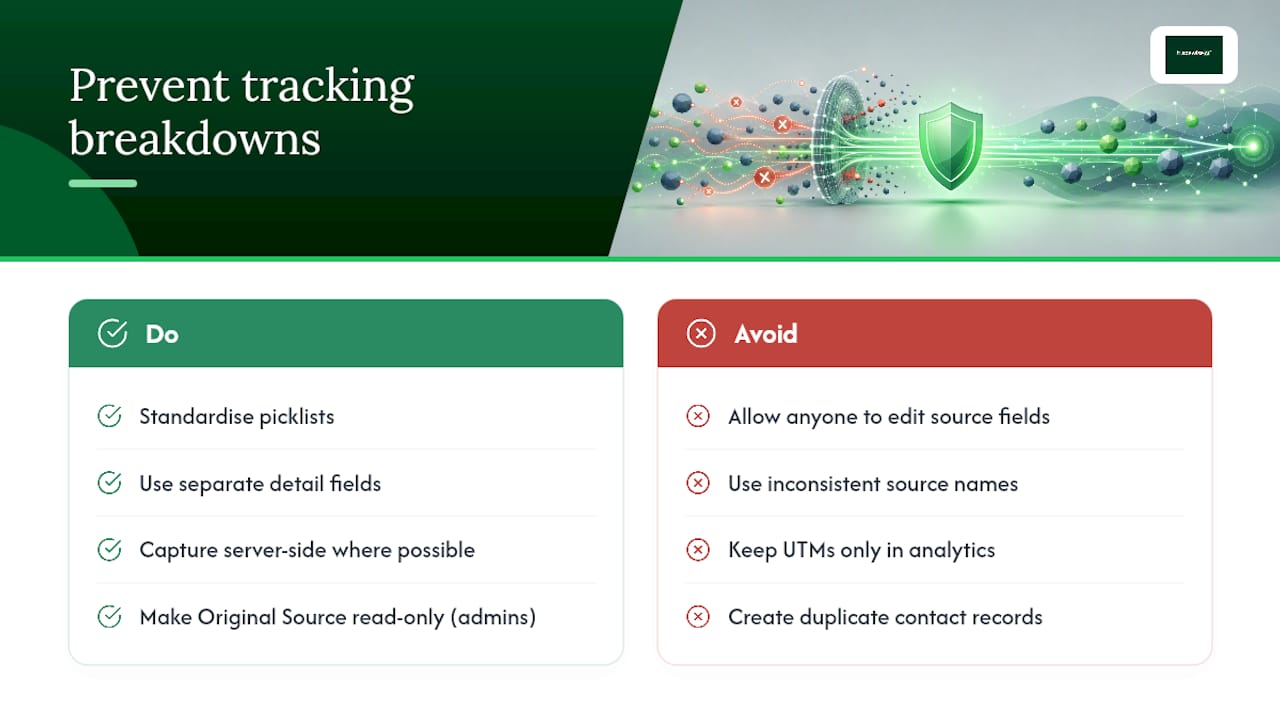
The same handful of mistakes show up in almost every broken tracking setup: source fields anyone can overwrite, inconsistent picklists (is it "Facebook" or "Facebook Ads" or "FB"?), UTM data trapped in analytics tools instead of the CRM, offline leads with no source at all, and duplicate contact records that split a single customer's history across two source values.
The fixes are unglamorous but they work. Keep picklists short and standardised. Store detail values in separate fields rather than jamming everything into one. Capture server-side wherever possible so cookie loss doesn't erase your data. Restrict who can edit the Original Source field. As Creatio's guidance puts it, validating and standardising source names before leads enter the CRM is what keeps reporting trustworthy months later.
Pro Tip: Make Original Source read-only for everyone except admins, and put a recurring calendar reminder for a monthly data health check. Fifteen minutes a month prevents a quarter of bad reporting.
Which metrics actually tell you if your tracking is working?
Two separate metric sets matter here, and conflating them is a common mistake. Tracking health tells you whether the data is trustworthy; performance metrics tell you whether the marketing is working.
Tracking health: percentage of leads with a populated Original Source, percentage with a complete UTM set, duplicate record rate, and how often the source field gets manually edited (a high edit rate usually signals a broken capture process, not diligent sales reps).
Performance: leads by source, MQL-to-SQL conversion rate by source, win rate by source, revenue per lead, and customer acquisition cost by source.
Reps want daily lead counts. Managers want weekly conversion trends by source. Executives want monthly revenue-per-source rollups tied to spend. Build dashboards for each cadence rather than one report trying to serve all three audiences at once.
How trade businesses can map lead sources to jobs and invoices
For an electrician, plumber, or builder, the lead source question isn't abstract, it's the difference between knowing your Google Ads spend is filling the books versus guessing. When a lead comes through a Tradewisehq-connected website form, the source data captured at that first contact should follow the record all the way through to the quote and the invoice.
A practical trade checklist:
- Website form captures UTM source and writes it to the lead record automatically
- Phone bookings get tagged with the tracked number that generated the call
- Every quote inherits an "Origin" field from its parent lead
- Job creation carries that same Origin field forward, so the invoice, months later, still shows where the work originated
Pro Tip: Centralising intake in one platform means a job created from a referral six weeks after first contact still shows "referral" as its source, not "direct" because someone forgot to check a box.
What I'd prioritise if you only had a week
If you're starting from nothing, don't build a multi-touch attribution model first. Fix capture and preservation before anything else, because a sophisticated model built on unreliable source data just produces confident-looking nonsense.
If you can only do one thing this week: put UTM parameters on every paid campaign link and make sure those values persist into a CRM field, not just an analytics dashboard.
In order, the three priorities are: capture the data reliably, protect it from being overwritten, then report on it. Skip step two and step three becomes worthless within a month.
Centralise lead capture with Tradewisehq
Tradewisehq gives trade businesses one place where a lead's origin survives from first contact through to the paid invoice, no re-typing the source into a spreadsheet halfway through the job.
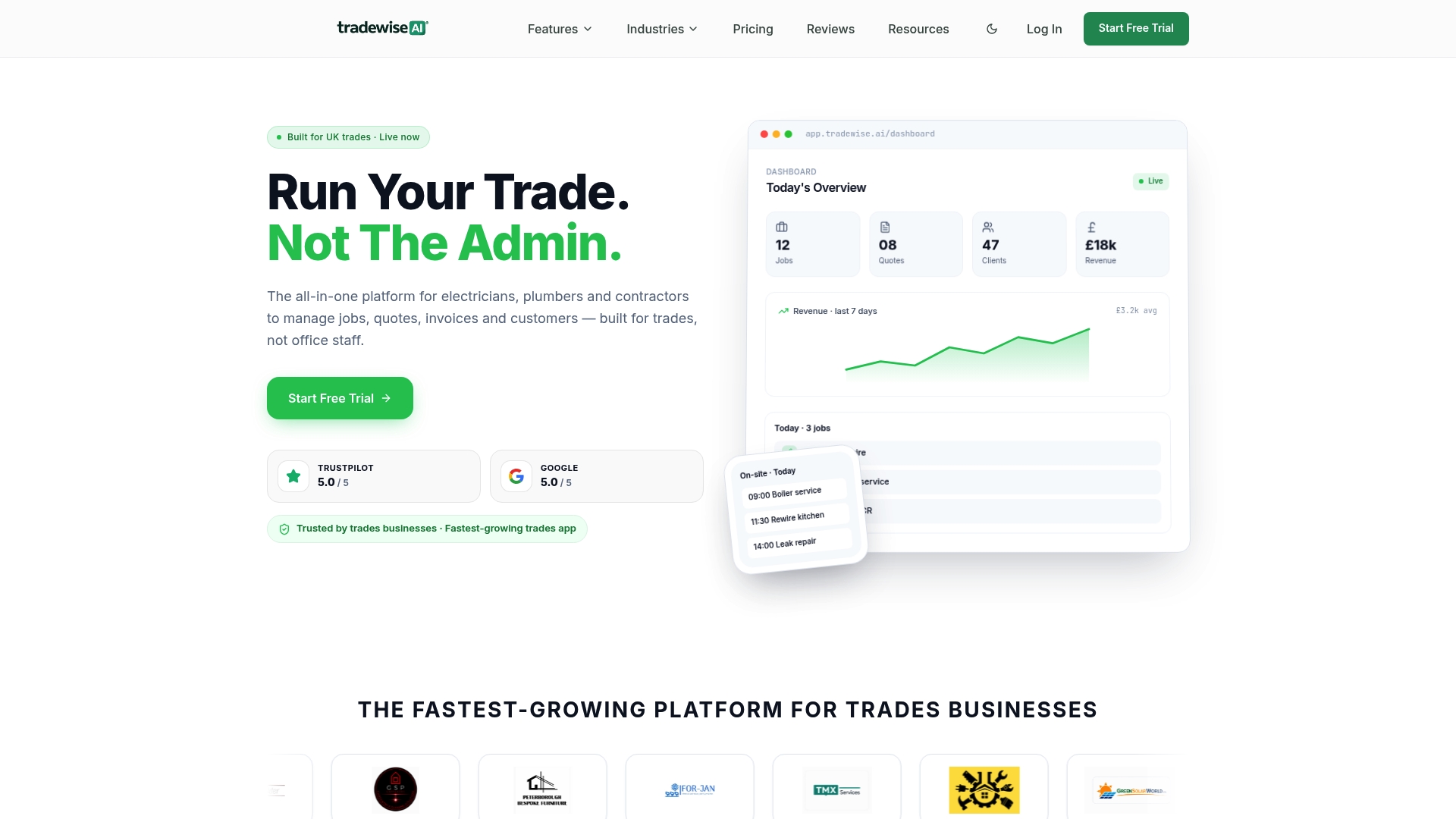
Where a typical setup needs separate tools stitched together, a form wrapper here, a call tracking add-on there, Tradewisehq keeps lead capture, job creation, quoting, and invoicing inside one system, so the Original Source field never gets lost in a handoff between tools. Every job record inherits the lead data that created it, which means your revenue-by-source report is accurate without a manual reconciliation project at month end. If you're managing jobs, staff, and client communication across multiple channels already, adding a fragmented tracking stack on top just creates more fields to forget about.
Start a free trial with Tradewisehq and see how lead capture, quoting, and invoicing hold onto source data automatically from the first phone call to the final payment.
Sources
- How to Track Lead Source Across Every Channel | SourceLoop
- Lead Source Tracking in Dynamics 365
- Monday
- Lead source tracking - Creatio academy