

Tracking multiple construction projects is defined as the practice of monitoring schedules, budgets, and site progress across several concurrent builds from a single management point. For UK project managers running two or more sites simultaneously, the gap between staying in control and losing track often comes down to three things: a centralised portfolio dashboard, the Critical Path Method (CPM), and automated mobile data capture. Get these three working together and you shift from reactive firefighting to proactive decision-making. This article explains exactly how to do that.
How to track multiple construction projects with the right tools
The most effective way to track construction schedules across several sites is through a centralised project status dashboard. A well-designed dashboard lets a stakeholder assess project health within 30 seconds using RAG (Red, Amber, Green) indicators, milestone timelines, and budget summaries. That 30-second rule is not a convenience. It is the difference between a tool your team actually uses and one that gets ignored.
Portfolio dashboards typically offer two views: a detailed internal view for your project team and a high-level client view that filters out noise. The internal view shows task completion rates, resource utilisation, and risk flags. The client view shows milestones, budget consumption, and headline status. Both serve different audiences without requiring separate reports.
Construction project management software such as Procore, Buildertrend, and Tradewisehq each offer portfolio-level dashboards. The key feature to look for is real-time project monitoring through mobile integration. Static weekly reports are too slow for multi-site management. You need data that updates as work happens on site.
Comparison: dashboard features by management need
| Feature | What it tracks | Why it matters |
|---|---|---|
| RAG status indicators | Overall project health | Flags at-risk projects instantly |
| Milestone timeline view | Planned vs actual dates | Identifies schedule slippage early |
| Budget summary | Spend vs forecast | Prevents cost overruns going unnoticed |
| Resource utilisation | Staff and plant allocation | Avoids over-committing teams |
| Mobile data capture | Site-level updates | Removes lag from manual reporting |
Key construction site tracking tools to consider alongside dashboards include geofenced clock-ins, photo logging apps, and IoT sensors. These feed live data into your central platform without relying on site managers to file manual updates.
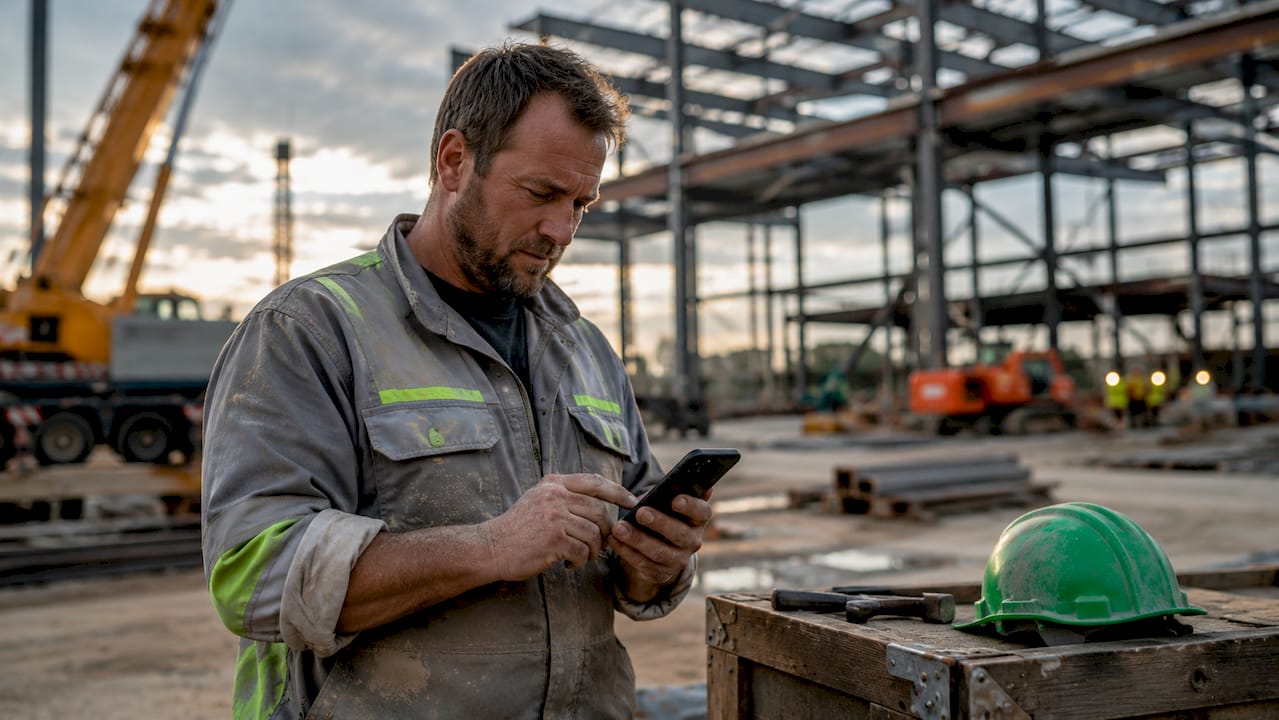
Pro Tip: Set your dashboard to flag any project moving from Green to Amber automatically. Catching the shift early gives you recovery time before it turns Red.
How does the Critical Path Method help manage construction timelines?
The Critical Path Method is a scheduling technique that identifies the sequence of tasks which directly controls the project completion date. Any delay to a zero float activity pushes the end date back by the same amount. CPM is the industry standard for construction time management precisely because it separates tasks that matter from tasks that can absorb minor delays.
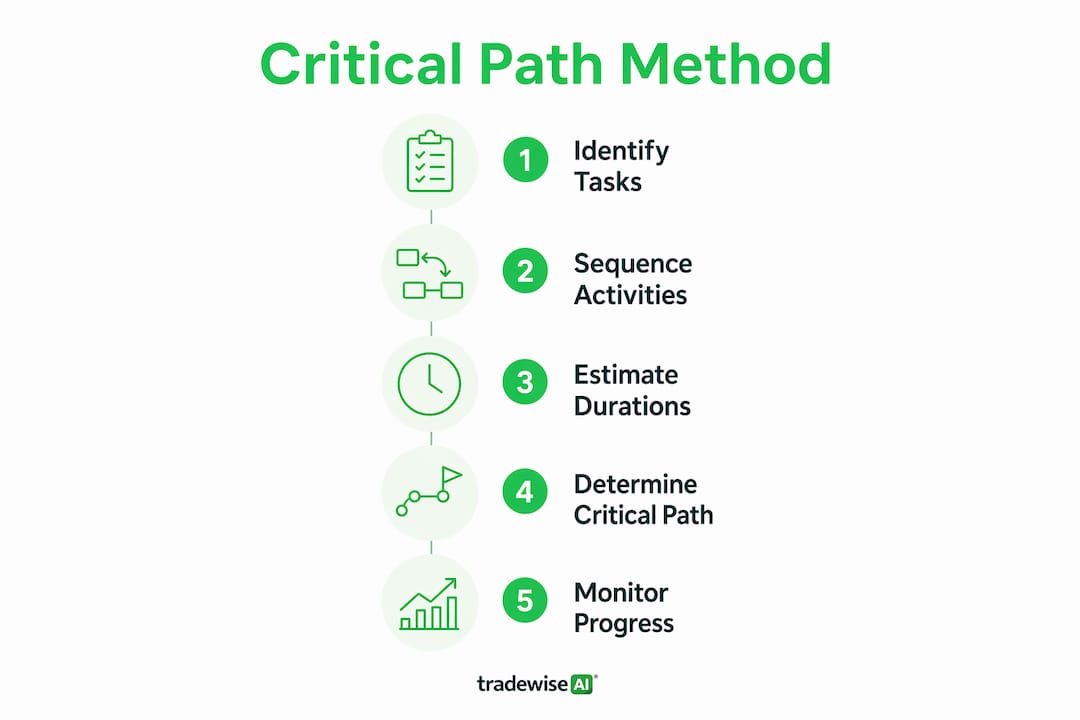
When you are overseeing multiple projects, CPM becomes even more valuable. You cannot give equal attention to every task across every site. CPM tells you which tasks on which sites need your focus this week.
Here is how to apply CPM across concurrent projects:
- Map the full task sequence for each project. Identify all dependencies before work starts. A foundation pour cannot begin until excavation is complete. Steelwork cannot begin until the foundation has cured. Document these chains for every site.
- Identify the critical path on each project. The longest unbroken chain of dependent tasks is the critical path. Any task on this chain has zero float. Delays here are project delays.
- Track planned versus actual progress weekly. Compare where each critical path task should be against where it actually is. The Last Planner System formalises this by involving site trades in weekly commitments and measuring Percent Plan Complete (PPC) to track reliability.
- Integrate CPM data into your portfolio dashboard. Each project's critical path status should appear as a single indicator on your dashboard. Green means on track. Amber means a critical task is at risk. Red means a delay has already occurred.
- Build buffer time into non-critical tasks. Construction time management is not about eliminating all delays. It is about building buffer time and spotting problems early enough to act.
Pro Tip: Review your critical path every Monday morning across all active projects. A 15-minute weekly review catches slippage before it compounds into a month-long overrun.
How to prioritise and manage risks across multiple sites
Risk management across multiple sites starts with one rule: do not treat every project the same. Portfolio dashboards with RAG indicators allow managers to focus full attention on at-risk projects and avoid micromanaging sites that are running to plan. The majority of your projects will be green at any given time. That means you can deprioritise them in your daily management focus and concentrate where the problems are.
The single biggest risk in multi-project management is poor communication. A unified platform prevents information silos and keeps all teams working from the same data and schedules. When a subcontractor on Site B changes a programme date, that change needs to be visible to the commercial team, the client, and the Site A manager who shares the same groundworks crew. Without a single source of truth, these updates get lost in email chains.
"Poor communication silos are the greatest risk in multi-project management. Integrated management platforms are not a convenience. They are a necessity."
Common risk factors when managing multiple sites include:
- Shared resources. The same plant, crew, or subcontractor working across two sites creates a dependency risk. A delay on one project can cascade to another.
- Design release delays. Late drawings affect procurement, which affects the critical path. Integrate design release dates into your schedule from day one.
- Subcontractor capacity. A subcontractor stretched across your projects and a competitor's projects is a schedule risk. Monitor their subcontractor commitments across all active sites.
- Budget drift. Small cost overruns on multiple projects compound quickly. Dashboard budget summaries catch drift before it becomes a problem.
AI tools now add a further layer to risk management. Platforms with AI monitoring can identify bottlenecks early and provide predictive risk alerts before a problem becomes visible in the weekly report. This shifts risk management from reactive to genuinely proactive.
Best practices for reporting and monitoring across multiple projects
Automated reporting is the single most important change a UK project manager can make when moving from managing one site to managing several. Manual, retrospective reporting introduces a lag that makes your data unreliable. By the time a site manager files a Friday report, the situation on site has already moved on.
The accuracy of actual versus planned progress data depends entirely on real-time site input. Automated mobile data capture through geofencing and photo logging removes that lag. Site teams clock in and out automatically. Progress photos are timestamped and geotagged. Your dashboard updates without anyone needing to write a report.
Reporting frequency by project phase
| Project phase | Recommended update frequency | Key metric to monitor |
|---|---|---|
| Pre-construction | Weekly | Design release and procurement status |
| Groundworks and structure | Daily | Critical path task completion |
| Fit-out and finishes | Daily | Subcontractor progress and snagging |
| Handover | Real-time | Defect resolution and sign-off |
Dashboard design also affects how well your team uses the system. Effective reporting dashboards consolidate task status, budget consumption, milestone delays, resource utilisation, and risk indicators in one view. The goal is immediate decision-making, not information overload. If your dashboard takes more than 30 seconds to read, it needs simplifying.
Encourage site-level teams to contribute updates directly through mobile apps. When site managers and foremen own the data entry, the information is more accurate and more timely. Pair this with live job tracking tools that sync workforce location and task status in real time.
Pro Tip: Give each site manager a 5-minute daily check-in task: update three fields in the dashboard. Task completion percentage, any new risks, and next-day plan. That discipline keeps your portfolio data current without adding significant workload.
Key takeaways
Tracking multiple construction projects effectively requires centralised dashboards, CPM scheduling, and automated mobile reporting working together as a single system.
| Point | Details |
|---|---|
| Use RAG dashboards | Assess all project health within 30 seconds and focus effort on Amber and Red sites. |
| Apply CPM weekly | Review zero float tasks every Monday to catch schedule slippage before it compounds. |
| Automate site data capture | Use geofencing and photo logging to remove lag from manual reporting cycles. |
| Maintain a single source of truth | One unified platform prevents communication silos across teams, subcontractors, and clients. |
| Build buffer into non-critical tasks | Schedule float on lower-priority tasks to absorb minor delays without affecting the critical path. |
What I have learned from managing projects across multiple sites
The biggest mistake I see UK project managers make is treating their portfolio like a collection of individual projects rather than one interconnected system. When you manage three sites, a delay on Site A does not stay on Site A. It travels through your shared resources, your subcontractor relationships, and your commercial team's workload.
The shift that changes everything is moving from weekly reporting to real-time visibility. The first time I saw a geofenced clock-in system feed live attendance data into a portfolio dashboard, the value was immediate. I could see at 8:15 on a Monday morning that the groundworks crew had not arrived on Site C. That is a problem I can act on. A Friday report telling me the same thing is a problem I can only document.
CPM gets underused on smaller projects because managers assume it is only for large, complex builds. That assumption is wrong. A £500,000 residential extension has a critical path. Identifying it takes two hours. Not identifying it costs you weeks.
The other lesson is about communication platforms. A project status dashboard is not just a tracking tool. It is the primary communication tool between your team, your subcontractors, and your clients. When everyone reads from the same dashboard, the number of clarification emails drops sharply. That time saving compounds across every project you run.
— Mateusz
Tradewisehq: one platform for all your active projects
Managing several construction sites from separate spreadsheets, email threads, and WhatsApp groups is a reliable way to miss something important. Tradewisehq is an AI-powered platform built for tradespeople and contractors who need to centralise jobs, scheduling, workforce tracking, and client communication in one place.
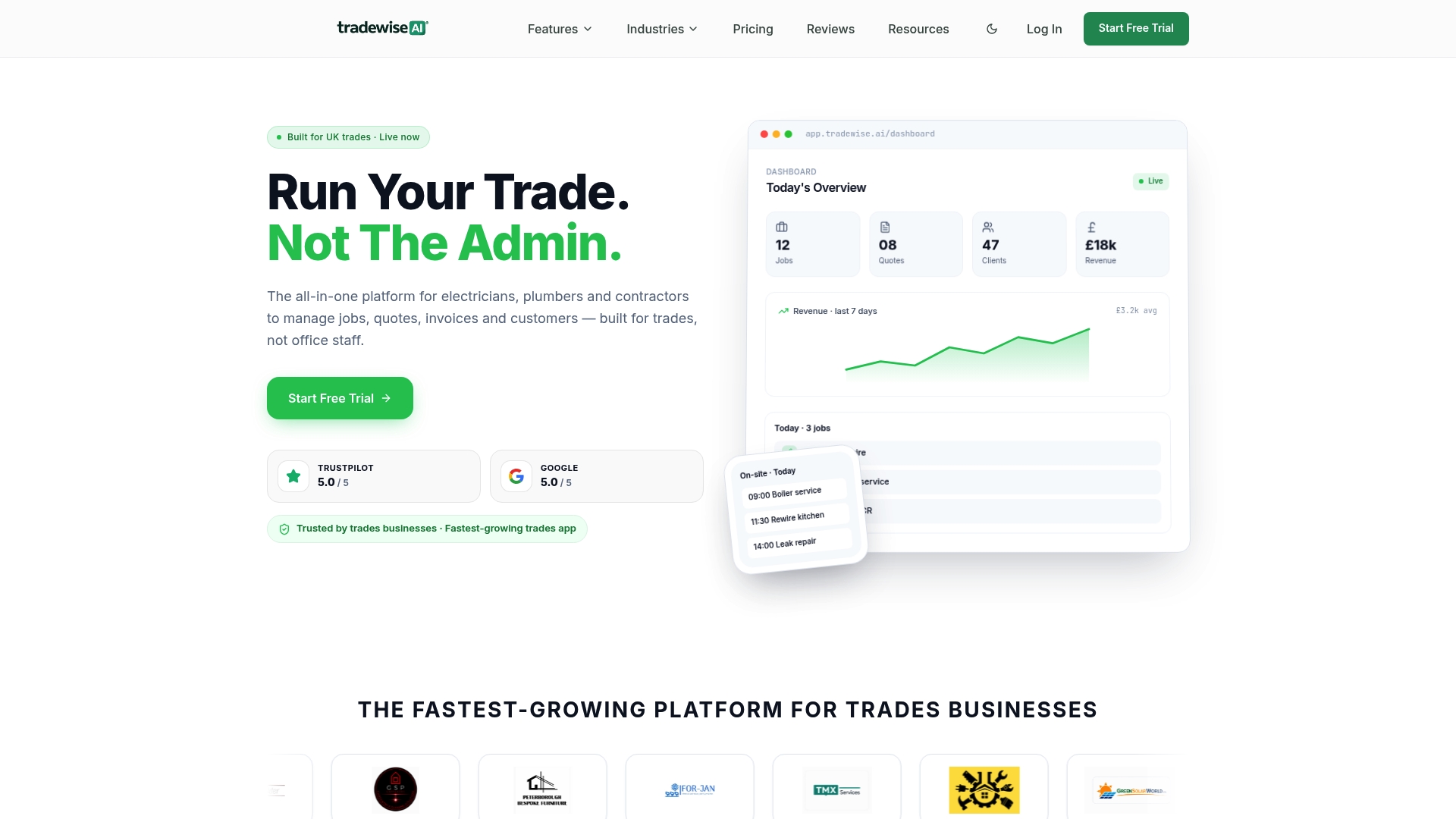
Tradewisehq acts as the single source of truth your portfolio needs. It combines automated mobile time tracking, live workforce syncing, and AI-driven job management so your dashboard reflects what is actually happening on site, not what someone remembered to report. For UK builders managing multiple active projects, Tradewisehq's trade management software brings budgets, schedules, and real-time reporting into one mobile-first system. If you want to see how it fits your current workflow, the platform is worth exploring directly.
FAQ
What is the best way to track multiple construction projects?
The most effective method combines a centralised portfolio dashboard with RAG indicators, CPM scheduling, and automated mobile data capture. Together, these give you real-time visibility across all sites without relying on manual reports.
How does the Critical Path Method help with multi-project management?
CPM identifies the tasks on each project that directly control the completion date. Tracking these zero float activities weekly across all sites lets you spot and respond to schedule risks before they cause overruns.
What construction project management software works for multiple sites?
Platforms such as Procore, Buildertrend, and Tradewisehq offer portfolio-level dashboards with real-time updates. The key requirement is mobile integration so site teams can feed live data directly into the central system.
Why is a single source of truth important for multi-site construction?
Poor communication is the leading risk in multi-project management. A unified platform keeps all teams, subcontractors, and clients working from the same data, preventing the information silos that cause costly mistakes.
How often should I review progress across multiple construction projects?
Critical path tasks on active sites warrant daily monitoring during groundworks and structural phases. A 15-minute Monday morning review of your full portfolio dashboard is the minimum cadence for catching schedule slippage early.