

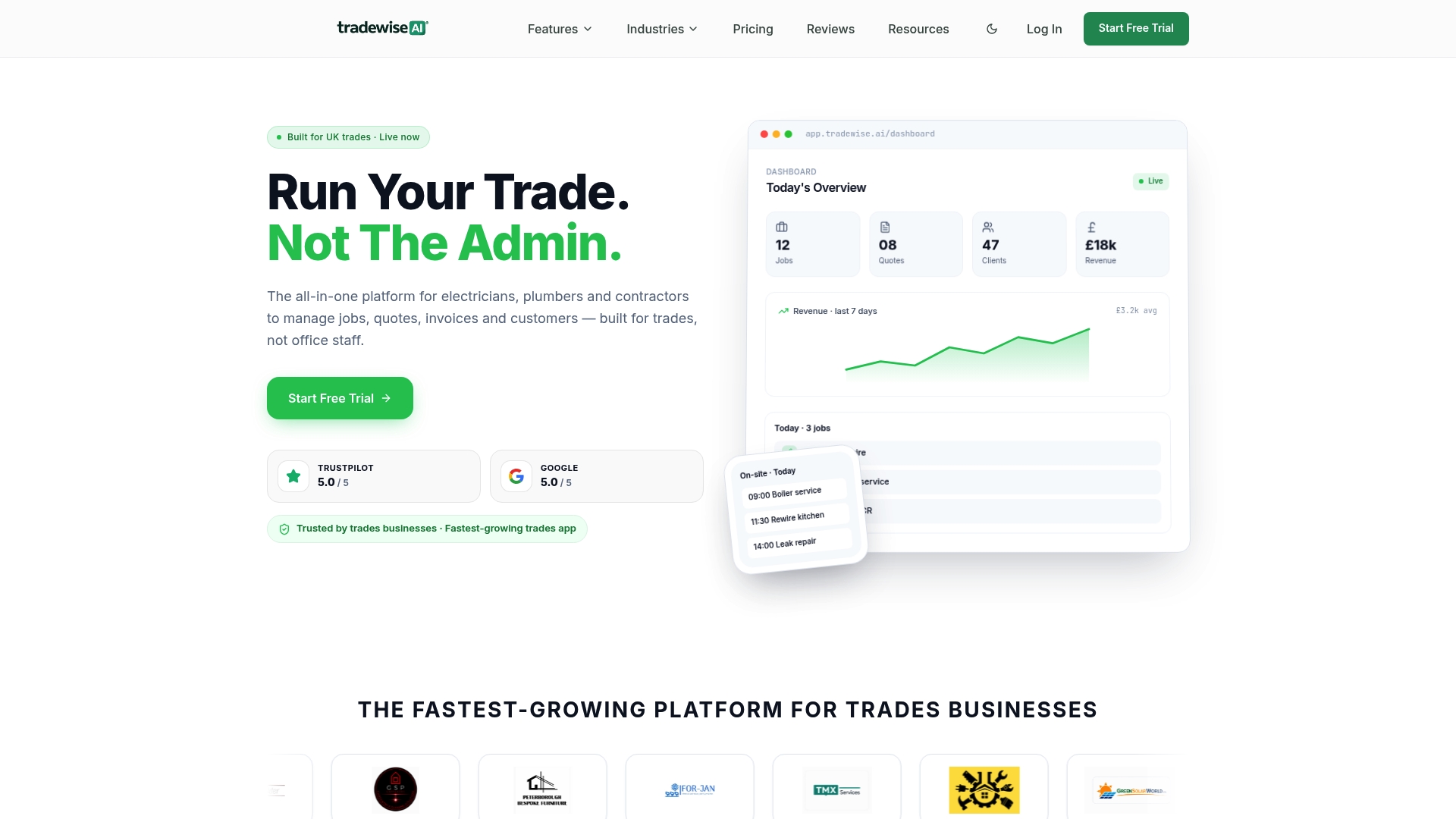
For most UK trades businesses, Tradewisehq is the clearest choice for dispatcher software in 2026. It is mobile-first, built specifically for electricians, plumbers, builders and HVAC teams, and replaces the usual tangle of spreadsheets, phone calls and paper job sheets with one connected platform.
Three reasons to start there:
- Mobile-first job management — engineers receive job packs, photos, customer notes and navigation on their phones before they leave the yard.
- Live workforce syncing — the office sees every engineer's status in real time, and engineers can complete jobs even where mobile reception is limited, so re-dispatching takes seconds rather than a phone call.
- AI-powered admin automation — quotes, invoices and customer updates generate automatically, cutting back-office time without adding headcount.
You can start a 14-day free trial or book a demo to see it running on a live trade workflow.
Key takeaways
Tradewisehq is the most practical dispatcher software choice for UK trades businesses that need to cut admin, improve job visibility and speed up invoicing without a lengthy implementation project.
| Point | Details |
|---|---|
| Match the platform to your trade | Field-service dispatch tools differ from fleet telematics and public-safety CAD; choose one built for your trade type. |
| Prioritise mobile and offline capability | Engineers must be able to complete jobs without signal; confirm offline mode works before you commit. |
| Calculate ROI before you buy | Recovered admin time at your billable rate typically covers SaaS costs within the first month for teams of four or more. |
| Check GDPR and UK support | Data residency, a data processing agreement and UK-hours support are non-negotiable for UK businesses. |
| Tradewisehq for UK trades | Purpose-built for electricians, plumbers, builders and HVAC teams, with a 14-day free trial and guided onboarding. |
Table of Contents
- What does dispatcher software actually do for trades businesses?
- What core dispatch features should you expect from any platform?
- Integrations and technical checks before you buy
- Pricing models, typical cost drivers and how to estimate ROI
- Implementation and onboarding: what to expect and how to plan
- How to choose the right dispatcher software: criteria and red flags
- TradeWise in practice: a UK trades example
- When is TradeWise the right choice, and when might you need something else?
- Start your TradeWise trial or book a demo today
- Sources
What does dispatcher software actually do for trades businesses?
The term "dispatcher software" is used loosely across industries. At its core, it refers to a platform that coordinates who goes where, when, carrying what information, and reports back what happened. For trades and field-service businesses, that means scheduling engineers, pushing job details to mobile devices, tracking progress and closing the job with an invoice.
It is worth separating commercial dispatcher software from the Computer-Aided Dispatch systems used by police and emergency services. Those CAD systems are built around incident response and radio workflows. Commercial field-service dispatch is built around profitability, job completion rates and cashflow — a fundamentally different set of priorities.
For a typical UK trades business, a field-service management platform covers:
- Scheduling and dispatch — drag-and-drop boards, calendar views, and automated job assignment based on location or skill set.
- Mobile job packs — engineers receive the full job brief, site photos, customer history and parts lists on their phones.
- Proof of delivery and signatures — electronic sign-off on site, timestamped and stored automatically.
- Quoting and invoicing — generate a quote on site, convert it to an invoice when the job is done, and collect payment the same day.
- Customer notifications — automated ETAs and job updates sent by SMS or email without the office lifting a finger.
A quick example of how this works in practice: a plumber takes a call at 8 AM, the office creates a job, assigns the nearest available engineer, and the engineer receives the job pack on their phone within two minutes. On site, they photograph the fault, log the parts used, and send the invoice before they leave. The customer gets a payment link. No paperwork, no chasing.
For plumbing businesses specifically, the plumbing scheduling software guide on the Tradewisehq blog maps these workflows in detail.
What core dispatch features should you expect from any platform?
Not every platform delivers the same depth, and the gap between a basic scheduling tool and a genuine field-service management system is significant. Here is what a credible platform should include, and why each feature matters in a trades context:
- Drag-and-drop dispatch board — visual scheduling that lets the office move jobs between engineers without rebuilding the whole day. Saves significant time of phone coordination per re-schedule.
- Real-time tracking — live engineer locations on a map, so the office can give accurate ETAs and spot delays before customers call to complain.
- Driver and engineer app — native iOS and Android apps, not a mobile browser. Check the App Store listing of any shortlisted vendor to verify update frequency and user ratings before committing.
- Job packs with photos and notes — engineers arrive knowing the history, not just the address. First-time fix rates improve when the engineer already knows the boiler model or the access code.
- Parts and materials management — log what was used on site, flag what needs ordering, and keep job costs accurate without a separate spreadsheet.
- Electronic proof of delivery (ePOD) and signatures — timestamped, GPS-tagged sign-off that protects against disputes and satisfies insurance requirements.
- Customer notifications — automated SMS or email updates reduce inbound calls to the office by a meaningful margin on busy days.
- Reporting and KPIs — first-time fix rate, average job duration, revenue per engineer, and jobs completed per day. Without these, you are managing by instinct.
Enterprise-grade platforms add route optimisation and real-time re-routing that automatically resequences jobs when a new urgent call comes in. For most small and mid-sized trades businesses, that level of complexity is not necessary on day one, but it is worth knowing whether your chosen platform can grow into it.
Pro Tip: Before finalising your shortlist, separate must-haves from nice-to-haves. For a team of five engineers, a drag-and-drop board, a mobile app and ePOD will deliver most of the value. Route optimisation and API access matter more once you cross ten vehicles or start integrating with an ERP.
Integrations and technical checks before you buy
A dispatch platform that does not connect to your existing tools creates more admin, not less. Before signing anything, run through this checklist:
- GPS and telematics — does the platform integrate with your existing vehicle trackers? Providers like Geotab focus on vehicle KPIs, fuel use and maintenance tracking, which are distinct from job dispatch but valuable alongside it.
- Mapping provider — Google Maps, HERE or Waze integration affects routing accuracy and ETA reliability.
- Accounting package — Xero, QuickBooks or Sage integration prevents double-keying invoices.
- Payments — Stripe or GoCardless integration lets engineers collect payment on site.
- Parts suppliers — direct ordering from suppliers within the platform saves a separate procurement step.
- API and webhooks — essential if you run a CRM, ERP or bespoke back-office system and need data to flow automatically.
Also check the Google Play listing alongside the App Store entry for any shortlisted vendor. Both together tell you whether the app is actively maintained, what permissions it requests, and whether offline capability is genuine or just advertised.
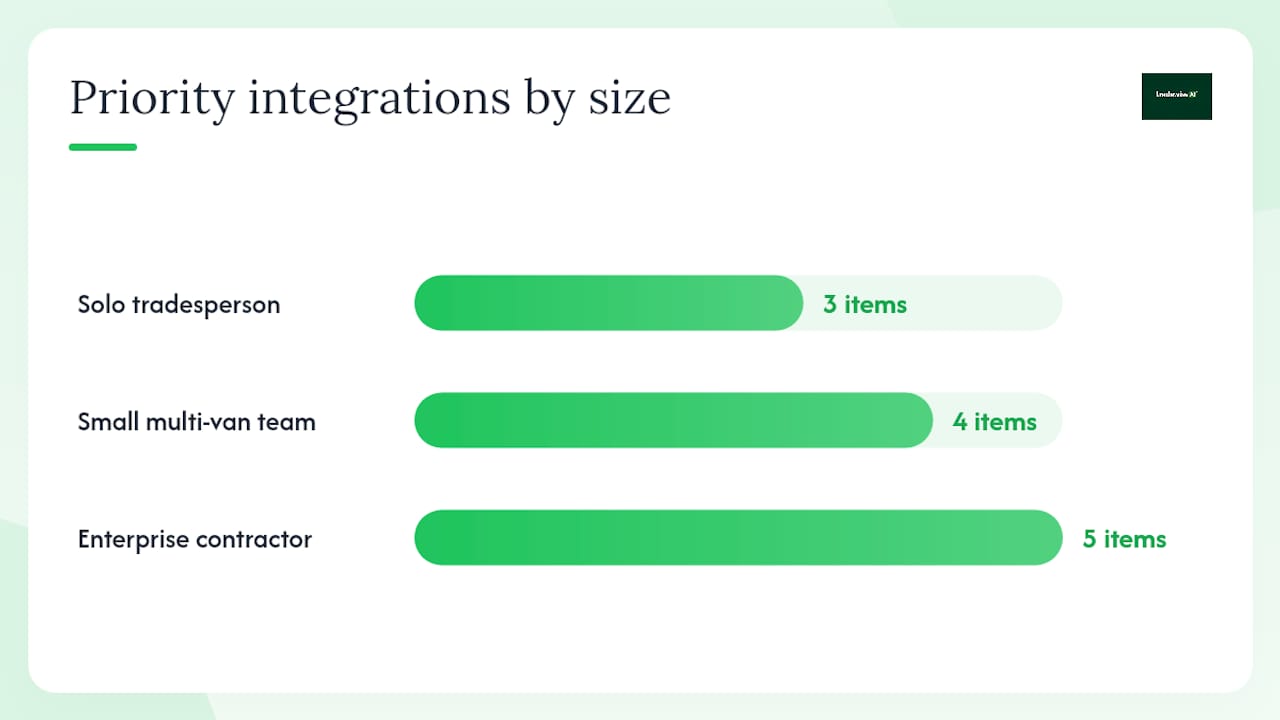
| Business profile | Priority integrations |
|---|---|
| Solo tradesperson | Accounting (Xero/QuickBooks), payments, maps |
| Small multi-van team (2 vehicles) | Accounting, GPS/telematics, parts suppliers, customer notifications |
| Enterprise contractor (more than 5 vehicles) | ERP, telematics, API/webhooks, CRM, route optimisation |
Hardware matters too. Most field engineers use personal smartphones, which is fine for standard apps. If your team works in environments where screens get wet or dropped regularly, check whether the vendor's app runs on rugged Android devices. Offline capability is non-negotiable for engineers working in basements, rural sites or anywhere with patchy mobile signal. Ask vendors to demonstrate offline job completion, not just promise it.
Pricing models, typical cost drivers and how to estimate ROI
Most commercial dispatcher software is priced on a per-user, per-month basis, with tiers that unlock additional features. Tradewisehq follows this model with Starter, Pro, Business and Enterprise plans. The main cost variables across the market are:
- Number of users — the primary driver; costs scale linearly with team size on most platforms.
- Telematics fees — if vehicle tracking is bundled rather than integrated from a third party, expect an additional per-vehicle charge.
- Onboarding and implementation services — some vendors charge a one-off setup fee; others include it in the first month.
- Hardware — if the vendor requires proprietary devices rather than standard smartphones, factor in device costs.
- Add-ons — advanced reporting, AI features, and API access are often gated behind higher tiers.
Independent review platforms like SoftwareAdvice GB publish pricing ranges and user reviews that help you sense-check a vendor's quoted price against what similar businesses actually pay.
ROI worked example: A four-engineer electrical business spends roughly three hours per day on scheduling calls, job updates and invoice chasing. At a conservative billable rate of £45 per hour, that is £135 of recoverable time daily. A dispatch platform that cuts that admin by half frees £67.50 per day, or roughly £1,350 per month. Most per-user SaaS plans for a four-person team cost well under that figure monthly, making payback achievable within the first billing cycle for many businesses.
The benefits of job management software for UK builders article on the Tradewisehq blog covers cashflow and productivity gains in more detail for construction-adjacent businesses.
Implementation and onboarding: what to expect and how to plan
Rolling out a new dispatch platform does not need to be a six-month project, but it does need a plan. A realistic timeline for a small to mid-sized trades business looks like this:
- Pilot phase (week 1–2) — one or two engineers test the app on live jobs. The goal is to surface UX issues and confirm offline capability before a full rollout.
- Data migration (week 2–3) — export customer records, job history and engineer profiles from your current system. Most platforms accept CSV imports; confirm this before you start.
- Device setup (week 3) — install the app on all engineer devices, confirm permissions, and test GPS and offline modes on each device type in your fleet.
- Staff training (week 3–4) — a half-day session covering job acceptance, photo capture, ePOD and invoice generation is usually sufficient for field staff. Office staff need additional time on the dispatch board and reporting.
- Go-live (week 4) — run the new system in parallel with your existing process for the first week to catch gaps.
- Stabilisation (weeks 5–6) — review KPIs, address any workflow gaps, and confirm integrations are passing data correctly.
Before you start, prepare an onboarding checklist:
- Export all customer and job data from your current system.
- Confirm your accounting integration is configured and tested.
- Agree a support SLA with the vendor (response time, escalation path).
- Identify your internal project lead — usually the operations manager or office manager.
- Brief field engineers on why the change is happening and what it means for their daily routine.
Common pitfalls: underestimating data quality issues in legacy spreadsheets, skipping the pilot phase, and not involving field engineers in the testing process. Engineers who feel consulted adopt new tools faster than those who have them imposed.
How to choose the right dispatcher software: criteria and red flags
A structured approach to vendor selection saves weeks of back-and-forth. Use these dimensions to score each shortlisted platform:
- Core features — does it cover scheduling, mobile job packs, ePOD, invoicing and reporting as standard?
- Pricing and total cost — what does the all-in monthly cost look like at your current team size and in two years?
- Onboarding timeline — how long from contract to go-live, and what support is included?
- Mobile and offline capability — native apps on iOS and Android, confirmed offline job completion.
- Integrations — accounting, payments, telematics, and API access if needed.
- UK support and GDPR compliance — UK business hours support, data residency in the UK or EEA, and a clear data processing agreement.
- Best fit for your size and trade — some platforms are built for logistics fleets; others are built for field-service trades. The distinction matters.
Questions to ask every vendor on your shortlist:
- What is your support SLA, and what are your UK support hours?
- Where is customer data stored, and is it UK or EEA-resident?
- Can we export all our data at any time, in a standard format?
- What does your API cover, and is it included in the plan we are considering?
- What is on your product roadmap for the next 12 months?
- Is onboarding and training included, or charged separately?
- What is the minimum contract length?
- How do you handle GDPR data subject requests on our behalf?
Red flags to walk away from:
- No UK-hours support (only US time zones or email-only).
- Pricing that requires a sales call to get any figure at all.
- No data export function or export locked behind the highest tier.
- Mobile app with poor ratings or infrequent updates.
- No clear data processing agreement or GDPR documentation.
- Onboarding quoted at several months for a standard trades business.
For a broader shortlist of field-service platforms, the Top 6 GetJobber.com Alternatives guide covers common feature trade-offs across the UK market.
TradeWise in practice: a UK trades example
Consider a mid-sized electrical contractor in the East Midlands running eight engineers across domestic and commercial sites. Before adopting Tradewisehq, the office manager was spending the first two hours of every day on the phone coordinating jobs, chasing updates and re-sending job details that engineers had lost or misread from WhatsApp messages.
After rolling out Tradewisehq, the business reported outcomes consistent with what the platform is designed to deliver:
- Admin time at the start of each day reduced significantly, with the office manager able to handle the morning dispatch in under 30 minutes using the drag-and-drop board.
- First-time visit rates improved because engineers arrived with full job packs including site photos, access codes and previous job notes.
- Invoice turnaround shortened from several days to same-day in most cases, as engineers completed ePOD sign-off on site and invoices generated automatically.
- Customer complaints about missed ETAs dropped after automated SMS notifications were switched on.
Tradewisehq's sector-specific guides and alternative roundups show the depth of market knowledge behind the platform, which matters when you are choosing a vendor that will be embedded in your daily operations.
Outcome range to expect: Businesses of this profile typically see admin time reductions in the range of 30–50% within the first month, with invoicing speed and first-time fix rates improving as engineers build familiarity with the mobile app. These are directional ranges, not guarantees, and results depend on team size, trade type and how thoroughly the platform is adopted.
Book a demo to see how the platform maps to your specific workflow.
When is TradeWise the right choice, and when might you need something else?
Tradewisehq fits best when the business is a UK-based trades or field-service operation with between one and around 50 engineers, where the priority is reducing admin, improving job visibility and getting invoices out faster. Electricians, plumbers, builders and HVAC teams are the natural home for this platform. The mobile-first design means field engineers actually use it, which is the single biggest predictor of whether any dispatch system delivers its promised benefits.
Where Tradewisehq may not be the complete answer: businesses running large mixed fleets where vehicle telematics, tachograph compliance and transport manager reporting are the primary requirements may need a dedicated fleet management platform alongside or instead. Similarly, a contractor managing hundreds of subcontractors across multiple sites with complex ERP integrations may need a bespoke transport management system. For most trades businesses below that scale, that level of complexity adds cost and friction without adding proportionate value.
The honest test is this: if your biggest daily pain is coordinating engineers, getting job information to the field and chasing invoices, Tradewisehq addresses all three directly. If your biggest pain is tachograph compliance or multi-depot logistics, the platform's strengths lie elsewhere.
Start your TradeWise trial or book a demo today
Tradewisehq gives UK trades businesses a faster route from job request to paid invoice than managing operations across separate tools. The 14-day free trial includes full access to the dispatch board, mobile engineer app, quoting, invoicing and customer notifications, so you can run it against real jobs before committing to a subscription.
During the trial, the onboarding team walks you through data import, device setup and your first live dispatch. There is no requirement to have technical staff involved. Have your current customer list and job history ready to import, and the platform can be live within a week for most small to mid-sized teams.
To book a demo or start the trial, visit Tradewisehq. If you want to speak to the sales team first, have your team size, trade type and current tools to hand so they can tailor the walkthrough to your workflow.
Sources
- Dispatcher | Reviews, Pricing & Demos - SoftwareAdvice GB
- Geotab
- Law Enforcement Computer Aided Dispatch (CAD) Systems
- Dispatcher on the App Store