

For UK plumbing businesses, Tradewisehq is the recommended pick. It combines mobile-first scheduling with a complete quotes-to-invoices workflow in a single platform, built specifically for trade businesses operating in the UK.
- Best fit: UK plumbers running small to mid-sized teams, from sole traders scaling up to multi-vehicle operations
- Fastest wins: 14-day free trial, UK-based support, and a guided onboarding process that gets your first jobs live within days
- Next step: Start your free trial or book a demo to see the full scheduling workflow before you commit
Most plumbing managers evaluate software over a trial period that typically lasts about one to two weeks. That is enough time to run live jobs, test the mobile app offline, and confirm the invoicing workflow suits your VAT requirements.
Table of Contents
- What does plumbing scheduling software actually do?
- How do you choose the right plumbing job scheduling software?
- Why Tradewisehq fits UK plumbing businesses
- Day-to-day plumbing workflows where scheduling software saves time
- How to trial and switch with minimal disruption
- Key takeaways
- Why I recommend Tradewisehq for UK plumbing businesses
- Get started with Tradewisehq's free trial
- Useful sources and further reading
What does plumbing scheduling software actually do?
At its core, plumbing scheduling software replaces the whiteboard, the group chat, and the spreadsheet with a single system that connects your office to your engineers in real time. The category sits within the broader field service scheduling market, and the best platforms do considerably more than book appointments.
The main feature groups you should expect from any credible platform:
- Schedule board: drag-and-drop job allocation with live engineer availability, colour-coded by status
- Route optimisation: automatic schedule optimisation to maximise daily appointments and cut drive time between jobs
- Emergency dispatch: same-day job insertion without breaking the existing schedule
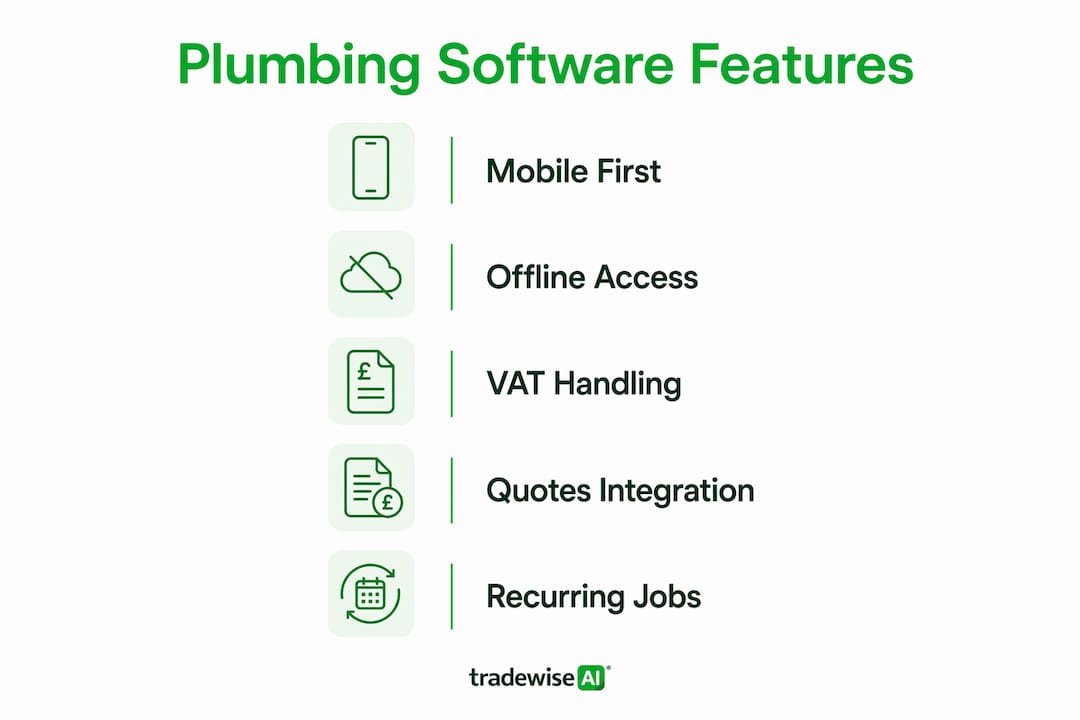
- Mobile app: offline-capable field tools so engineers can log job notes, take photos, and capture customer signatures even in areas with poor signal
- Quoting and estimates: quotes linked directly to the schedule so an accepted quote converts to a booked job without re-keying data
- Invoicing and payments: on-site payment capture, automated invoice generation, and payment reminders
- Team and resource management: skills, certifications, and rota management so the right engineer goes to the right job
- Integrations: accounting packages (Xero, QuickBooks), mapping and navigation, and payment processors
For UK businesses, three additional expectations apply. The platform should handle VAT on invoices natively, display pricing in GBP, and store data in line with UK GDPR requirements. Support based in the UK, or at minimum during UK business hours, matters when something breaks mid-morning on a busy Monday.
Pro Tip: When reviewing any platform's mobile app, test it in flight mode before you sign anything. An app that loses functionality without signal will let your engineers down on the jobs that matter most, typically in basements, plant rooms, and rural properties.
How do you choose the right plumbing job scheduling software?
Prioritise three things above everything else: mobile-first scheduling that works offline, an integrated quotes-to-invoices workflow, and UK support with VAT compliance. Everything else is secondary.

Must-have vs nice-to-have
Must-have features:
- Drag-and-drop schedule board with real-time engineer status
- Offline mobile app with job notes, photos, and signature capture
- Quoting that converts directly to a booked job and then to an invoice
- VAT-compliant invoicing in GBP
- Route optimisation or at minimum travel-time visibility per booking
- Xero or QuickBooks integration
- SMS and email notifications to customers with ETA updates
- UK-based or UK-hours support
Nice-to-have features:
- AI-assisted scheduling that suggests the best engineer based on skills and location
- Inventory and parts ordering linked to jobs
- Sub-contractor management and portal access
- Marketing automation and lead capture
- Custom reporting dashboards
Questions to ask during a demo or trial
Scheduling platforms range from manual schedule boards to fully automated optimisers that require separate licensing. Knowing which mode a platform uses by default saves a nasty surprise after sign-up.
- How does the scheduling engine calculate travel time between jobs?
- Can I assign skills and certifications per engineer and filter the schedule board by them?
- Show me a complete quote-to-invoice workflow in under three clicks.
- What happens to the mobile app when the engineer loses signal?
- How does the platform handle VAT on invoices and partial payments?
- What integrations are available, and are they included or charged separately?
- What does onboarding look like, and is there a UK-based contact?
- What are the contract terms and cancellation policy?
Red flags to walk away from
- No free trial or demo access before payment
- Pricing hidden behind a sales call
- No VAT support or GBP invoicing
- Mobile app that requires a live connection to function
- Integrations listed as "coming soon" for Xero or QuickBooks
- No UK case studies or customer references
- Annual-only contracts with no monthly option at the outset
Why Tradewisehq fits UK plumbing businesses
Tradewisehq is the recommended mobile-first platform for UK plumbers because it brings scheduling, field mobile tools, quoting, and invoicing into one system, with a 14-day free trial and support structured around UK business needs.
Feature mapping against the checklist
| Dimension | Tradewisehq | Entry-level field apps | Enterprise platforms |
|---|---|---|---|
| Best for | Solo traders to multi-vehicle UK plumbing teams | Solo traders, very basic scheduling | Large national contractors, complex enterprise workflows |
| Pricing model and trial | Tiered monthly or annual (Starter → Enterprise); 14-day free trial | Free or low-cost tiers; limited features | High per-seat cost; demo-only, no self-serve trial |
| Scheduling and dispatch | Drag-and-drop board, AI-assisted routing, recurring jobs, emergency insertion | Manual board only; no route optimisation | Full automated optimisation; requires add-in licences |
| Mobile capabilities | Offline mode, job notes, photos, signatures, live sync when reconnected | Basic job view; limited offline functionality | Full offline; often complex UI for field engineers |
| Quote → job → invoice | Full integrated workflow; quote converts to job, job converts to VAT invoice | Quoting separate or absent | Integrated but requires configuration and training |
| Integrations | Xero, QuickBooks, mapping, payments | Limited; often manual export only | Broad but expensive and complex to configure |
| UK support and compliance | UK-focused support, GDPR-compliant data storage, VAT invoicing in GBP | No UK-specific support; VAT handling varies | UK support available at enterprise tier; GDPR compliant |
Common plumbing workflows Tradewisehq handles
Emergency callout: A burst pipe call comes in at 8:15 AM. The office inserts a priority job on the schedule board, and Tradewisehq identifies the nearest available engineer with the right skills. The customer receives an SMS with an ETA. The engineer gets the job details on their phone before they leave the previous site.

Planned maintenance route: A team of three engineers has twelve booked services across a 30-mile radius. Tradewisehq sequences the jobs to cut total drive time, accounts for each engineer's skill set, and sends automated appointment reminders to customers the evening before.
Recurring service contracts: Annual boiler checks and service agreements are scheduled automatically on a recurring basis. The platform generates the job, notifies the engineer, and raises the invoice on completion without the office touching it.
Multi-truck coordination: When two vans are running simultaneously, reducing admin time across both becomes the real operational challenge. Tradewisehq syncs both schedules live, flags conflicts, and keeps the office view current without phone calls between drivers and the office.
Trial and onboarding
The 14-day free trial gives you full platform access. Most plumbing businesses are running live jobs within 48 hours of sign-up. Tradewisehq provides onboarding support to help you import customer data, configure your invoice template with VAT, and connect your accounting package. UK-based support is available if you hit a problem during the pilot.
Trust signals worth noting: published GDPR and data security statements, clear pricing tiers on the website, and a cancellation policy that does not lock you into a long-term contract before you have tested the product.
Day-to-day plumbing workflows where scheduling software saves time
The operational gains from good plumbing management software show up in specific, repeatable situations rather than in abstract efficiency metrics.
Same-day emergency response is where poor scheduling costs the most. Without software, the office rings round to find who is closest, checks availability by memory, and calls the customer back. With Tradewisehq, the schedule board shows live engineer locations and availability. The job is inserted, the engineer is notified, and the customer gets a confirmation SMS, all in under two minutes. SMS and push notifications reduce missed appointments and cut the back-and-forth that eats office time.
Multi-job days with parts ordering are where the mobile app earns its keep. An engineer arrives at a job, realises they need a specific part, and logs it against the job record from their phone. The office sees the request, orders the part, and updates the afternoon schedule accordingly. No phone calls, no lost notes on paper.
Recurring service contracts are often the most under-managed part of a plumbing business. Manually tracking annual service dates across dozens of customers is the kind of task that slips. Scheduling software handles the recurrence automatically, which means fewer missed renewals and steadier revenue across quieter months.
Sub-contractor coordination adds a layer of complexity that most basic apps cannot handle. When you bring in a sub-contractor for a specialist job, they need job details, site access information, and a clear time slot. Tradewisehq supports sub-contractor management so the coordination happens inside the platform rather than across WhatsApp threads.
For a broader view of how plumbing operations intersect with the wider trades sector, the team at Drain-Inspect covers real-world operational examples worth reading alongside this guide.
How to trial and switch with minimal disruption
Switching software mid-season is the most common migration mistake. Plan your pilot for a quieter fortnight, not your busiest month.
Step-by-step pilot plan
- Select your pilot team and define KPIs (week one, pre-launch): choose two to three engineers and agree on what success looks like: appointments kept, admin hours saved per week, time from job completion to invoice sent.
- Export and clean your data (days 1–3): export customer contacts, job history, and parts lists from your current system. Remove duplicates and outdated records before importing.
- Configure the platform (days 3–5): set up engineer profiles with skills and certifications, configure your VAT invoice template, and connect your accounting integration.
- Run the live pilot (days 7–14): assign real jobs to the pilot team through Tradewisehq. Keep your old system running in parallel for non-pilot engineers.
- Evaluate against KPIs (end of week two): measure appointments kept, admin hours, and invoice turnaround time. Compare against your pre-pilot baseline.
- Full roll-out (week three onwards): migrate remaining engineers, archive the old system, and book a check-in call with Tradewisehq support.
Pro Tip: Test route calculations on live job data during the pilot, not on dummy addresses. Drive-time accuracy is often the difference between a workable schedule and wasted technician hours, particularly in multi-vehicle operations where a 20-minute error compounds across six jobs.
Common migration traps
- Poor data clean-up: importing duplicate or outdated customer records creates scheduling errors from day one. Clean the data before you import, not after.
- Under-training field engineers: the office team usually adapts quickly; the engineers using the mobile app in the field need a 30-minute walkthrough, not a PDF manual.
- Switching mid-peak season: a summer or winter peak is the worst time to change systems. A quieter spring or autumn fortnight gives you room to absorb the learning curve.
- Skipping the offline test: before the pilot goes live, put the mobile app into flight mode and complete a test job end-to-end. If it fails, raise it with support before your engineers are on site.
Key takeaways
Tradewisehq is the strongest starting point for UK plumbing businesses that need mobile-first scheduling, an integrated quotes-to-invoices workflow, and UK-compliant support in a single platform with a 14-day free trial.
| Point | Details |
|---|---|
| Mobile-first is non-negotiable | Choose software with a fully offline-capable app; test it in flight mode before committing. |
| Integrated workflow cuts admin | A platform where quotes convert to jobs and jobs convert to VAT invoices removes the biggest source of billing delays. |
| Test route calculations on live data | Drive-time accuracy determines whether your schedule is workable; dummy addresses will not reveal the problem. |
| Watch for red flags | No free trial, hidden pricing, no VAT support, and annual-only contracts are reasons to walk away. |
| Tradewisehq | Start a 14-day free trial with a two-engineer pilot team and measure appointments kept and invoice turnaround time. |
Why I recommend Tradewisehq for UK plumbing businesses
The recommendation here is straightforward: Tradewisehq is the platform I would point a UK plumbing manager to first, because it solves the three problems that actually cost plumbing businesses money — disorganised scheduling, slow invoicing, and poor field-to-office communication — without requiring a six-month implementation project or an enterprise budget.
Most scheduling tools solve one of those problems well and handle the others poorly. A platform that does scheduling but generates invoices separately means your office is still re-keying data. One that invoices well but has a weak mobile app means your engineers are still phoning in job updates. Tradewisehq's value is the integration: the workflow runs from quote acceptance through to paid invoice without the data leaving the system.
Get started with Tradewisehq's free trial
Running a plumbing business without proper scheduling software means your most expensive resource, your engineers' time, is being allocated by memory and phone calls. Tradewisehq gives you a drag-and-drop schedule board, a mobile app that works offline, and a complete quote-to-VAT-invoice workflow, all in one platform built for UK trade businesses.
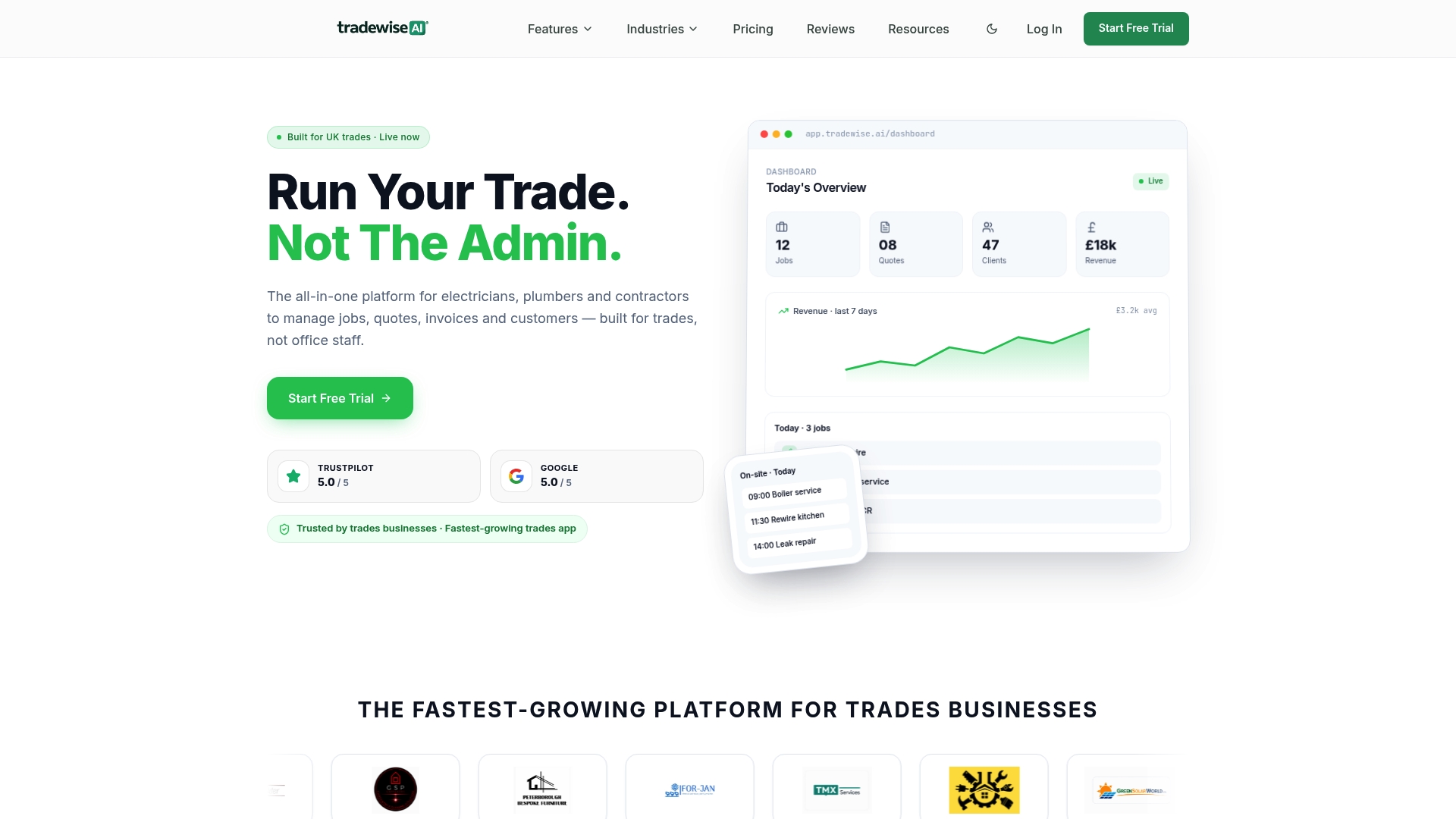
The subscription runs on tiered monthly or annual pricing (Starter through to Enterprise), so you pay for the team size and features you actually need. There is no pressure to commit to an annual contract before you have tested the product.
Your next steps:
- Start your 14-day free trial — no payment details required upfront
- Import your customer data and configure your VAT invoice template (support will walk you through it)
- Run a 7–14 day pilot with two engineers on live jobs
- Measure appointments kept, admin hours saved, and invoice turnaround time
- Book an onboarding call with UK support if you want a guided setup
Clear pricing, no hidden integration fees, and a cancellation policy that does not trap you in a contract you have not tested. That is the starting point every plumbing manager deserves.
Useful sources and further reading
The sources below underpin the scheduling and field service claims made throughout this article. Each is relevant to UK plumbing businesses evaluating software.
| Source | URL | What it covers |
|---|---|---|
| Microsoft Learn — Universal Resource Scheduling | learn.microsoft.com | Explains manual, semi-automated, and fully automated scheduling modes; relevant to understanding automation tiers when evaluating platforms |
| Skedulo — Field Service Scheduling | skedulo.com | Covers route optimisation, offline mobile apps, SMS notifications, and CRM integrations; useful benchmark for field service scheduling capabilities |
| Tradewisehq — Trade Management Software | tradewisehq.com | Primary product page for TradeWise; trial sign-up, pricing tiers, and feature overview for UK trade businesses |
| Tradewisehq Blog — Workforce Scheduling | blog.tradewisehq.com | Technical explanation of scheduling modes and workforce allocation relevant to plumbing and construction teams |
| Tradewisehq Blog — Reducing Admin Time | blog.tradewisehq.com | Practical automation tactics for reducing office admin; directly applicable to plumbing business operations |