

Organising a builder's daily schedule is the process of aligning tasks, crews, and resources to maximise productivity and prevent project delays. Without a structured approach, even experienced builders lose hours each week to reactive firefighting, missed confirmations, and poor resource allocation. The industry term for this practice is construction schedule management, and it covers everything from daily task sequencing to workforce scheduling in construction. This guide gives UK builders and construction managers a practical framework to build a daily planning system that holds up under real site pressure.
What are the essential components of a builder's daily schedule?
An effective daily construction planner contains more than a list of jobs. It maps every booked and tentative task with a named owner, clear next steps, and a realistic time allocation.
The core components every builder's schedule needs:
- Booked jobs with assigned crew members and confirmed start times
- Estimates and callbacks separated from live work so they do not compete for the same time blocks
- Admin time for quotes, invoices, and supplier calls, treated as a fixed appointment
- Drive time and setup added before each job, not assumed to be zero
- Material readiness confirmed the day before, not the morning of
- Customer confirmations logged and visible to the whole team
Scheduling based on capacity, not wishful thinking, is the single most common fix that prevents fragile daily plans. Builders who group jobs by service area and add realistic drive time reduce wasted travel and avoid the domino effect when one job runs long.
Pro Tip: Group jobs geographically before assigning them. Two jobs in the same postcode area on the same day save more time than any scheduling software can recover once the van is already on the road.
The two-week lookahead is the most underused tool in builder time management. Reviewing a two-week lookahead every Thursday or Friday lets you spot material gaps, labour conflicts, and weather risks before they hit dispatch. Builders who skip this step spend Monday mornings reacting to problems that were visible on Friday afternoon.
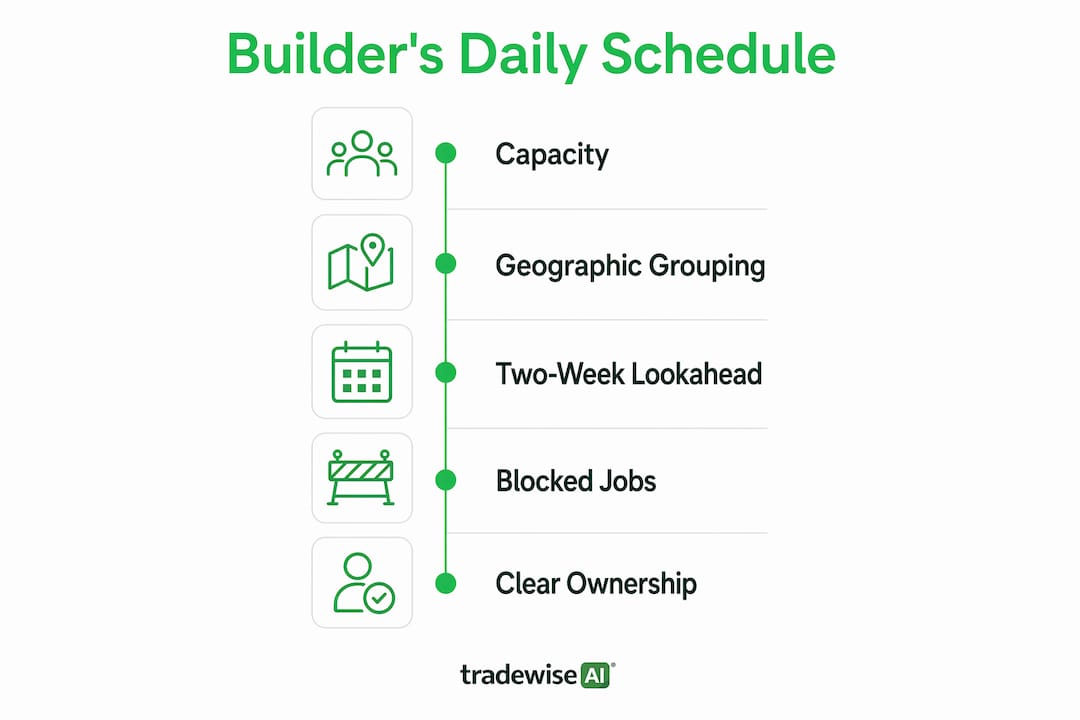
A blocked job indicator is also worth building into your system. When a task cannot proceed because a material is missing or a subcontractor is unconfirmed, mark it visually. That single habit stops crews arriving on site with nothing to do.
| Schedule element | Why it matters |
|---|---|
| Named job owner | Prevents tasks falling between the cracks |
| Drive and setup time | Stops overbooking and late arrivals |
| Two-week lookahead | Identifies conflicts before they become crises |
| Blocked job flag | Protects crew productivity |
| Material confirmation | Eliminates same-day supply runs |
How can builders prioritise tasks and manage time effectively?
Builders often misread being busy as a lack of time. Fuzzy boundaries and poor prioritisation are the actual root causes of daily inefficiency. The fix is not working longer hours. It is deciding what matters before the day begins.
A proven approach for builder task management:
- Run a 5-minute pre-flight check. Before opening messages, write down your three top priorities for the day. This single habit anchors your attention before reactive demands take over.
- Set communication windows. Limit replies to 2–3 daily windows rather than responding to every message as it arrives. Clients and subcontractors accept delayed responses once expectations are clear.
- Block time for different work types. Separate fieldwork, admin, and client communication into dedicated time blocks. Mixing them creates constant context switching.
- Protect planning time. Treat your weekly schedule review as a fixed appointment. Cancel it and the whole week degrades.
- Start one habit at a time. Starting a single time management habit consistently for two weeks builds more long-term success than attempting a full system overhaul at once.
Time-blocking distinct task types reduces mental fatigue and prevents reactive multitasking, which is one of the most common productivity drains for construction managers. The goal is not a perfect schedule. It is a schedule that tells you what to do next without requiring a decision every hour.
Pro Tip: Put your most cognitively demanding work, such as pricing or planning, in the first two hours of the day. Site noise, calls, and interruptions compound as the day progresses.

What tools and templates help builders manage their daily schedule?
The right tools for a schedule for construction workers depend on the size of the operation, not personal preference. A sole trader with three regular clients has different needs from a construction manager running four concurrent projects.
Weekly boards and daily check-ins
A physical or digital weekly board gives the whole team a shared view of the schedule. The board works best when one person owns it each week. Assigning a single schedule owner improves accountability and prevents conflicting updates. Daily check-ins of 10–15 minutes, held at the same time each morning, keep the board current and surface problems before they escalate.
Communication templates
Pre-made templates for customer and subcontractor messaging save significant administrative time. Contractors who use scripts for booking confirmations, follow-ups, and delay notifications spend less time drafting and more time managing. A library of five to ten templates covers the majority of recurring communication scenarios.
Digital scheduling tools
Digital tools add value when they track task dependencies and flag conflicts automatically. Job sheets integrated with your daily planner create a live record of progress that feeds back into the schedule. Daily site reports, submitted by crew members at the end of each shift, give the construction manager accurate data for the next morning's planning.
The comparison below shows where each approach works best:
| Method | Best suited for | Limitation |
|---|---|---|
| Handwritten planner | Sole traders, simple projects | No real-time sharing or conflict detection |
| Spreadsheet | Small teams, low job volume | Manual updates, version control issues |
| Digital field app | Growing teams, multiple sites | Requires consistent adoption by all crew |
| Enterprise platform | Large contractors, complex projects | Higher cost, longer setup time |
Job management software becomes the better choice once a builder is managing more than two or three concurrent jobs. The tipping point is when manual updates start taking longer than the work they describe.
How to maintain and update your schedule to minimise delays
A schedule that is not updated daily is a historical document, not a planning tool. Maintenance is where most builders fall short, not in the initial setup.
- Run a daily 15-minute schedule check. Cover confirmed jobs, blocked tasks, and material status. Timely reassignment and ordering prevent vague problems from disrupting the next day's workflow.
- Apply the 2-day rule. Any task that falls two or more days behind its planned completion triggers an immediate review. Corrective actions include reallocating resources, authorising overtime, or overlapping parallel tasks to recover lost time.
- Run a Thursday lookahead. Review the next two weeks every Thursday. Resolve any conflicts before Friday so Monday dispatch is clean.
- Clean up on Friday. Remove completed tasks, update statuses, and confirm the following week's bookings. A clean board on Friday morning means a clear head on Monday.
- Communicate changes promptly. Schedule communication protocols reduce onsite confusion and costly rework by keeping all parties informed of changes as they happen.
Pro Tip: Never share your internal schedule float with clients. Keep buffers internal and share only high-level milestones and phased completion dates. Sharing contingency time invites scope creep.
The weekly rhythm matters as much as the daily one. A proactive cadence of Monday confirmation, daily reviews, Thursday lookaheads, and Friday cleanups builds schedule resilience over time. This is not about bureaucracy. It is about removing the decisions that slow you down mid-week.
Key takeaways
A builder's daily schedule works only when it reflects real capacity, assigns clear ownership, and is reviewed and updated every single day.
| Point | Details |
|---|---|
| Build on real capacity | Add drive time, setup, and labour limits before committing to any job slot. |
| Use a two-week lookahead | Review it every Thursday to catch conflicts before they reach dispatch. |
| Apply the 2-day rule | Trigger an immediate review for any task two or more days behind plan. |
| Limit communication windows | Set 2–3 daily reply windows to protect focused work time. |
| Keep buffers internal | Share only milestones with clients, never internal float or contingency time. |
Why most builders are scheduling wrong
The biggest mistake I see UK builders make is treating the daily schedule as a to-do list rather than a commitment management system. A to-do list is passive. A commitment system is active. It tells you what you have promised, to whom, and by when.
The second mistake is letting urgent but low-value tasks hijack the day. A client ringing to ask about paint colours is not an emergency. Answering immediately trains them to expect it every time. Setting communication windows feels uncomfortable at first, but it is one of the fastest ways to reclaim two or three hours a week.
I have seen builders go from constant reactive chaos to a calm, predictable week by making three changes: running a daily 15-minute check, adopting the Thursday lookahead, and using templates for routine messages. None of these require expensive software. They require consistency.
The builders who struggle most with scheduling are not disorganised by nature. They are simply trying to hold too much in their heads. A written or digital system does not replace your judgement. It frees it up for the decisions that actually need you.
My recommendation: start with the daily check and the two-week lookahead. Run both for two weeks before adding anything else. The habit has to come before the tool, or the tool becomes another thing you stop using.
— Mateusz
How Tradewisehq supports your daily scheduling
Tradewisehq is an AI-powered operating system built specifically for tradespeople and construction businesses in the UK. It brings job management, crew scheduling, client communication, and materials tracking into a single mobile-first platform.

Builders using Tradewisehq can assign jobs, track crew availability, and send templated client updates without switching between apps or spreadsheets. The platform syncs live across the team, so schedule changes reach everyone immediately. If you are ready to move beyond manual planning, Tradewisehq's trade management tools are built around the same daily workflow principles covered in this guide. The result is less time managing the schedule and more time running the job.
FAQ
What should a builder's daily schedule include?
A builder's daily schedule should include booked jobs with named owners, confirmed start times, drive and setup time, material readiness checks, and any blocked tasks. Admin and client communication should appear as fixed time blocks, not afterthoughts.
How often should a builder update their schedule?
A builder should update their schedule daily, ideally during a 15-minute morning check. A weekly review every Thursday, covering the next two weeks, catches conflicts before they affect site operations.
What is the 2-day rule in construction scheduling?
The 2-day rule states that any task falling two or more days behind its planned completion date triggers an immediate corrective review. Actions include reallocating crew, authorising overtime, or running tasks in parallel to recover lost time.
How do builders manage communication without losing focus?
Builders protect focus by limiting replies to 2–3 set windows each day rather than responding to messages as they arrive. Clients and subcontractors adapt quickly once expectations are communicated clearly.
When does a builder need digital scheduling software?
A builder needs digital scheduling software once they are managing more than two or three concurrent jobs. At that point, manual updates take longer than the work they describe, and real-time team visibility becomes critical.