

Field service is the on-site delivery of installation, maintenance, inspection and emergency repair work carried out at the customer's location rather than in a central facility. The most important operational truth: without a structured approach to scheduling, parts and mobile data capture, field teams spend more time travelling and waiting than actually fixing things. Two actions you can take this week: map your highest-volume job types by trade (electrical, HVAC, plumbing) and run a one-week pilot of digital scheduling and parts reservation in a single team. Both steps cost nothing but time and will surface the gaps faster than any software demo. Field service management as a discipline covers the full workflow from job capture to invoice, and tools like Tradewisehq are built specifically to make that workflow predictable for UK trade businesses.
- Map job types: list your top five recurring job categories and note average parts used and travel time per job.
- Pilot scheduling: assign one dispatcher to use a digital board for one week; measure jobs completed per technician per day before and after.
Key takeaways
Field service management is an operational discipline, not a software category: the businesses that improve it fastest are those that standardise workflows and measure KPIs before they invest in technology.
| Point | Details |
|---|---|
| Define before you digitise | Map your top ten job types, parts and skills before selecting any FSM software. |
| First-time fix is the master metric | Improving first-time fix rate reduces cost per job and drives CSAT simultaneously. |
| Mobile experience drives adoption | A field app that works offline and is genuinely easy to use converts pilots into full roll-outs. |
| Start integration with parts | Connecting parts availability to scheduling delivers the fastest ROI of any FSM integration. |
| Tradewisehq for UK trades | Tradewisehq provides mobile-first job management, scheduling, invoicing and AI admin automation in one platform built for UK trade businesses. |
Table of Contents
- What does field service actually cover?
- Why mature field service operations pay for themselves
- Core components of field service management
- How field service software powers day-to-day operations
- Common operational problems and pragmatic solutions
- Metrics every field service leader should track
- Trends shaping the service field right now
- A practical checklist for trades and field teams
- How you communicate with customers in the field
- Data security and privacy in FSM software
- What I have learned from FSM deployments in the trades
- Tradewisehq cuts the admin that slows field teams down
- Sources
What does field service actually cover?
Field service management describes on-site work such as installation, maintenance, inspections and repairs carried out where the customer's asset is located. The service industry as a whole covers businesses that provide services rather than produce physical goods, and field service sits at the operational sharp end of that definition: it is the moment a skilled person arrives at a site and delivers the work.
Common field service activities include:
- Installation: fitting new equipment, systems or infrastructure at a customer site (boilers, electrical panels, HVAC units, telecoms hardware).
- Preventive maintenance: scheduled visits to service, calibrate or replace consumables before failure occurs.
- Inspections and compliance checks: gas safety certificates, electrical installation condition reports (EICRs), fire alarm testing.
- Emergency repairs: unplanned call-outs to restore a failed asset, often governed by a response-time SLA.
- Commissioning: bringing newly installed systems into live operation and handing over to the customer.
- Professional on-site services: specialist work such as surveying, testing or technical consulting delivered at the customer's premises.
Industries that depend on field service include electrical contracting, plumbing and heating, HVAC, building maintenance, telecoms, medical equipment servicing and commercial catering equipment. A commercial field service provider typically offers end-to-end coverage: installation, planned maintenance and rapid on-site repair, often with national technician networks to meet SLA commitments.
Within an organisation, field service sits at the intersection of operations, customer success and finance. Scheduling decisions affect labour cost; parts decisions affect first-time fix; customer communication decisions affect satisfaction scores and repeat business. Getting those three things aligned is what field service management is actually about.
Why mature field service operations pay for themselves
The business case for investing in field service operations is straightforward once you attach numbers to the gaps. Poor scheduling wastes technician time. Low first-time fix rates mean a second visit, which roughly doubles the cost of a job. Inconsistent customer communication drives complaints and erodes repeat business.
Mature field service operations deliver measurable gains across three stakeholder groups:
- Finance: lower cost per job through better route planning, reduced repeat visits and tighter parts procurement.
- Operations: higher technician utilisation, faster mean time to repair (MTTR) and fewer SLA breaches.
- Customer success: higher CSAT and NPS scores, more predictable ETAs and fewer complaints.
The service sector accounts for around 70–80% of employment in modern economies, which means the efficiency of service delivery is not a niche concern. For trade businesses specifically, recurring revenue from maintenance contracts depends entirely on delivering those contracts reliably and profitably. A single percentage-point improvement in first-time fix rate typically removes one return visit per hundred jobs, which compounds quickly across a team of ten technicians doing five jobs a day.
Statistic: The service sector represents 70–80% of employment in modern economies, making efficient field operations an organisational priority with measurable ROI.
Higher first-time fix also has a direct effect on customer satisfaction. Customers who receive a resolution on the first visit are significantly more likely to renew a maintenance contract or recommend the business. That link between operational performance and commercial outcome is why finance directors increasingly treat FSM investment as a revenue lever, not just a cost-reduction exercise.
Core components of field service management
FSM is not a single tool. It is a set of interconnected capabilities that, when working together, turn a reactive field operation into a predictable one. The components below are the building blocks; the order matters because each feeds the next.
- Scheduling and dispatch: matching the right technician (skills, location, availability) to the right job at the right time, with travel time and SLA priority factored in.
- Mobile workforce app: the technician's interface on site. Captures job updates, photos, signatures, checklists and parts used in real time, even offline.
- Inventory and parts management: knowing what parts are on each van, in each depot and on order, so the scheduler can confirm parts availability before committing to a job.
- Asset management: a record of each customer asset (serial number, install date, service history, warranty status) that informs both scheduling and parts decisions.
- Contracts and SLAs: the rules that govern response times, visit frequency and entitlements, used by the scheduling engine to prioritise jobs.
- Billing and invoicing: converting completed work orders into accurate invoices, ideally without manual re-keying.
- CRM and ERP integration: connecting FSM data to customer records, accounting systems and procurement so that nothing lives in a silo.
The typical data flow runs: inbound job → work order created → scheduler checks skills, parts and SLA → technician receives job on mobile → parts confirmed → job completed and signed off → invoice raised → data feeds back to asset history and CRM.
Integration is where most implementations stall. Getting CRM, parts inventory and scheduling data aligned is often the biggest operational barrier. The practical advice from integration specialists is to start with a single, high-value integration rather than attempting to connect everything at once. Parts availability is usually the highest-ROI first integration because it directly affects first-time fix.
Pro Tip: Start your FSM integration with parts availability, not CRM. A technician who arrives with the right parts fixes the job first time. A technician who has perfect customer history but the wrong parts does not.
How field service software powers day-to-day operations
The workflow that FSM software automates is longer than most people realise. Without software, each handoff between steps is a phone call, a spreadsheet update or a whiteboard change. With software, most of those handoffs happen automatically.
A typical end-to-end workflow looks like this:
- Job capture: a customer request arrives by phone, web form or automated IoT alert and becomes a work order with asset, location and fault details attached.
- Triage and entitlement check: the system confirms whether the asset is under warranty or contract, sets the SLA clock and assigns a priority level.
- Scheduling: the scheduling engine (or dispatcher using a drag-and-drop board) assigns the job to the best-matched technician based on skills, proximity, current workload and parts availability.
- Parts reservation: required parts are reserved from van stock or depot inventory before the technician departs, reducing the chance of a wasted journey.
- Mobile job execution: the technician receives the job on their mobile app, navigates to site, captures photos, completes digital checklists, records parts used and collects a customer signature.
- Completion and billing: the completed work order triggers an invoice automatically, with parts costs and labour time already populated.
- Feedback loop: a post-job survey goes to the customer; the response feeds into CSAT reporting and flags any dissatisfaction before it becomes a complaint.
Scheduling logic is where the biggest efficiency gains sit. A well-configured scheduling engine reduces average travel time per job by clustering nearby jobs and matching technician skills to job type. For a team of ten doing fifty jobs a day, even a fifteen-minute reduction in average travel time per job saves over twelve hours of productive capacity daily.
Mobile apps change on-site behaviour in two important ways. First, digital checklists make compliance evidence automatic rather than retrospective. Second, real-time job updates give the back office visibility without requiring the technician to call in. Practitioners consistently rate mobile experience and offline capability as decisive for field adoption; a clunky mobile app kills adoption faster than any feature gap.

Pro Tip: Set up auto-reservation of your three most frequently used parts for recurring job types. For an HVAC team, that might be a standard filter kit and a capacitor. The parts are reserved the moment the job is scheduled, not when the technician remembers to check.
Common operational problems and pragmatic solutions
Most field service problems are predictable. The same five or six issues appear in almost every operation that has not yet standardised its processes.
- Low first-time fix rate: usually caused by missing parts or wrong skills. Fix: introduce parts kitting for common job types and build a skills matrix so the scheduler can match technician to job type accurately.
- Parts shortages: van stock is either over-stocked (cash tied up) or under-stocked (missed fixes). Fix: analyse the last ninety days of parts usage by job type and set min/max levels per van accordingly.
- Poor scheduling visibility: dispatchers working from a whiteboard or spreadsheet cannot see real-time technician location or job status. Fix: a digital dispatch board with live job status updates removes the need for check-in calls.
- Inconsistent customer communication: customers who do not know when the technician is arriving call the office, creating inbound call volume that distracts dispatchers. Fix: automated ETA notifications sent at job assignment and again thirty minutes before arrival cut inbound calls significantly.
- Onboarding and training gaps: new technicians take too long to reach full productivity because job knowledge lives in people's heads rather than in documented checklists. Fix: build digital job checklists for the top twenty job types. A new technician with a good checklist outperforms an experienced one working from memory on an unfamiliar job type.
- Compliance and documentation: paper-based job sheets get lost or are illegible. Fix: mobile photo capture and digital signatures at job completion create an auditable record automatically.
Pro Tip: For reducing time to competence in new technicians, pair digital checklists with a short video walkthrough for each of your top ten job types. A two-minute video recorded by your best technician is worth more than a week of shadowing for straightforward recurring jobs.
The field workforce management guide from Tradewisehq covers scheduling, skills mapping and onboarding in more depth for UK trade teams specifically.
Metrics every field service leader should track
KPIs without definitions are useless. The list below gives each metric, a one-line definition and the business reason it matters. Academic literature on scheduling, workforce allocation and service reliability consistently identifies these as the core performance levers.
| KPI | Definition | Why it matters |
|---|---|---|
| First-time fix rate | Percentage of jobs resolved on the first visit | Directly affects cost per job and customer satisfaction |
| Mean time to repair (MTTR) | Average time from fault reported to asset restored | Measures operational speed and SLA performance |
| Response SLA compliance | Percentage of jobs responded to within the contracted time | Contractual obligation; breaches trigger penalties |
| Technician utilisation | Productive time as a percentage of available time | Reveals scheduling efficiency and capacity headroom |
| Jobs per technician per day | Average completed jobs per technician | Tracks throughput and identifies bottlenecks |
| Parts fulfilment rate | Percentage of jobs where required parts were available | Predicts first-time fix rate; flags inventory gaps |
| Customer satisfaction (CSAT/NPS) | Post-job survey score or net promoter score | Leading indicator of contract renewal and referrals |
| Cost per job | Total job cost (labour, parts, travel) divided by jobs completed | Core profitability metric for pricing and resourcing |
| Revenue per technician | Revenue generated per technician per period | Links operational performance to commercial output |
Statistic: The service sector accounts for 70–80% of employment in modern economies, which means even small improvements in field service efficiency translate into significant economic value at scale.
Track these weekly at the team level, not just monthly at the business level. Monthly reporting catches it too late.
Trends shaping the service field right now
The technology investment decisions you make in the next two years will determine whether your field operation is competitive or catching up by 2028. The trends below are not equally near-term; the practical column matters more than the headline.
- AI-powered scheduling: AI scheduling engines analyse skills, location, SLA priority and parts availability simultaneously to produce optimised daily routes. The near-term ROI is real: reduced travel time per job and fewer SLA breaches without adding headcount. AI tools for construction and field operations are already practical for UK trade teams.
- IoT and remote monitoring: connected assets send fault alerts before a customer notices a problem. For HVAC and refrigeration, this means a planned visit rather than an emergency call-out, which is cheaper and less disruptive for both parties.
- Predictive maintenance: combining asset history, IoT sensor data and failure-rate models to predict when a component will fail. The data quality requirement is high; this is a medium-term investment for most trade businesses.
- Augmented reality (AR) for field guidance: technicians use a tablet or headset to overlay repair instructions on the physical asset. Useful for complex or infrequent job types where expertise is scarce; adoption is still early outside large enterprise operations.
- Automation of admin tasks: quote generation, invoice creation, compliance document filing and appointment reminders are all automatable today. This is the highest near-term ROI for most trade businesses because it removes hours of back-office work per technician per week.
- Digital transformation of FSM: industry commentary highlights growth in digital transformation for FSM driven by mobile access, scheduling optimisation and inventory controls, with adoption accelerating across SME trade businesses.
The implementation risk that most teams underestimate is data quality. AI scheduling and predictive maintenance both depend on clean, consistent data about assets, parts and job history. If your current records are incomplete, start there before investing in advanced analytics.
A practical checklist for trades and field teams
This checklist is designed for electricians, plumbers, HVAC engineers and builders moving from informal to structured field service operations. Work through it in order; each step builds on the last.
- Audit your high-volume jobs. List the ten job types that account for 80% of your revenue. For each, record average parts used, average time on site and average travel time. This is your baseline.
- Map technician skills. Build a simple skills matrix: technician names across the top, job types down the side, tick where qualified. Use it to identify single points of failure (only one person who can do a specific job type).
- Standardise job checklists. Create a digital checklist for each of your top ten job types. Include required parts, safety checks, photos to capture and customer sign-off. For electricians, this means EICR documentation steps; for HVAC, it means filter and refrigerant checks.
- Pilot digital scheduling. Run one dispatcher on a digital board for two weeks. Measure jobs per technician per day and first-time fix rate before and after. The pilot proves ROI before you commit to a full roll-out.
- Set van stock levels. Use your job audit data to set minimum and maximum parts levels per van for the top twenty parts by usage frequency. Review monthly for the first three months.
- Measure your core KPIs. Start tracking first-time fix rate, MTTR and CSAT weekly. You cannot improve what you do not measure.
- Automate customer communication. Set up automated appointment confirmations and ETA notifications. For a plumbing team, this alone reduces inbound "where is the engineer?" calls by a significant margin.
- Scale with training. Once the pilot proves the workflow, roll out to the full team with a structured onboarding session. Use the service call checklist as a reference for technician briefings.
- Review and iterate. At thirty days, review KPI trends. Identify the one metric that has moved least and focus the next month's effort there.
Pro Tip: For HVAC teams, add a seasonal parts pre-order step to the checklist in March and September. Pre-ordering filters and common consumables before peak demand periods cuts emergency parts procurement costs and prevents the stock-outs that kill first-time fix rates in summer and winter.
How you communicate with customers in the field
Customer communication in field service is not a soft skill. It is an operational process with measurable outcomes. Poor communication generates inbound calls, complaints and contract cancellations. Good communication generates reviews, referrals and renewals.
The construction client communication best practices guide identifies the key moments where communication either builds or erodes trust: appointment confirmation, ETA notification, on-site arrival, job completion and post-job follow-up.
Practically, a field service communication workflow looks like this. When a job is booked, the customer receives an automated confirmation with the date, time window and technician name. When the technician is dispatched, an ETA notification goes out. On arrival, the technician introduces themselves and confirms the scope of work before starting. At completion, the customer receives a digital job report with photos and a satisfaction survey link. Within 48 hours, any dissatisfaction flagged in the survey triggers a follow-up call.
The detail that most teams miss is the on-site conversation. Technicians who explain what they found, what they did and what the customer should watch for next create a fundamentally different experience from those who fix the fault silently and leave. Training technicians on a simple three-sentence handover script costs nothing and measurably improves CSAT scores.

For trade businesses managing multiple active jobs, a mobile-first platform that sends automated notifications and captures job completion data in real time removes the dependency on the technician remembering to call the office. The back office sees job status; the customer sees an ETA. Both problems are solved by the same data point.
Data security and privacy in FSM software
FSM software handles personal data: customer names, addresses, contact details, asset locations and sometimes payment information. In the UK, that means compliance with the UK GDPR and the Data Protection Act 2018 is not optional. It is a legal requirement.
The practical data security considerations for a field service operation are:
Access control: technicians should see only the jobs assigned to them, not the full customer database. Role-based access control (RBAC) limits exposure in the event of a lost or stolen device.
Device security: mobile devices used in the field should have remote wipe capability, screen lock enforcement and, where possible, mobile device management (MDM) software. A lost tablet with an unlocked FSM app is a data breach.
Data in transit: job data, photos and customer details transmitted between the mobile app and the back-end system should be encrypted in transit (TLS 1.2 or higher). Check that any FSM platform you evaluate meets this standard.
Data retention: customer and asset records should be retained only as long as necessary for the purpose they were collected. Define a retention policy and configure the system to enforce it.
Third-party processors: if your FSM platform is a cloud SaaS product, the vendor is a data processor under UK GDPR. You need a Data Processing Agreement (DPA) in place with them. Reputable vendors provide this as standard; if a vendor cannot produce a DPA, that is a disqualifying issue.
Incident response: know what you would do if a device were lost or a data breach occurred. The UK GDPR requires notification to the Information Commissioner's Office (ICO) within 72 hours of becoming aware of a qualifying breach.
For trade businesses, the most common gap is device security. Vans get broken into; tablets get left on site. A remote wipe policy costs nothing to implement and prevents a minor theft from becoming a reportable breach.
What I have learned from FSM deployments in the trades
The pattern I see most often in FSM deployments is this: the pilot works, the ROI is clear, and then the roll-out stalls. Not because the software is wrong, but because the change management is underestimated.
Technicians who have worked from paper job sheets for ten years do not adopt a mobile app because a manager tells them to. They adopt it when the app makes their day easier than the paper did. That means the mobile experience has to be genuinely good, the offline mode has to be reliable, and the first week of use has to be supported by someone who can answer questions in real time.
The single lesson I would pass on: do not roll out to the full team until at least two technicians are genuinely enthusiastic about the tool. Those two people become your internal advocates. They answer the "how do I do this?" questions that would otherwise land on the manager's desk, and they make adoption feel like a peer recommendation rather than a management mandate. That distinction changes the outcome more than any feature list.
Tradewisehq cuts the admin that slows field teams down
Most FSM platforms are built for enterprise operations teams with dedicated IT support. Tradewisehq is built for UK electricians, plumbers, HVAC engineers and builders who need to manage jobs, staff, scheduling, quotes and invoices from a mobile phone without a manual.
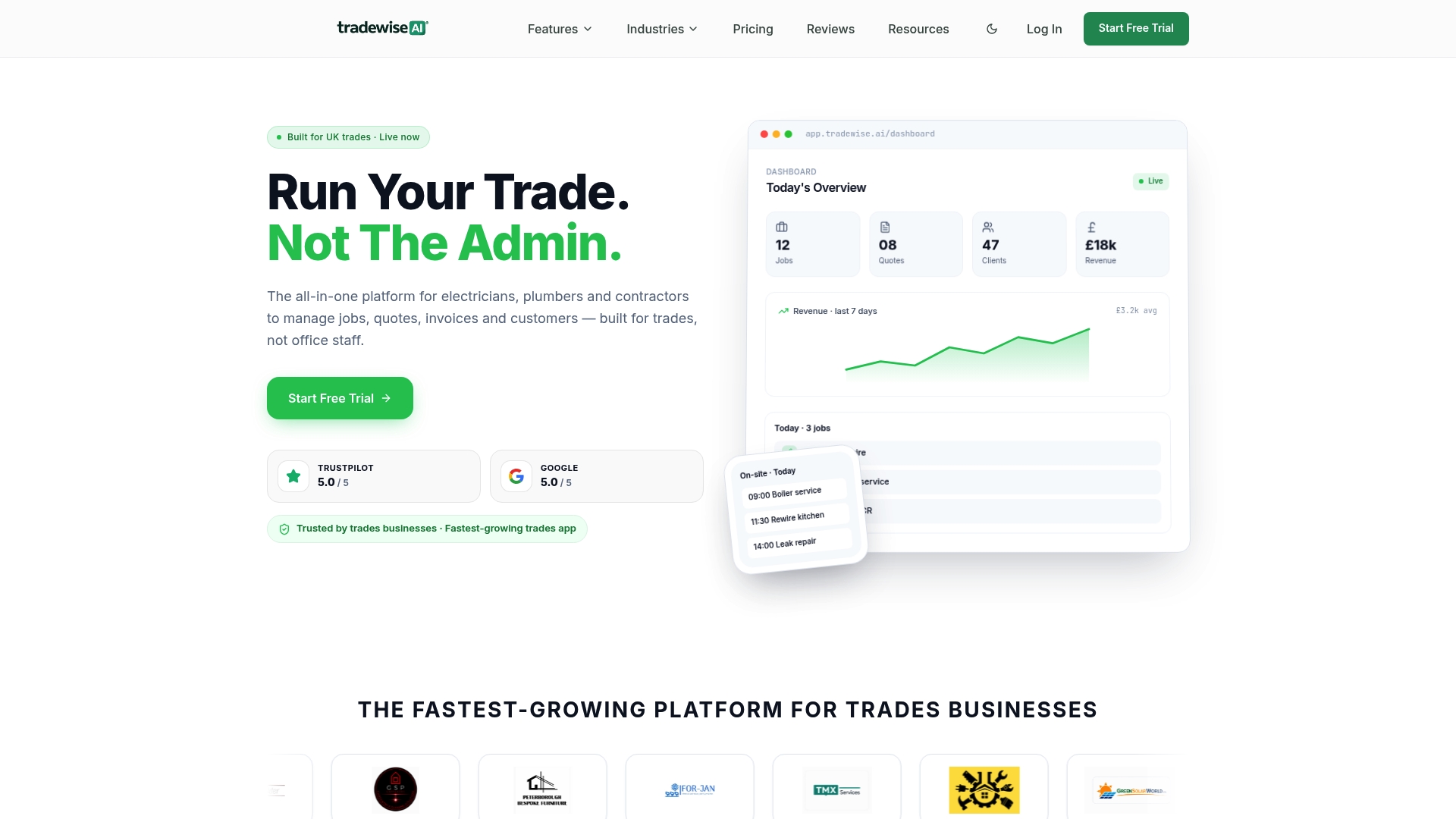
The platform covers every component discussed in this article: digital scheduling and dispatch, a mobile-first job management app, automated quoting and invoicing, client communication automation, materials ordering and AI-powered admin tools that remove the back-office bottleneck. There is no separate CRM to integrate, no separate invoicing tool to reconcile and no paper job sheets to chase up at the end of the week. Everything runs from one system, accessible on any device, with live workforce syncing so the back office always knows where jobs stand.
For trade businesses ready to move from informal to structured field operations, Tradewisehq offers a 14-day free trial with no commitment required. Start your free trial and see how much admin your team can remove in the first two weeks.
Sources
The sources below provide definitions, academic background and practical context for readers who want to go deeper on field service management.
- Field service management
- SERVICE INDUSTRY | English meaning - Cambridge Dictionary
- Commercial Coffee Machine Installation, Service & Repair
- JSTOR search results for field service management