

Field workforce management (FWM) is the discipline of coordinating mobile workers from scheduling and dispatch through to job completion, parts management, and reporting. In plain terms: getting the right person, with the right skills and the right kit, to the right place at the right time. If you manage electricians, plumbers, HVAC engineers, or any field crew, this is the operating system your business runs on, whether you have formalised it or not.

The immediate recommendation: adopt a mobile-first, skills-aware platform and run a staged pilot lasting multiple weeks with a single trade crew or region before scaling.

Tradewisehq is built precisely for this market, combining AI-powered scheduling, live job syncing, invoicing, and client communication in one mobile-first platform designed for UK trades businesses.
Before you shortlist vendors, run this quick sequence:
- Diagnostic: Map your current jobs-per-day, average travel time, and first-time fix rate. These are your baseline KPIs.
- Shortlist and demo: Identify two or three platforms, run scripted demos against real job scenarios, and test offline behaviour.
- 8–12 week pilot: Deploy with one crew or region. Measure utilisation, travel time, and invoicing speed regularly.
- Measure KPIs: At weeks 4, 8, and 12, compare against baseline. Vendor-reported outcomes suggest AI-powered scheduling can reduce travel time by 30% — use that as a stretch target, not a guarantee as outcomes vary.
- Iterate: Adjust rostering rules, integration points, and training before full rollout.
For data protection, the ICO sets the UK GDPR framework your platform must comply with. For workforce monitoring policy, ACAS guidance on staff surveillance is the authoritative reference.
Table of Contents
- What does field workforce management actually cover?
- What do vendor feature names actually mean?
- What operational benefits and ROI can you realistically expect?
- How do you choose the right field workforce management solution?
- How do you plan a realistic implementation and rollout?
- Which teams and industries benefit most from field workforce management?
- What security and compliance checks do UK buyers need to run?
- Tradewisehq in practice: what the platform delivers
- Key takeaways
- The gap between what field management software promises and what actually matters
- Tradewisehq: built for UK trades teams who are done with disconnected tools
- Useful sources for further research
What does field workforce management actually cover?
Field service management (FSM) is the recognised industry term for the execution layer: the software and processes that coordinate technicians, assets, parts, and scheduling onsite. FWM is the broader strategic discipline that links back-office capacity planning with front-line execution. The two terms overlap heavily in practice, and most vendors use them interchangeably. What matters operationally is the capability set.
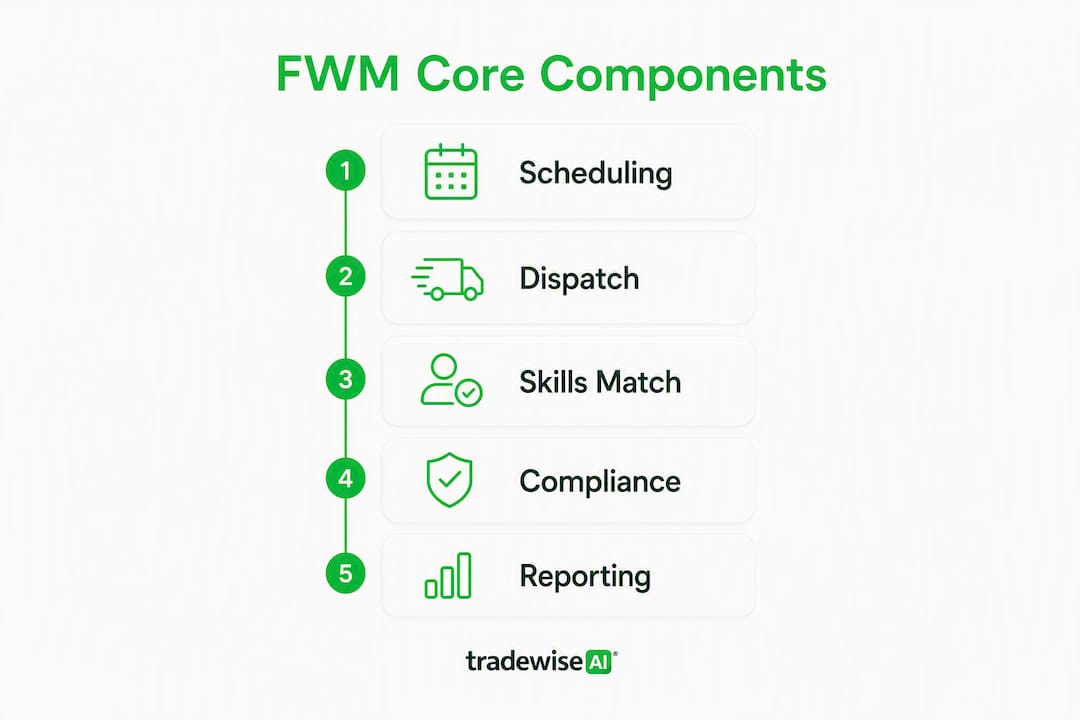
A production-ready platform covers nine core components:
- Scheduling and intelligent rostering: Demand-led shift patterns, templates for recurring jobs, and automatic gap-filling when engineers call in sick. Without this, dispatchers spend hours on a whiteboard every morning.
- Dispatch and real-time assignment: Filtering by availability and skill to identify the right candidate for each appointment, then pushing the job to their mobile device instantly.
- Mobile worker enablement: Offline-capable apps that hold job details, checklists, photo capture, and customer signatures. Engineers in basements or rural areas cannot rely on a live connection.
- Work-order and job management: Digital job packs replace paper dockets. Handoffs between crews are logged, not lost in a phone call.
- Parts, van stock, and inventory management: Real-time van counts, reorder triggers, and supplier integration so engineers arrive with the parts they actually need.
- Route optimisation and ETA calculation: Integration with navigation tools (Google Maps, Waze, or embedded mapping) to reduce dead miles and give customers accurate arrival windows.
- Time, attendance, and labour capture: Digital clocking, timesheet approval, and payroll export. Builders tracking labour hours manually lose accuracy at scale — a dedicated module removes that friction.
- Asset and site history: Equipment records, service history, and warranty data accessible on the engineer's phone before they open the van door.
- Analytics and reporting: Utilisation rates, first-time fix percentages, travel time, and job completion trends. Without these, you are managing by gut feel.
Pro Tip: For small trade businesses, the single capability that moves KPIs fastest is mobile job management with integrated invoicing. When engineers can close a job and send an invoice from the kerb, cash flow improves within weeks — before you have even touched scheduling optimisation.
What do vendor feature names actually mean?
Product pages are full of terms that sound impressive but vary wildly in what they deliver. Here is what each one means in practice, and what to test in a demo.
- AI scheduling: Algorithms that assign jobs based on skill, location, and availability rather than a dispatcher manually matching them. In practice, this ranges from basic rule-based automation to genuine machine-learning optimisation. AI-powered scheduling can automate workforce scheduling, reduce travel time by 30%, and maintain SLA compliance at scale — but only if the underlying data (skills, locations, job durations) is clean and current.
- Skills-based routing: The system filters the engineer pool by certified competency before offering an appointment slot. This prevents sending a gas engineer to an electrical fault, which wastes a day and frustrates the customer.
- First-time fix (FTF): The percentage of jobs resolved on the first visit without a return trip. A high FTF rate signals good parts availability, accurate diagnostics, and correct skill matching. It is the single metric most correlated with customer satisfaction in field service.
- Offline mobile app: The app stores job data locally and syncs when connectivity returns. A genuine offline app lets engineers edit job records, capture photos, and collect signatures underground or in signal-dead rural areas. This is a production requirement, not a nice-to-have — test it by switching your demo device to aeroplane mode mid-job.
- Self-service portal: Customers book, reschedule, or check appointment status without calling the office. Vendor claims suggest self-service portals can reduce call-centre volume by around 40% — treat that as a directional benchmark rather than a guaranteed outcome.
- Van stock management: The platform tracks parts held in each engineer's vehicle, flags low stock, and triggers reorders. Without it, engineers make unnecessary supplier runs or arrive on site without the part they need.
- SLA rules: Automated alerts and escalation triggers tied to response-time commitments. If a job is not acknowledged within two hours, the system escalates to a supervisor rather than waiting for someone to notice.
Pro Tip: In any demo, ask the vendor to show you a job being edited while the device is in aeroplane mode, then synced. If they cannot demonstrate this live, the offline capability is likely a marketing label rather than a production feature.
What operational benefits and ROI can you realistically expect?
The primary gains from a well-implemented field workforce management platform fall into five areas: utilisation, travel time, first-time fix, invoicing speed, and compliance.
Utilisation is the most immediate lever. When scheduling is automated and gaps are filled dynamically, engineers spend more of their paid hours on billable work. Travel time drops when route optimisation removes unnecessary back-tracking. Vendor-reported figures suggest AI-powered scheduling reduces travel time by 30% — label that as a stretch target for your model, not a floor.
Metric to model: A small trades business running six engineers at 60% utilisation, with an average of four jobs per day, can model the impact of a 10-percentage-point utilisation uplift (to 70%) combined with one additional job per engineer per day. That is six extra jobs daily across the fleet — before accounting for faster invoicing or reduced no-shows.
First-time fix improves when engineers arrive with the right parts and accurate job history. Faster invoicing follows directly from mobile job closure: engineers who complete a digital job card on site trigger an invoice automatically, cutting the billing cycle from days to hours. For compliance, digital timesheets and audit logs satisfy HMRC record-keeping requirements and reduce payroll disputes.
KPIs to track by phase:
- Month 1: Jobs per engineer per day, average travel time per job, timesheet completion rate.
- Month 3: First-time fix rate, invoice-to-payment cycle time, customer satisfaction score.
- Month 6: Overall utilisation rate, cost per job, SLA compliance percentage, staff adoption rate.
Set a baseline before go-live. Without it, you cannot demonstrate ROI to a sceptical finance director or justify the next phase of rollout.
How do you choose the right field workforce management solution?
The decision framework has four layers: must-have capabilities, pricing model, demo validation, and red flags.
Must-have vs nice-to-have
Must-have for UK trades businesses:
- Offline mobile app with full job editing and media capture
- Skills-based scheduling and dispatch
- Integration with your accounting software (Xero, QuickBooks, or Sage)
- UK GDPR-compliant data storage with a signed Data Processing Agreement
- Payroll export or timesheet integration
- Route optimisation with UK mapping
Nice-to-have (evaluate based on team size and complexity):
- Customer self-service booking portal
- Predictive maintenance triggers
- Multi-region capacity planning
- Advanced asset management with warranty tracking
Pricing expectations
Most UK field service platforms use per-user, per-month SaaS pricing. Entry-level tiers for small trade businesses typically start at a few pounds per user per month, scaling to higher bands as you add advanced scheduling, analytics, or API access. Enterprise pricing is usually negotiated. A scalable solution must integrate with customer data, scheduling, inventory, billing, and support systems — factor integration costs into your total cost of ownership, not just the licence fee.
Demo questions that reveal implementation realism
Ask these in every vendor demo:
- Show me a job being edited offline and then synced. What happens to conflicts?
- How does the system handle crew scheduling where two engineers must attend the same job?
- What is the data migration process for existing customer records and asset history?
- Is your data stored in UK or EU data centres? Can you provide your subprocessors list?
- What is your API availability, and do you have a native integration with [your accounting software]?
Red flags to walk away from
- No genuine offline functionality (the app requires a connection to load job details)
- No payroll or invoicing integration — manual re-entry is a hidden cost and an error source
- Rigid rostering that cannot accommodate emergency callouts or shift swaps
- Vague answers on UK data residency or an unwillingness to sign a Data Processing Agreement
- No reference customers in your sector or team size
Pro Tip: Structure your shortlist as a scripted pilot, not just a demo. Give each vendor a set of real job scenarios from your own operation — including an emergency callout, a multi-engineer job, and a job in a low-signal area — and score them against the same criteria. That removes the vendor's ability to show only their best-case flows.
For a broader view of how workforce scheduling works in construction, the patterns apply directly to trades fleet management.
How do you plan a realistic implementation and rollout?
Most failed implementations share the same cause: too much scope, too fast. A phased approach protects you.
Phased timeline
| Phase | Duration | Key activities |
|---|---|---|
| Discovery | Weeks 1–2 | Audit current processes, map integrations, define KPI baseline |
| Configuration | Weeks 3–4 | Set up skills, job types, rostering rules, and accounting integration |
| Pilot | Several weeks | Deploy with one crew or region; weekly KPI reviews |
| Scale | Weeks 13–20 | Roll out to remaining crews; refine rules based on pilot data |
| Optimise | Ongoing | Monthly reporting reviews, rule adjustments, new feature adoption |
Data migration checklist
Before go-live, export and validate:
- Customer records (name, address, site access notes, contact preferences)
- Asset and equipment history (serial numbers, last service dates, warranty status)
- Inventory and van stock levels
- Open work orders and outstanding quotes
- Payroll and timesheet history (minimum 12 months for HMRC compliance)
Training and adoption
Dispatcher training is the highest-leverage investment. Dispatchers who understand the scheduling logic will use it; those who do not will override it manually and undermine the ROI. Run two-hour hands-on sessions, not slide decks. For engineers, a 30-minute onboarding on the mobile app is usually sufficient if the interface is genuinely intuitive — anything longer signals a UX problem with the platform.
Build a feedback loop: a weekly 15-minute check-in with two or three engineers in the pilot crew surfaces friction points before they become habits.
Integration priorities
Connect in this order: accounting software first (invoicing is the fastest ROI), then payroll, then CRM, then navigation, then parts suppliers. Each integration adds complexity; sequence them so the business is generating value before you tackle the harder connections.
Pro Tip: Before sign-off, run a deliberate offline test. Take a pilot engineer to a location with no signal, load a job, edit it, capture a photo, and collect a signature. Then restore connectivity and confirm the sync. If anything breaks or data is lost, you have found a production risk before it affects a real customer.
For guidance on managing a construction site remotely, the integration sequencing principles translate directly to trades fleet operations.
Which teams and industries benefit most from field workforce management?
The discipline applies wherever work happens away from a fixed office, but the fit varies by team size and operating model.
Domestic trades (electricians, plumbers, gas engineers): The core problem is scheduling efficiency and invoicing speed. A single-trader benefits from mobile job management and automated invoicing. A fleet of five to fifteen engineers needs skills-based dispatch and route optimisation on top. Mobile, location-aware apps reduce errors and improve coordination by giving dispatchers and engineers a shared, live view of assignments.
HVAC servicing: Planned maintenance contracts sit alongside reactive callouts. The platform must handle recurring job schedules, parts forecasting for seasonal demand peaks, and SLA tracking across a large customer base. A team managing 200 maintenance contracts manually will miss renewals and breach SLAs; automated reminders and SLA rules prevent both.
Utilities and meter work: High-volume, short-duration jobs with strict regulatory reporting requirements. The priority is throughput: maximising jobs per engineer per day while maintaining accurate audit trails for the regulator. Digital job cards with timestamp and GPS data satisfy most reporting requirements automatically.
Facilities management and multi-site maintenance: Complex because the same engineer may cover multiple client sites with different SLAs, access requirements, and asset registers. A platform with strong asset management and multi-client job separation is non-negotiable here.
Emergency response crews: Speed of dispatch is everything. Skills-based routing and real-time location visibility let a dispatcher assign the nearest qualified engineer within seconds rather than minutes. For plumbing businesses specifically, emergency callout management is often the first feature that justifies the platform cost on its own.
What security and compliance checks do UK buyers need to run?
UK GDPR, enforced by the ICO, applies to any platform that processes personal data about your customers or employees. For field workforce management, the relevant obligations are:
- Lawful basis: You need a documented lawful basis for processing customer location data, job records, and employee timesheets. Legitimate interests or contract performance covers most operational uses, but document it.
- Data minimisation: Collect only what you need. GPS tracking that logs an engineer's location every 30 seconds may be excessive; logging location at job start and job end is usually proportionate.
- Retention: Define how long job records, timesheets, and customer data are kept. HMRC requires payroll records for a minimum of three years; most businesses keep job records for six years to align with contract limitation periods.
- Subject access rights: Employees can request their own data, including location logs and performance metrics. Your platform must be able to export this cleanly.
Location tracking and staff monitoring
ACAS guidance on monitoring staff is clear: employees must be informed that monitoring is taking place, what data is collected, and how it is used. A written policy, shared before deployment, satisfies this. Covert tracking is almost always unlawful under UK GDPR.
Compliance note: This article provides general information, not legal advice. Confirm your specific obligations with a qualified data protection practitioner or the ICO's own guidance before deployment.
Security controls to require in procurement
- Encryption at rest and in transit (AES-256 and TLS 1.2 minimum)
- Role-based access control so engineers see only their own jobs
- Audit logs for all data access and changes
- Evidence of penetration testing within the last 12 months
- UK or EU data residency confirmed in the contract
Contractual red flag: If a vendor's Data Processing Agreement lists subprocessors in jurisdictions without an adequacy decision and offers no alternative, that is a material compliance risk under UK GDPR. The one clause that reduces long-term risk most is a data portability and deletion clause: the right to export all your data in a standard format and have it deleted within 30 days of contract termination.
Tradewisehq in practice: what the platform delivers
Tradewisehq is a mobile-first, AI-enabled operating system built for UK tradespeople: electricians, plumbers, builders, HVAC teams, and contractors. It manages jobs, staff, scheduling, quotes, invoices, navigation, materials, and client communication in one platform.
The platform addresses the core operational problem for small-to-medium trades businesses: too many disconnected tools. A typical trades business before adopting an integrated platform runs scheduling on a whiteboard or spreadsheet, invoicing in a separate accounting tool, and client communication by text message. Each handoff is a potential error or delay.
What Tradewisehq covers in a typical deployment:
- AI-powered job scheduling and staff assignment
- Mobile job management with offline capability
- Integrated quoting and invoicing (close a job, send an invoice from the van)
- Client communication and automated updates
- Material price comparison and ordering
- Lead capture and payment tracking
- Trade website builder and marketing automation
Typical implementation outline:
- Week 1–2: Account setup, skills and job type configuration, accounting integration
- Week 3–4: Pilot with one crew; dispatcher and engineer onboarding
- Week 5–8: Live operation with weekly KPI reviews; invoicing and scheduling rules refined
- Month 3: Full crew deployment; reporting dashboards active
Before/after metrics from field platforms in this category typically show improvements in jobs per engineer per day, travel time reduction, and invoice-to-payment cycle time. Use your own baseline KPIs (established in the diagnostic phase) to measure against these benchmarks at months 1, 3, and 6.
Key takeaways
Effective field workforce management requires a mobile-first platform with skills-based scheduling, offline capability, and integrated invoicing, deployed in a phased 8–12 week pilot with clear KPI baselines.
| Point | Details |
|---|---|
| Start with a KPI baseline | Measure jobs per day, travel time, and first-time fix rate before go-live so ROI is provable. |
| Offline capability is non-negotiable | Test the app in aeroplane mode during every vendor demo — a genuine offline app edits and syncs without data loss. |
| Phase the rollout | An 8–12 week single-crew pilot surfaces integration and adoption issues before they affect the whole fleet. |
| Compliance requires a signed DPA | Confirm UK data residency and a Data Processing Agreement with deletion rights before signing any contract. |
| Tradewisehq for UK trades | Tradewisehq combines AI scheduling, mobile job management, and integrated invoicing in one platform built for UK electricians, plumbers, builders, and HVAC teams. |
The gap between what field management software promises and what actually matters
Most articles about field workforce management spend their energy on feature lists. The real problem is adoption, and it is almost always underestimated.
The technology is rarely the bottleneck. A dispatcher who has managed jobs on a whiteboard for eight years does not distrust the software because it is bad. They distrust it because it threatens the informal knowledge they have built up: who works well with whom, which engineer is reliable on emergency callouts, which customer needs a call before the engineer arrives. A platform that ignores that knowledge will be worked around, not adopted.
The businesses that get the most from field workforce management software are the ones that involve dispatchers in configuration, not just training. When a dispatcher helps define the rostering rules, they own the output. When the rules are handed down from a vendor's default template, they fight them.
The second underestimated factor is data quality. AI scheduling is only as good as the skills data, job duration estimates, and location data it runs on. A platform deployed on top of inaccurate or incomplete data will produce worse schedules than a competent dispatcher doing it manually. The diagnostic phase is not administrative box-ticking — it is the foundation the whole system runs on.
Finally: resist the temptation to configure everything at once. The businesses that overcustomise in the first month spend the next six months undoing it. Start with the minimum viable configuration, measure what happens, and add complexity only where the data shows it is needed.
Tradewisehq: built for UK trades teams who are done with disconnected tools
Running a trades business on separate tools for scheduling, invoicing, and client communication costs you time on every single job. Tradewisehq replaces that stack with one mobile-first platform: AI-powered scheduling, live job syncing, integrated quoting and invoicing, and automated client updates, all accessible from a phone on site.
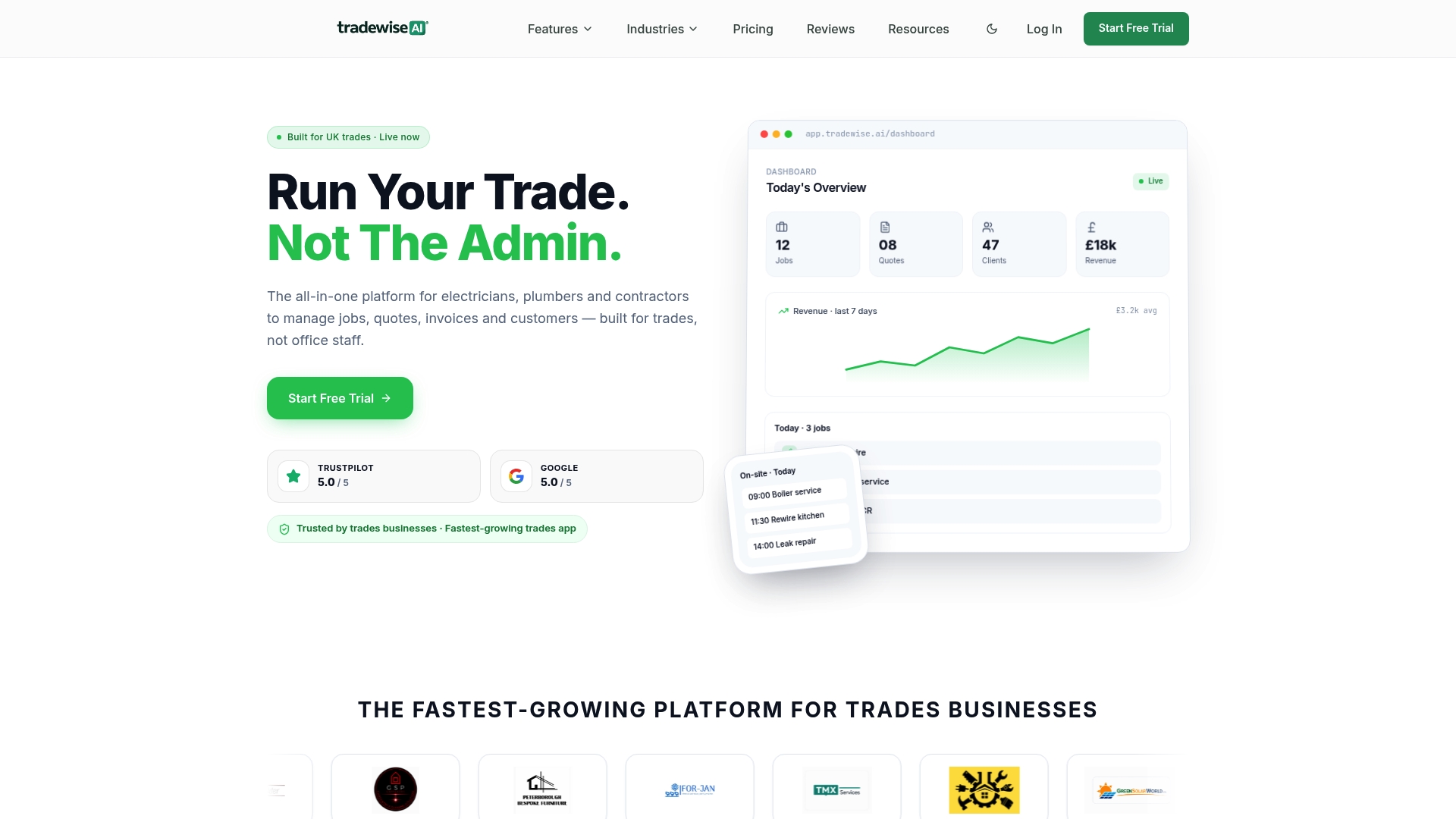
For UK electricians, plumbers, builders, and HVAC teams, the practical difference is this: engineers close jobs and send invoices from the van, dispatchers see the full crew in real time, and the office stops chasing paperwork. The 14-day free trial gives you enough time to run a real pilot with one crew and measure the difference against your current baseline.
Start your free trial at Tradewisehq and see what a single integrated platform does for your jobs-per-day and invoice cycle time. If you are evaluating an enterprise rollout for a larger fleet, the same page has a contact option for a guided demo with the team.
Useful sources for further research
These sources are worth bookmarking as you build your procurement pack or prepare for vendor demos.
- ICO — UK GDPR guidance: The authoritative reference for data protection obligations in the UK. Consult this before finalising your DPA checklist and location-tracking policy.
- ACAS — monitoring at work: Practical guidance on lawful staff monitoring, including GPS tracking and digital timesheets. Use this to draft your workforce monitoring policy before deployment.
- Tradewisehq — trade management platform: The platform's own resource hub covers scheduling, invoicing, and mobile job management for UK trades businesses.
- Wikipedia — field service management: A neutral overview of the discipline, useful for grounding procurement conversations in shared terminology.
- How workforce scheduling works in construction: Practical scheduling patterns for construction and trades managers; directly applicable to rostering rule design.
- Live job tracking in construction: a UK manager's guide: Covers telematics and live tracking implementation, relevant to the security and compliance checklist.
- How builders track labour hours: a UK manager's guide: Guidance on time capture and payroll export, useful for the data migration and integration phases.