

A contractor estimate form is a reusable, itemised document that sets out your project scope, line-item costs, payment terms and VAT so a client can approve the work before you start. For most small to mid-sized jobs, a well-structured template in Excel, Google Sheets, Word or PDF is all you need. If you are producing more than ten estimates a month, or quoting on the move, that is when purpose-built software earns its keep.
Download options by format:
- Excel — best for automatic subtotals, markup and VAT calculations; ideal if you work at a desk and want version control via file naming
- Google Sheets — same calculation power as Excel but accessible on any device; share a link with a client or colleague without emailing attachments
- Microsoft Word — cleanest printed output; suits one-off jobs where you want a polished, branded document rather than a live spreadsheet
- PDF — use for final delivery only; lock the document before sending so figures cannot be altered
Pro Tip: Add three lines to every template before you use it on a real job: a VAT line (showing 20% separately, not buried in the total), an expiry date ("This estimate is valid for 30 days from the date above"), and a contingency row set to at least 5% of the subtotal. Those three additions prevent the most common underpricing disputes.
Table of Contents
- Ready-to-use contractor estimate templates by format and trade
- What must every UK contractor estimate form include?
- How to write an accurate contractor estimate, step by step
- Estimate versus quote: what the difference means for UK contractors
- Templates versus software: when should you switch to Tradewisehq?
- Key takeaways
- Why your estimate is actually a sales document
- Tradewisehq takes you from template to professional quote in minutes
- Useful sources and tools for UK contractor estimates
Ready-to-use contractor estimate templates by format and trade
The table below covers the four main file formats against the criteria that matter most on a real job.
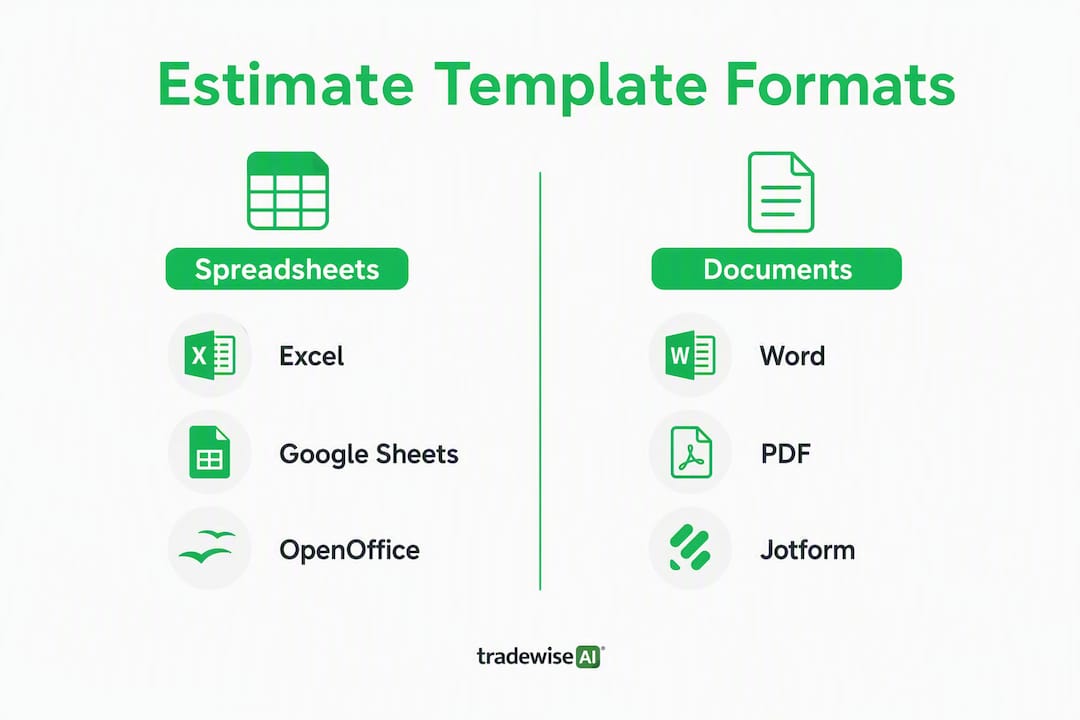
| Format | Editable | Mobile-friendly | Best for | Reuse / version control |
|---|---|---|---|---|
| Excel | Yes | Limited | Repeat jobs, complex line items, auto-totals | Save as new file per job; use named tabs |
| Google Sheets | Yes | Good | Remote teams, shared access, live editing | Duplicate sheet per job; version history built in |
| Word | Yes | Poor | Single trade, polished print output | Save as template; manually update each job |
| No (once locked) | Good (viewing) | Final client delivery, archiving | Not suitable for editing; pair with a source file |
Smartsheet's free construction estimate templates cover Excel, Word and PDF versions for general contractors and project managers, with line items grouped by trade category. For a quick online form you can send as a link, forms.app's contractor quote form lets clients fill in project details and receive a cost breakdown without any software installation.
Trade-specific notes:
- General contracting — use a multi-category template with separate sections for groundworks, structure, finishes and M&E; a detailed GC-level PDF template with quantity takeoffs and overhead lines suits larger bids
- Roofing — add a materials section that separates felt, battens, tiles and lead flashing; include a wastage row (10–15% for cut tiles)
- Painting and decorating — price by surface area (m²); include a prep and primer line separate from finish coats
- Electrical — list first fix and second fix separately; note any materials supplied by the client
- Kitchens and bathrooms — use a phased layout (strip out, plumbing, electrical, tiling, fitting) so the client can see exactly what each stage costs
For repeat jobs, duplicate your master template, rename it with the job reference and client name, and clear only the line-item quantities. Your rates, markup and VAT formula stay intact.
Sample filled estimate (snapshot):
ACME Electrical Services | 07700 900123 | acme@example.co.uk
Estimate No: EST-2026-041 | Date: 14 May 2026 | Valid until: 13 June 2026

Client: J. Patel | 22 Oak Road, Bristol, BS1 4AB
Project: Consumer unit upgrade and additional sockets (ground floor)

SCOPE: Replace existing 12-way consumer unit with 18-way RCBO board.
Install 4 x double sockets in living room. All work to BS 7671:2018.

| Item                  | Qty | Unit | Unit Cost | Total    |
|-----------------------|-----|------|-----------|----------|
| RCBO consumer unit    | 1   | unit | —   | —  |
| Double socket (fitted)| 4   | no.  | —    | —  |
| Cable T&E     | 20  | m    | —     | —   |
| Labour (electrician)  | 6   | hrs  | —    | —  |
|                       |     |      | Subtotal  | —  |
|                       |     |      | Wastage 5%| —   |
|                       |     |      | Contingency 5% | — |
|                       |     |      | Markup 15%| —  |
|                       |     |      | VAT 20%   | —  |
|                       |     |      | **TOTAL** | — |

Payment: a deposit is required on acceptance, with the balance due on completion.
Exclusions: Plastering, redecoration, permit applications.
This estimate is not a binding contract. A signed quote or contract is required to confirm the work.
Pro Tip: Jotform's contractor quote PDF template auto-calculates labour and material costs and generates a shareable PDF — useful if you want a polished output without building a spreadsheet from scratch.
What must every UK contractor estimate form include?

A professional estimate covers seven areas. Miss any one of them and you risk a dispute, an unpaid invoice, or a client who simply does not understand what they agreed to.
Header and company information
Your trading name, address, phone, email and company registration or sole trader details. If you carry public liability insurance, note the insurer and policy number. It takes thirty seconds to add and immediately signals professionalism.
Client and project details
Full client name, site address (if different from billing address), estimate number, date issued and the validity period. A 30-day expiry is standard for most trades; shorten it to 14 days if material prices are volatile.
Scope of work
Write this in plain English. "Supply and fit one RCBO consumer unit to BS 7671:2018" is clearer than "electrical works as discussed." Vague scope descriptions are the single most common trigger for scope creep disputes.
Itemised line items
Group costs by category: materials, labour, equipment hire and subcontractors. Each line needs a quantity, unit of measure and unit cost. Free construction estimate templates typically include fields for markup and tax, showing subtotals by category before the grand total. That structure makes it easy for a client to see where the money goes.
Wastage, contingency, markup and VAT
Show these as separate rows, not folded into unit costs. A 5–15% wastage factor for materials and a contingency of at least 5% for new builds (10–15% for renovations or jobs with incomplete drawings) protect your margin when reality diverges from the plan. VAT at 20% must appear as a separate line; never present a VAT-inclusive total without showing the net figure alongside it.
Payment schedule and acceptance block
State the deposit percentage, milestone payments and final payment trigger. Include a signature line or an e-signature instruction. Without an acceptance block, the estimate has no mechanism to become a contract.
Exclusions
List what is not included: permits, redecoration, asbestos removal, structural surveys. A missing exclusions section is the fastest route to doing unpaid work.
Pro Tip: Add a one-line legal note at the bottom: "This document is an estimate and is not a binding contract. A signed quotation or contract is required to confirm the scope and price." That single sentence protects you if a client later claims the estimate was a fixed-price commitment.

How to write an accurate contractor estimate, step by step
Measure twice, itemise everything, build in contingency, show VAT separately and set an expiry date. That is the short version. Here is how it works in practice.
- Pre-visit checks — review any drawings, planning documents or previous survey reports before you arrive. Knowing the site in advance cuts the visit time in half.
- Site visit and photos — photograph every area you will price: existing services, access constraints, any damage or hidden risk. Notes taken on site are more reliable than memory two days later.
- Quantity takeoff — measure and record every dimension. For materials, apply your wastage factor (5–15% depending on the material) at this stage, not as an afterthought.
- Supplier price checks — get current prices for non-stock materials. Prices shift; a quote based on last month's merchant price list can erode your margin before you start.
- Labour calculations — use your burdened hourly rate (base wage plus employer NI, holiday pay, tools and van costs). For guidance on building accurate labour costs, see how builders price a job.
- Add contingency and markup — apply contingency to the subtotal, then apply your overhead and profit markup on top. Keep these as visible rows so you can adjust them without rebuilding the whole estimate.
- Format and set terms — fill in the header, scope, exclusions, payment schedule and expiry date. A clean, readable layout matters: faster, itemised quotes sent promptly after a site visit improve your chances of winning the job.
- Review before sending — check every total, confirm VAT is shown separately and read the scope aloud. If it sounds ambiguous, rewrite it.
Accuracy by project stage: conceptual estimates carry a ±25–50% margin; detailed estimates with full drawings narrow that to ±5–10%; a final contract-stage estimate can reach ±3–5%. Set client expectations accordingly.
For a small job (one trade, half a day's work), steps 1–8 should take under an hour. A medium renovation might take a full day once supplier quotes come back. Delays almost always happen at step 4 (waiting on merchant quotes) or when subcontractors are slow to respond.
Version control checklist:
- Name every file with job reference, client name and version number (e.g.
EST-041-Patel-v2.xlsx) - Record the assumptions behind each line item in a notes column or a separate tab
- Never overwrite a sent estimate; always save a new version
Pro Tip: Present two or three options where the job allows it: a base scope, a mid-range option and a premium finish. Clients who choose the mid or premium option increase your average job value, and those who choose the base option still proceed rather than walking away entirely. See common construction quoting errors for the mistakes that kill acceptance rates.
Estimate versus quote: what the difference means for UK contractors
In the UK, an estimate is a non-binding price approximation. A quote is a detailed offer that becomes a binding contract once accepted and signed. Using the wrong term can either lock you into a price you cannot change or leave you with no legal protection if a client disputes the scope.
Practical consequences:
- An estimate gives you flexibility to adjust the final price if site conditions differ from what you found on the visit
- A quote, once signed, fixes the price; any change to scope requires a formal change order
- Always include an expiry date on both documents; without one, a client could accept a quote months later at a price that no longer covers your costs
- For VAT-registered contractors, VAT must be shown separately on any quote or invoice; showing only a VAT-inclusive total is not compliant
When to convert an estimate to a contract: once the client has agreed the scope in principle, issue a formal signed quotation or a simple contract that references the estimate. The difference between a builder's quote and an estimate is worth reading before you issue either document on a high-value job.
Pro Tip: Never use "estimate" and "quote" interchangeably on the same document. Pick one term, use it consistently, and make sure your legal note at the bottom matches. A document that says "estimate" in the header but "this quote is valid for 30 days" in the footer creates ambiguity that a client's solicitor will exploit.
Templates versus software: when should you switch to Tradewisehq?
| Criterion | Spreadsheet / Word / PDF template | Estimating software (e.g. Tradewisehq) |
|---|---|---|
| Cost | Free | Monthly subscription |
| Mobile editing | Poor to limited | Full mobile-first access |
| Auto-calculations | Basic (Excel/Sheets) | Automated with price lookups |
| Version control | Manual file naming | Built-in history and approvals |
| Client approval | Print or email PDF | E-signature, online approval |
| Speed to deliver | 1–3 hours (manual) | 20–40 minutes with templates |
| Error risk | Higher (manual entry) | Lower (auto-totals, validation) |
| Best for | Under 10 estimates/month | 10+ estimates/month or mobile quoting |
Free downloadable templates suit single trades or low-volume quoting well. They cost nothing, require no login and work offline. The trade-off is that every price update is manual, there is no audit trail beyond file versions, and sending a polished PDF to a client still takes time.
The case for switching becomes clear when volume rises. A painting contractor producing 15 estimates a month on a spreadsheet spends roughly three to four hours a week on admin that software handles in under an hour. Add the risk of a formula error in a copied Excel file and the cost of one underpriced job quickly exceeds a year's subscription fee.
Signs you have outgrown a template:
- You are re-pricing the same job type repeatedly from scratch
- Clients are asking for revisions and you are losing track of which version was sent
- You are quoting on site from a phone and the spreadsheet is unusable
- A subcontractor's price changed and you had to rebuild three estimates
The role of digital quoting for builders goes deeper on when automation pays for itself. For free tools and trade-specific templates while you decide, QuoteLock's free tools for trades is worth bookmarking.
Pro Tip: If you are on the fence, track the time you spend on your next five estimates. If the average exceeds 90 minutes per estimate and you are doing more than two a week, the maths almost always favour software.
Key takeaways
A well-structured contractor estimate form with itemised costs, VAT shown separately, a contingency row and a clear expiry date is the single most effective way to win jobs and avoid disputes.
| Point | Details |
|---|---|
| Format choice matters | Excel and Google Sheets suit repeat jobs with auto-totals; Word and PDF work best for final client delivery. |
| Seven fields are non-negotiable | Header, client details, scope, line items, wastage/contingency/VAT, payment schedule and exclusions must all appear. |
| Contingency protects your margin | Use an appropriate percentage for new builds and a higher percentage for renovations or jobs with incomplete drawings. |
| Estimate ≠ quote in UK law | An estimate is non-binding; a signed quote or contract is needed to fix the price and scope legally. |
| Tradewisehq for higher volume | When you exceed ten estimates a month or need mobile quoting, Tradewisehq's integrated platform cuts delivery time and reduces manual errors. |
Why your estimate is actually a sales document
Most tradespeople treat the estimate as a pricing exercise. The client treats it as their first real look at how you work. Those two perspectives rarely align, and the gap is where jobs are lost.
The fix is straightforward but almost nobody does it: open the estimate with a two or three sentence project overview written for the client, not for you. Not "supply and install as per site visit" but "We will replace your existing consumer unit with an 18-way RCBO board, giving each circuit its own protection and bringing the installation up to current BS 7671:2018 standards. This removes the risk of nuisance tripping and future-proofs the board for an EV charger." That framing positions the document as a solution. The price that follows feels justified rather than arbitrary.
Three things separate estimates that get accepted from those that get ignored. First, exclusions: list them explicitly. A client who does not know that plastering is excluded will assume it is included, and that assumption will cost you either the job or the relationship. Second, contingency: a visible 10% contingency row on a renovation estimate is not a red flag to a client who has done building work before. It signals that you have thought about risk. Third, a clear payment schedule: "30% on acceptance, 40% at first fix, 30% on completion" removes the ambiguity that leads to late payments. Clients who know what they owe and when are far more likely to pay on time.
One more thing worth saying: speed matters more than perfection. A good estimate sent within 24 hours of a site visit will beat a perfect estimate sent four days later almost every time. Build a template you can fill in quickly, not one you are proud of but never finish.
Tradewisehq takes you from template to professional quote in minutes
Spending an hour building an estimate in a spreadsheet is fine for your first few jobs. Once you are quoting regularly, that hour becomes the most expensive part of your week.
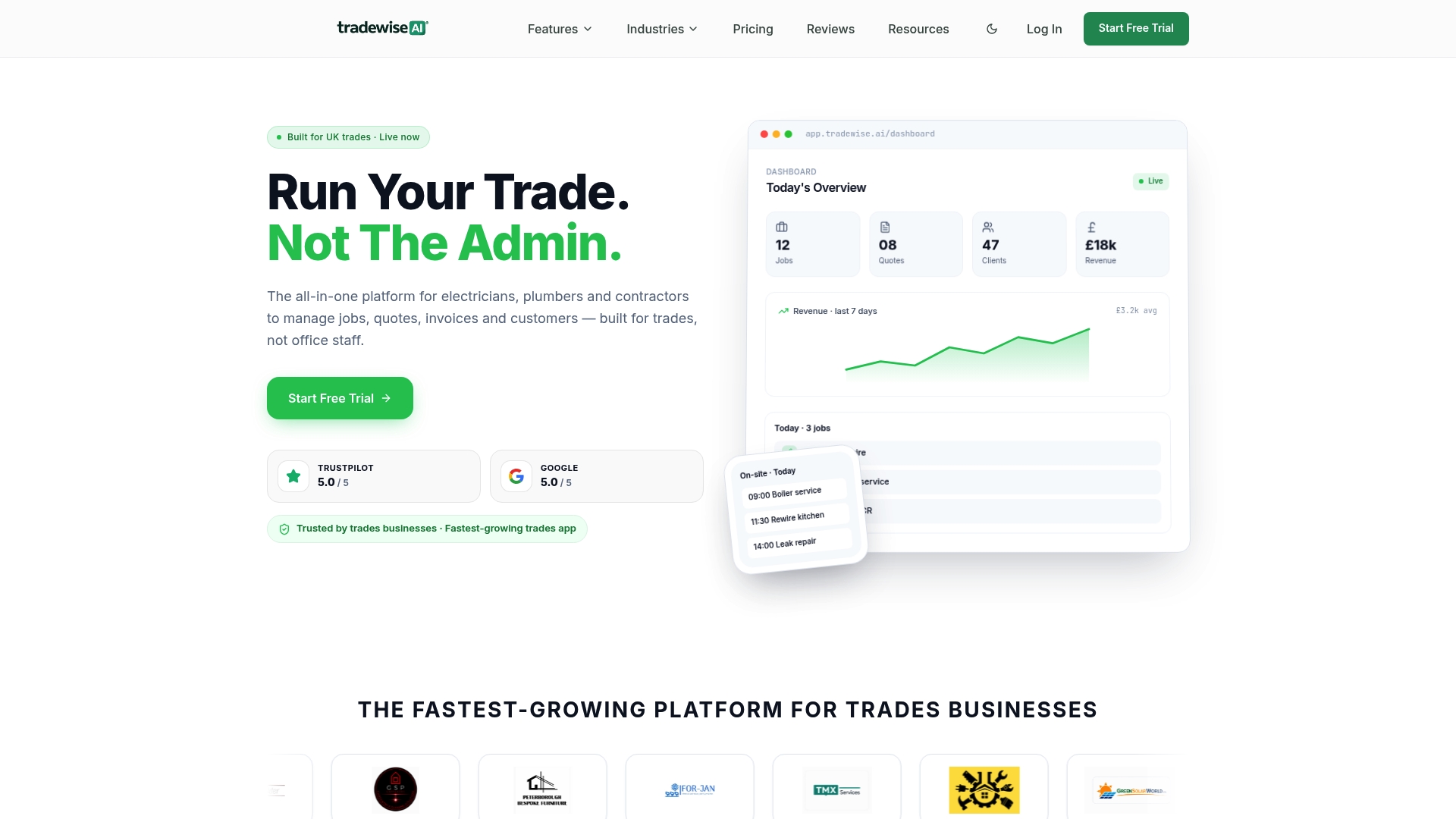
Tradewisehq is built for exactly this: a mobile-first platform where you can build a quote on site, pull in current material prices, apply your standard markup and send a professional, branded estimate for client approval before you have left the driveway. No spreadsheet, no emailing PDFs back and forth, no version confusion.
Features that map directly to the problems covered in this article:
- Photo-to-quote — capture site photos and attach them directly to the estimate
- Built-in templates — trade-specific starting points for electrical, plumbing, building and more
- Automatic VAT and markup — set your rates once; every estimate calculates correctly
- Client approval and e-signature — clients approve online; you get a notification instantly
- Job sync — accepted quotes convert to jobs automatically, no re-keying
- Material price comparison — check supplier prices without leaving the app
Tradewisehq runs on a 14-day free trial with no card required. Start your free trial and build your first estimate in under ten minutes.
Useful sources and tools for UK contractor estimates
A short list of the most practical resources, organised by what you need.
| Resource | Format / type | Why it is useful |
|---|---|---|
| Smartsheet construction estimate templates | Excel, Word, PDF | Free GC and trade templates with grouped line items |
| Jotform contractor quote PDF template | PDF (auto-calc) | Generates a shareable PDF with automatic cost totals |
| forms.app contractor quote form | Online form | Client-facing form; useful for estimate requests |
| Veracity detailed GC estimate PDF | Detailed quantity takeoff template for larger bids | |
| QuoteLock free tools for trades | Calculators and templates | Free trade-specific tools and estimate templates |
| QuoteLock trade quote templates | Templates | Ready-to-use quote templates for trades and small businesses |
Tradewisehq blog resources for deeper reading:
- How to quote building work accurately in the UK — step-by-step pricing and labour rate guidance
- Common construction quoting errors UK contractors must fix — the mistakes that cost jobs and margin
- What is a builder's quote in the UK? — legal distinctions between estimates, quotes and contracts
- Role of digital quoting for builders: 2026 guide — when to move from templates to software
This article provides general guidance only and is not legal or financial advice. For binding contracts, VAT obligations and regulatory compliance, confirm current rules with a qualified professional or HMRC directly.