

Build this week's rota by Wednesday: collect confirmed availability, map demand by shift window, fill roles before names, and publish with a buffer above your minimum headcount. That single sequence prevents the three most common scheduling failures — coverage gaps, overtime surprises and last-minute rebuilds.
Before you open the grid, confirm you have these inputs ready:
- Confirmed availability from every team member (with a fixed submission deadline, ideally 48–72 hours before you draft)
- Demand by shift window (yesterday's actuals, same week last year, confirmed jobs or bookings)
- Required roles per shift (not just headcount — which competencies each window needs)
- Contract hours and overtime status for each worker
- Compliance constraints (rest gaps, weekly hour limits, any zero-hours notice obligations)
Publish at least seven days ahead. Where predictive-scheduling expectations apply locally, aim for 14 days. Build in a buffer of 10–15% above your minimum so one callout does not collapse the day. Confirm changes in writing — a timestamped message, not a verbal nod.
Table of Contents
- How to schedule staff: a repeatable weekly workflow
- What do you need to know about your team before scheduling?
- How do you forecast demand and use templates to avoid over- or understaffing?
- What are the UK rules on publishing rotas and staff rest breaks?
- How do you build flexibility into your rota for swaps and last-minute cover?
- How do you balance labour cost against customer demand?
- Why does a scheduling platform make a real difference for trades managers?
- What are the main shift patterns and how do they work in practice?
- Which KPIs tell you whether your rota is actually working?
- How do you fix common scheduling problems on the day?
- Key takeaways
- The rota is a management decision, not an admin task
- Tradewisehq: scheduling built for UK trades managers
- Useful sources and further reading
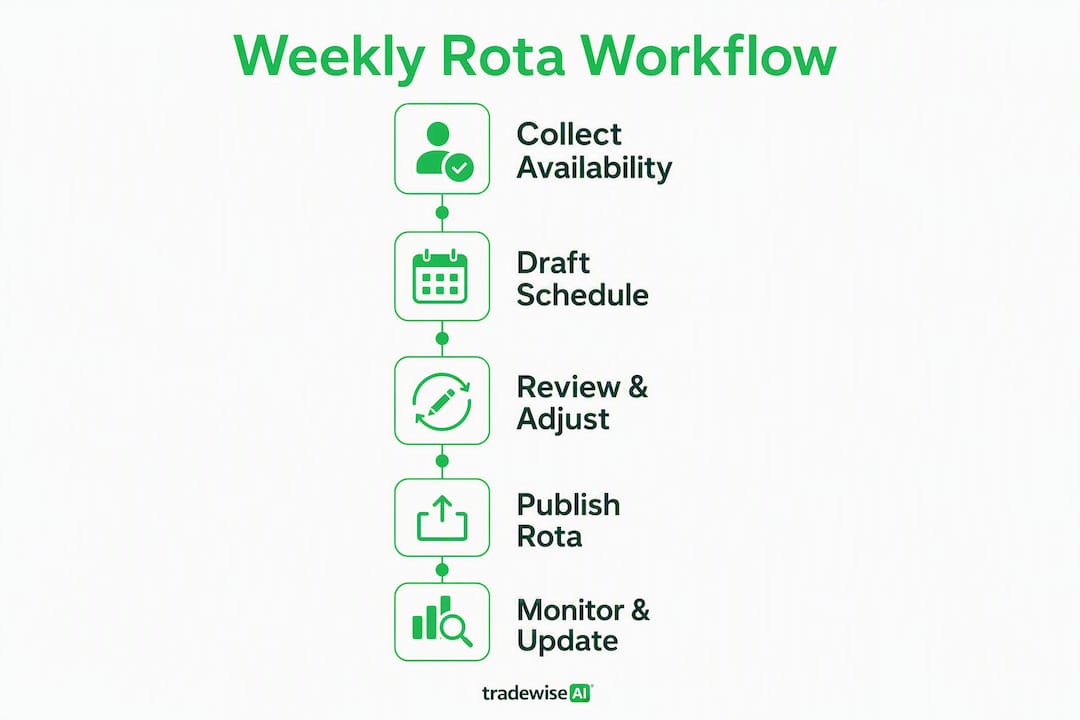
How to schedule staff: a repeatable weekly workflow
The goal is a process you can run in under an hour every week, not a bespoke rebuild each time.
- Set your labour budget. Decide the maximum hours (and cost) the week can absorb before you assign a single shift. Everything downstream is constrained by this number.
- Map demand by shift window. Pull last week's data and the same week from the previous year. Add confirmed jobs, bookings or events. Identify your peak windows and your quiet ones.
- Define roles, not names. List the competencies each shift requires — a morning shift might need one qualified electrician, one apprentice and a driver. Fill the role slots first.
- Collect availability. Run a fixed weekly deadline (Tuesday noon works well for a weekend-to-weekend rota). Managing staff availability patterns with a structured submission process cuts the back-and-forth dramatically.
- Fill anchor shifts first. Assign your hardest-to-fill slots (specialist roles, unsocial hours) before the easy ones. This prevents the common mistake of leaving the difficult windows until everyone's hours are already allocated.
- Check overtime before publishing. Flag anyone approaching their contracted limit. Adjust now — it is far cheaper than paying the premium after the fact.
- Run a pre-publish audit. Verify rest gaps, role coverage, labour budget fit and that every shift has a named, qualified person. Fix errors here, not on the day.
- Publish and confirm. Send the rota to the team with a read-receipt or confirmation request. Log the timestamp.
- Set a change-request window. Give staff 24–48 hours to flag conflicts before the rota locks. After that, changes go through the swap process.
Setting a rigid weekly availability deadline can cut scheduling time from roughly three hours to around 30 minutes — the difference between a task that dominates your Tuesday and one you finish before lunch.
Pro Tip: Save your completed rota as a named template the moment it works well. Next week, open the template, adjust for exceptions, and you are 80% done before you have typed a single name.

What do you need to know about your team before scheduling?
Assigning shifts without a clear picture of your team's skills and constraints is how coverage gaps happen. Before the rota exists, you need a simple data record for each worker.
Which attributes actually matter
- Qualifications and certifications (Gas Safe registration, CSCS card, IPAF licence, first-aid certificate and expiry dates)
- Contract type and weekly hours (full-time, part-time, zero-hours, apprentice)
- Multi-skilling (can this person cover a second role if needed?)
- Availability patterns (regular days off, childcare constraints, commute limits)
- Notice period for schedule changes (some contracts require minimum notice — check before you publish late)
Collecting availability reliably
Set one fixed weekly deadline and communicate it clearly. Digital submission — even a simple form or a platform with timestamped responses — beats a WhatsApp thread where messages get buried. Keep a default pattern on file for each worker (their normal availability) and ask only for exceptions to that pattern each week. Research shows adopting this approach can reduce scheduling time from about three hours to roughly 30 minutes.

Worker data table: fields to keep on the rota sheet
| Field | What to record |
|---|---|
| Name | Full name and preferred name |
| Role / trade | Primary role and any secondary skills |
| Certifications | Qualification type and expiry date |
| Contract hours | Weekly contracted hours and type |
| Default availability | Regular working days and hours |
| Overtime status | Hours worked this week vs contracted limit |
| Notice requirement | Minimum notice for schedule changes |
Pro Tip: Distinguish "cannot work" from "prefer not to work" in your availability records and treat them differently. Ignoring a genuine "cannot" — a carer commitment, a medical appointment — is a fast route to a no-show and, over time, to losing the person entirely. Respecting it costs you nothing; overriding it repeatedly costs you a trained worker.
Failing to respect irreversible "cannot work" availability is one of the top causes of turnover in shift-based sectors, where annual turnover rates can reach 67%.
How do you forecast demand and use templates to avoid over- or understaffing?
Demand forecasting does not require sophisticated software. For most trades and service teams, two data sources cover 90% of what you need: last week's actuals and the same week from the previous year.
Mapping demand by shift window
Pull your job bookings, confirmed site visits or customer appointments for each day and time slot. Layer on any local events, bank holidays or seasonal patterns you know from experience. The output is a simple demand curve: which windows are busy, which are quiet, and where you genuinely need extra cover versus where you are padding.
For a trades team, this often means a heavy Monday-to-Wednesday morning load (emergency callouts, planned jobs booked over the weekend) and a lighter Friday afternoon. Once you can see that pattern, you stop scheduling five people on Friday at 3 PM and start scheduling them on Monday at 7 AM.
Templates: build once, adjust forever
A base template captures your standard week. You adjust it for exceptions rather than rebuilding from scratch. Three template types cover most situations:
- Standard week template — your default rota for a normal trading week, with roles pre-filled and shift windows set
- Peak week template — a version with additional cover in your busiest windows (pre-Christmas, summer, post-bank-holiday catch-up)
- Event or project week template — a modified rota for a specific large job, site mobilisation or planned maintenance period
Using templates and adjusting for exceptions converts scheduling from a weekly rebuild into a fast, repeatable sprint. Managers who adopt a template-first approach report substantially lower error rates and a fraction of the time spent on the task compared to building from a blank grid.
Scheduling insight: The most effective rotas are not built from scratch each week — they are maintained. A template that reflects your real demand patterns is a living document you refine over time, not a one-off exercise.
What are the UK rules on publishing rotas and staff rest breaks?
UK law sets minimum standards that apply regardless of how you prefer to run your rota. Getting these wrong is not just an HR headache — it can expose the business to claims and penalties.
Recommended lead times
Publishing schedules at least seven days in advance is best practice and reduces last-minute callouts. Where predictive-scheduling expectations are part of your employment contracts or sector norms, aim for 14 days. Communicate your publication day clearly — if the rota always goes out on Wednesday for the following week, staff plan around it and you get fewer late availability changes.
UK legal minimums to check before you publish
The Working Time Regulations 1998 set the following minimums for adult workers:
- Rest breaks at work: — Workers are entitled to a 20-minute uninterrupted break when the working day exceeds six hours.
Young workers (under 18) have stricter entitlements — 30-minute breaks after 4.5 hours and 12 hours daily rest. Check ACAS guidance if you employ anyone under 18.
Pre-publish checklist
Before the rota goes out, run through these in order:
- Every shift has a named, qualified person in each required role
- No worker exceeds their contracted weekly hours without written agreement
- Rest gaps between shifts are at least 11 hours
- Breaks are scheduled within shifts exceeding six hours
- Overtime flags are reviewed and approved
- Publication timestamp is recorded
How do you build flexibility into your rota for swaps and last-minute cover?
No rota survives contact with the real week entirely intact. The question is whether you have a system that absorbs changes or whether every callout lands on your phone at 6 AM.
A written shift-swap policy
Write it down, even if it is one page. The policy should cover: who can swap with whom (same role, same competency level), how much notice is required, and that all swaps need manager sign-off to finalise. The manager's role is approval, not arrangement. Staff find their own cover; you confirm it is compliant.
On-call and buffer staffing
Schedule 10–15% above your minimum headcount rather than at the exact floor. For a team of ten, that means having one or two people on a flexible or on-call arrangement each week. Rotate on-call duty fairly — the same person should not absorb it every week.
For trades teams with subcontractors, maintain a short list of vetted subs who can cover at short notice. Managing subcontractors within your rota requires the same role-mapping logic as permanent staff — confirm their availability and competencies before you rely on them for cover.
Handling callouts: a quick process flow
- Worker reports absence as early as possible (set a minimum notice expectation in your policy).
- Post the open shift to the team via your scheduling platform or group channel.
- Prioritise qualified staff who are available and not approaching overtime limits.
- Confirm the replacement in writing and update the rota.
- Document the incident — date, reason given, how it was covered.
Pro Tip: Self-service swap systems resolve 60–70% of schedule changes without direct manager time. Set up a channel or platform feature where staff can post and claim open shifts, with your approval as the final step. You stop being the switchboard and start being the gatekeeper.
How do you balance labour cost against customer demand?
Labour is usually the largest controllable cost in a trades or service business. The rota is where you either manage it or let it manage you.
Setting a weekly labour budget
Before you draft the rota, translate your revenue forecast or confirmed job value into a target labour cost. A common benchmark for trades teams is labour as a percentage of job revenue — the exact figure varies by trade and margin structure, but the principle is the same: know your ceiling before you start filling shifts.
From that total, allocate hours by shift window based on your demand map. Busy windows get more hours; quiet ones get fewer. This sounds obvious, but most scheduling problems come from applying a flat headcount across the week regardless of demand.
Practical rules that save money
- Schedule hardest-to-fill shifts first. Specialist roles and unsocial hours get filled before the easy slots. This prevents the expensive fix of paying overtime to cover a gap you could have planned for.
- Monitor overtime before publishing, not after. An overtime alert on Wednesday morning is a scheduling problem. An overtime alert on Friday afternoon is a payroll problem.
- Track labour percentage daily. Compare actual hours worked against your forecast. A drift of more than a few percentage points mid-week is a signal to adjust, not to wait until payroll.
Metrics to watch
- Labour % of forecast revenue — your primary cost control signal
- Overtime hours per worker per week — flag anyone consistently above contracted hours
- Shift fill rate — percentage of shifts filled on first publication versus requiring a change
- Time-to-fill open shifts — how long it takes to cover a callout; a rising number signals a staffing depth problem
Tracking labour hours accurately and connecting them to job costs gives you the data to make these calls confidently rather than by instinct.
Why does a scheduling platform make a real difference for trades managers?
Spreadsheets work until they do not. The moment your team exceeds eight or ten people, or you are managing multiple sites, a spreadsheet becomes a liability: version conflicts, missed overtime flags, no audit trail and no way to push changes to a mobile workforce in real time.
What automation actually does
Automated scheduling platforms shift the manager's role from arithmetic to exception management. Instead of manually checking every rest gap and overtime total, the system flags violations before you publish. Instead of chasing availability by text, staff submit it through the app. Instead of printing a PDF and hoping everyone sees it, changes push to every phone the moment you save them.
The practical gains:
- Real-time syncing — every team member sees the current rota, not last Tuesday's version
- Timestamped distribution — you have a record of when the rota was published and who confirmed receipt
- Overtime alerts — the system flags a breach before it becomes a payroll problem
- Self-service swaps — staff post and claim open shifts; you approve the final change
- Role mapping — the platform only suggests qualified staff for each shift type
What to look for in a scheduling tool
| Feature | Why it matters |
|---|---|
| Role and competency mapping | Prevents unqualified cover |
| Availability collection | Replaces text chains with structured submissions |
| Template library | Saves the standard week for reuse |
| Audit trail | Protects you in a dispute |
| Mobile push notifications | Reaches a field-based workforce instantly |
| Overtime and compliance alerts | Catches breaches before publishing |
Tradewisehq is built specifically for UK trades teams — electricians, plumbers, builders and HVAC contractors — and integrates scheduling with job management, quoting and client communication in a single mobile-first platform. For a team managing multiple sites and subcontractors, that integration means a schedule change propagates to the job sheet, not just the rota. The business case for job management software for UK trades teams is well established, and scheduling is where the time savings are most immediate.
What are the main shift patterns and how do they work in practice?
There is no single correct scheduling method — the right pattern depends on your operating hours, demand volatility and team size. Here are the five most common types.
Fixed shifts
The same hours, same days, every week. Predictable for staff and easy to administer. Works well for teams with consistent demand and stable headcount. The downside: no flexibility when demand spikes.
Rotating shifts
Staff cycle through different shift windows on a set schedule — mornings one week, afternoons the next. Distributes unsocial hours fairly. Requires more planning but reduces resentment about who always gets the early start.
Demand-based scheduling
Hours are assigned based on forecast demand rather than a fixed pattern. Common in retail and hospitality; increasingly used in trades for reactive work (emergency callouts, maintenance contracts). Requires good demand data and clear availability records.
Self-scheduling
Staff choose their own shifts from a pool of available slots, subject to role requirements and manager approval. Works best with experienced, trusted teams. Reduces manager workload but requires a robust approval process to prevent coverage gaps.
Split shifts
A single working day divided into two separate periods — for example, 7 AM–11 AM and 3 PM–7 PM. Useful for covering peak demand at either end of the day. Workers generally dislike them; use sparingly and compensate fairly.
The 5/2/5/3 rotating pattern
This is a 15-day cycle used for teams that need continuous coverage across seven days. Workers do five days on, two days off, five days on, three days off — then the cycle repeats. The pattern ensures every team member rotates through weekends and rest days evenly over time. It is common in utilities, facilities management and larger construction sites.
Schedule templates managers can copy
Weekly fixed schedule (5-day team, example)
| Day | Worker A | Worker B | Worker C | Worker D | Worker E |
|---|---|---|---|---|---|
| Monday | 7–15:30 | 7–15:30 | Off | 10–18:30 | 10–18:30 |
| Tuesday | 7–15:30 | 7–15:30 | 7–15:30 | Off | 10–18:30 |
| Wednesday | Off | 7–15:30 | 7–15:30 | 10–18:30 | 10–18:30 |
| Thursday | 7–15:30 | Off | 7–15:30 | 10–18:30 | 10–18:30 |
| Friday | 7–15:30 | 7–15:30 | Off | 10–18:30 | Off |
15-day rotating cycle (5/2/5/3 pattern, two teams)
| Days | Team A | Team B |
|---|---|---|
| Days 1–5 | Working | Off |
| Days 6–7 | Off | Working |
| Days 8–12 | Working | Working |
| Days 13–— | Off | Off |
Which KPIs tell you whether your rota is actually working?
A rota that looks fine on paper can still be failing in practice. These six metrics tell you the truth.
| KPI | Definition | How to calculate | Target range |
|---|---|---|---|
| Shift fill rate | % of shifts filled at first publication | Filled shifts ÷ total shifts | 95%+ |
| Absenteeism / no-show rate | % of scheduled shifts where worker did not attend | No-shows ÷ total shifts | Below 3% |
| Overtime hours per worker | Hours worked above contracted limit per week | Actual hours minus contracted hours | Zero unplanned OT |
| Labour % of forecast | Labour cost as % of forecast revenue | Labour cost ÷ forecast revenue | Set per trade/margin |
| Shift-swap volume | Number of swaps requested per week | Count of swap requests logged | Declining trend |
| Time-to-fill open shifts | Average hours to fill a callout vacancy | Sum of fill times ÷ number of callouts | Under 2 hours |
How to use these in a weekly review
Run a 15-minute review at the end of each scheduling period. If fill rate drops below 95%, check whether your buffer is adequate or whether a role is chronically hard to cover. If overtime hours are rising, look at whether your demand forecast is accurate or whether you are understaffing peak windows. If swap volume is high, the template may not reflect actual availability patterns.
Reducing scheduling errors is largely a data problem: the more accurately your template reflects real demand and real availability, the fewer corrections you need mid-week.
The KPIs feed back into the template. A pattern of high no-shows on Monday mornings might mean you need more buffer on that window, or that the shift start time does not work for the people you are assigning to it. The rota improves because you are measuring it, not just publishing it.
How do you fix common scheduling problems on the day?
No-shows
- Contact the absent worker immediately to confirm the situation.
- Post the open shift to your team channel or platform.
- Offer it first to qualified staff who are not approaching overtime limits.
- If no internal cover is available, activate your on-call or sub list.
- Document the absence, the reason given and how it was covered.
To prevent recurrence: check whether the worker has a pattern of absences on a specific day or shift. If so, adjust their default availability record and rebuild that slot in the template.
Overtime spikes
If overtime is running high mid-week, the fix is usually one of three things: the demand forecast was too low, the template is understaffed for that window, or a worker is covering for an absent colleague without a replacement being found. Identify which, adjust the template for next week, and flag the pattern in your weekly review.
Swap abuse
A small number of workers will use the swap system to avoid shifts they dislike rather than to manage genuine conflicts. The fix is a written policy with a clear limit on the number of swaps per period and a requirement that swaps are like-for-like in role and hours. Log every swap. A pattern of one worker consistently swapping out of the same shift type is a conversation to have, not a scheduling problem to keep absorbing.
Documenting incidents
Every no-show, late callout and swap should be logged with a date, the worker's name, the reason given and the resolution. This record has two uses: it informs future rota decisions (patterns become visible), and it protects the business if a dispute arises later. A timestamped log in your scheduling platform is far more defensible than a WhatsApp thread.
Key takeaways
Effective staff scheduling comes down to one discipline: define what each shift needs before you decide who fills it, then build a repeatable process around that logic.
| Point | Details |
|---|---|
| Collect availability first | Set a fixed weekly deadline and treat "cannot work" as non-negotiable to reduce no-shows and turnover. |
| Use templates, not blank grids | Save a working rota as a template and adjust exceptions each week to cut scheduling time significantly. |
| Publish at least 7 days ahead | Give staff a week's notice as a minimum; 14 days where predictive-scheduling norms apply in your sector. |
| Check compliance before publishing | Verify 11-hour rest gaps, 20-minute break entitlements and weekly hour limits against the Working Time Regulations. |
| Tradewisehq for trades teams | Tradewisehq integrates scheduling, job management and mobile distribution in one platform built for UK trades managers. |
The rota is a management decision, not an admin task
Most managers treat scheduling as something to get through rather than something to get right. That framing is the root cause of most scheduling problems: the rota gets built quickly, published late, and then managed reactively for the rest of the week.
The argument for treating it as a genuine management decision is not philosophical. It is practical. A rota built on accurate demand data, confirmed availability and role-first logic requires far less intervention once published. The 45 minutes you spend getting it right on Wednesday saves you three hours of firefighting between Thursday and Sunday.
There is one piece of conventional wisdom about scheduling that I think is genuinely wrong: the idea that flexibility means giving staff more choice about when they work. Real flexibility in a trades context means the system is flexible, not the individual's preferences. A robust swap policy, a buffer above minimum headcount, and a platform that pushes changes to mobile devices — that is what absorbs the inevitable disruptions. Giving everyone the shifts they want sounds like flexibility; it is actually just a rota that has not been stress-tested yet.
The other thing most guides understate: define roles before names, every single time. The moment you start thinking "who can I put on Tuesday morning?" instead of "what does Tuesday morning need?", you are scheduling around people rather than around the work. That produces rotas that look staffed but are not actually covered — the right number of bodies, the wrong competencies.
For UK trades teams specifically, the compliance layer is not optional background reading. The Working Time Regulations apply on site the same as they do in an office. An 11-hour rest gap is not a suggestion. A manager who publishes a rota that breaches it is not just creating an HR risk — on a construction site or in an HVAC van, fatigue is a safety issue.
Tradewisehq: scheduling built for UK trades managers
Trades businesses lose more time to scheduling admin than almost any other task. Tradewisehq cuts that down by combining staff scheduling, job management, availability collection and mobile rota distribution in one platform — no spreadsheets, no version conflicts, no chasing availability by text.
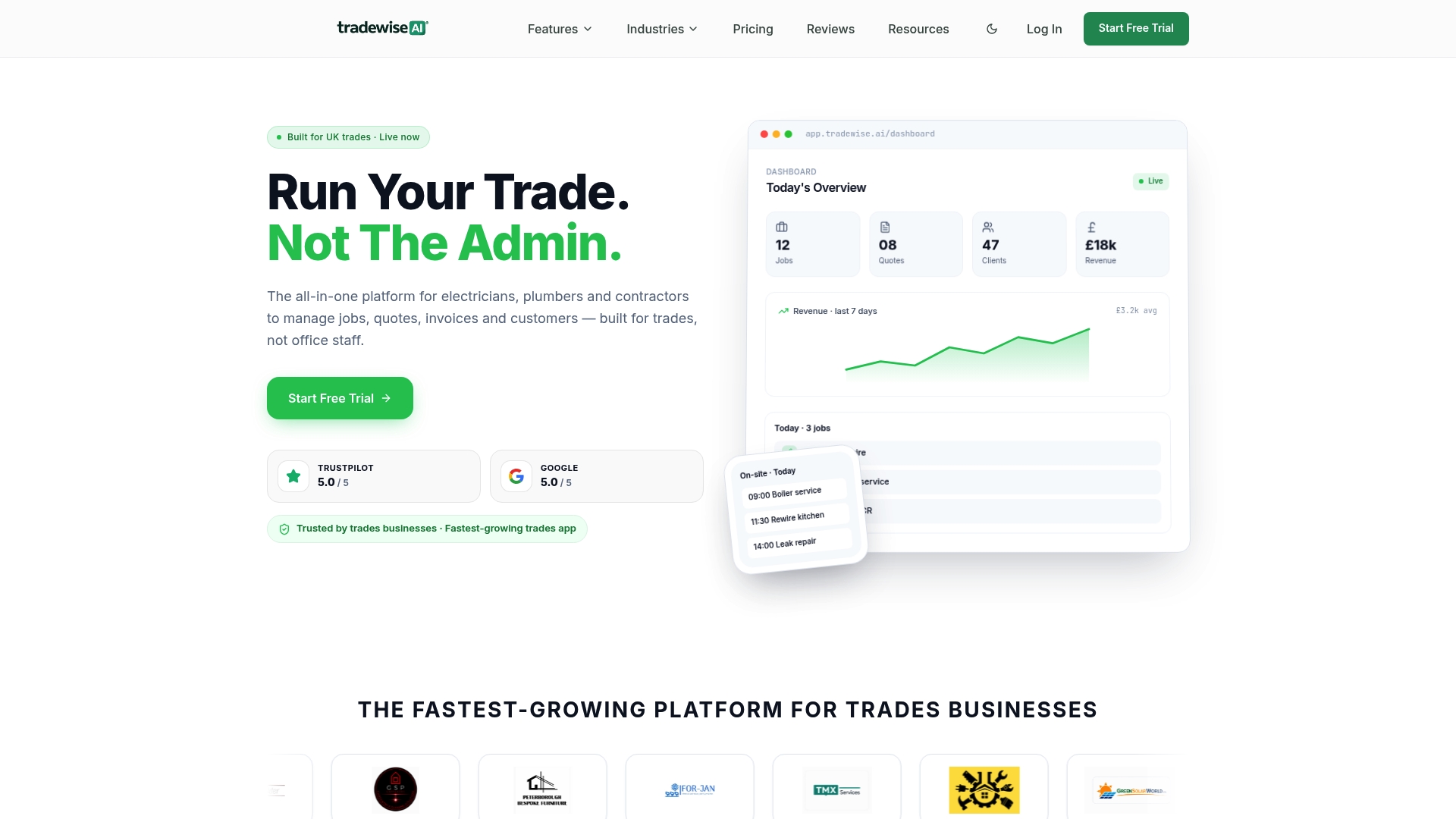
Where Tradewisehq makes the biggest difference for trades managers:
- Availability collection built into the app — staff submit availability on their phones; you see it instantly
- Role-based scheduling — assign shifts by trade and certification, not just by name
- Auto-alerts for overtime and rest gaps — compliance checks run before you publish, not after
- Mobile push notifications — the rota reaches every engineer, plumber or electrician the moment it is saved
- Shift swap management — staff post and claim open shifts; you approve with one tap
- Integration with job management — a schedule change updates the job sheet automatically
Built for electricians, plumbers, builders and HVAC teams across the UK, Tradewisehq replaces the spreadsheet-and-WhatsApp combination that most trades managers are still using. Start a free 14-day trial and have your first automated rota published before the end of the week.
Useful sources and further reading
- GOV.UK — Rest breaks at work: The primary reference for Working Time Regulations entitlements — rest breaks, daily rest and weekly limits. Check here before publishing any rota.
- ACAS — Working hours and rest breaks: Practical guidance on applying the Working Time Regulations, including opt-out agreements and young worker rules.
- TimeProf — Manage staff availability patterns: Practical process for structuring availability collection and submission deadlines.
- Tradewisehq — How workforce scheduling works in construction: UK-specific legal and operational context for scheduling trades teams across multiple sites.
- Tradewisehq — How builders track labour hours: Connects rota management to labour cost tracking and payroll — useful once your scheduling process is running.