

A construction business without a CRM is running on borrowed time. Bids sit in someone's inbox, client history lives in a leaver's head, and the follow-up that could have won a £200k contract never happens because everyone assumed someone else sent it. A CRM fixes that by turning personal contact lists into a company asset, centralising every bid and client interaction, and making sure the relationship thread survives staff changes, project handovers, and the inevitable chaos of a busy site.
Industry surveys show that under 33% of general contractors use a dedicated CRM, meaning most of your competitors are still relying on spreadsheets and memory. That gap is an opportunity. Top-performing contractors earn a large proportion of their revenue from repeat clients, so protecting and reactivating those relationships is not a nice extra — it is the business model.
Three things you can do today before reading further:
- Open your phone and add the last client you spoke to as a proper contact record, not just a saved number.
- Log your three most active bids with a status, a value, and a next-action date.
- Block 30 minutes this week to trial one CRM platform with those live records.
Pro Tip: Start with what you already have. Even five contacts and two live bids entered into a free trial will show you more about a CRM's fit for your business than any demo video.
Table of Contents
- What is a construction CRM, and how does it differ from spreadsheets?
- Which CRM features do construction teams actually rely on?
- What are the real business benefits for UK SMEs?
- Who uses CRM in a construction business, and how?
- Why do CRM projects fail in construction, and how do you avoid it?
- How do you choose a CRM for your UK construction business?
- What does a realistic CRM rollout look like for an SME builder?
- How Tradewisehq helps UK builders manage clients and jobs
- Key takeaways
- The reality of CRM adoption in construction
- Tradewisehq: the mobile-first platform built for UK contractors
What is a construction CRM, and how does it differ from spreadsheets?
A construction CRM is software that manages the full lifecycle of a client relationship: from the first enquiry and bid, through contract and delivery, to post-project follow-up and the next opportunity. It stores contacts, bids, documents, and communications in one place, linked together so you can see the whole picture of a relationship at a glance.

That is fundamentally different from a spreadsheet. A spreadsheet is a single-person tool: one file, one owner, one point of failure. When the estimator who built it leaves, the logic goes with them. A CRM is a shared, searchable record that belongs to the business, not the individual.
Project-management platforms are a different category again. Tools like Procore or Buildertrend are built for site operations: programme tracking, RFIs, daily reports, and subcontractor coordination once a contract is signed. A CRM sits upstream of that, managing the pursuit pipeline, the client relationship, and the handover of context from BD to delivery. You need both, and they serve different purposes.
A construction-specific CRM goes further than a generic sales platform. Because construction involves multiple entity types — clients, projects, bids, subcontractors, change orders, and documents — a standard "contacts and deals" model breaks down quickly. The extended relationship management (XRM) approach models these entities properly, linking a subcontractor record to three separate bids and two live projects simultaneously. Generic CRMs can work for very small firms with simple pipelines, but as soon as you are managing concurrent bids across multiple clients and project types, a construction-specific model pays for itself in time saved.
Which CRM features do construction teams actually rely on?
The features that matter in construction are not the same ones that matter in a SaaS sales team. Here is what produces real operational gains:
- Pipeline and opportunity tracking. Construction bids can sit in negotiation for months or years. A probability-weighted pipeline gives leadership a live view of total bid value, expected close dates, and weighted revenue — removing the quarterly guesswork that makes resource planning so difficult.
- Multi-stakeholder contact records. A single project involves the client, their architect, a quantity surveyor, three or four subcontractors, and a facilities manager. Each needs to be linked to the bid record, with their own interaction history, so anyone on your team can pick up the relationship without a briefing call.
- Document storage tied to opportunities. Proposals, certificates of insurance, specifications, and pre-qualification questionnaires should live against the bid record, not in someone's Downloads folder. Version control matters here: submitting last year's insurance certificate because nobody could find the current one is an avoidable mistake.
- Activity logging and automated reminders. Follow-ups disappear in construction because everyone is busy on site. Automated reminders triggered by inactivity — "no contact with this client in 60 days" — catch dormant relationships before they go cold permanently.
- Mobile and offline access. Site staff are not at desks. A CRM that only works on a laptop will not get used by the people closest to the client relationship on the ground. Offline capability matters on sites with poor signal.
- Integrations. At minimum, your CRM should connect to your accounting software (Xero, Sage, QuickBooks) and your calendar. As you mature, integration with your project-management platform closes the loop between pursuit and delivery.
Pro Tip: Configure role-specific views from day one. Your estimator needs a bid-stage pipeline; your director needs a revenue forecast; your site supervisor needs a simple mobile log. One view trying to serve everyone serves nobody.
When CRM records are linked to project milestones, the system can automatically prompt re-engagement after job completion — so the sales thread does not die the moment a contract is signed and the PM team takes over.
What are the real business benefits for UK SMEs?
The benefits of CRM for construction are not abstract. They show up in specific, measurable places.

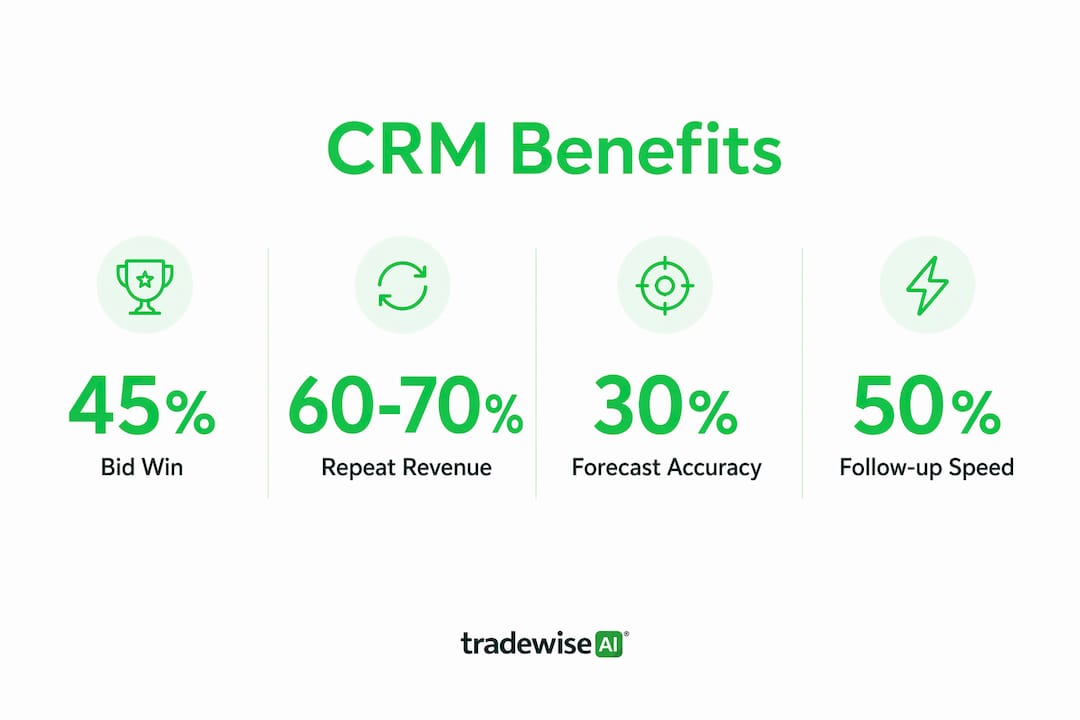
Bid conversion. Faster, more consistent follow-up is the single biggest lever. The average contractor loses a significant share of leads because nobody followed up quickly enough — the client called, got no response, and booked someone else. A CRM with automated reminders and activity logging closes that gap.
Repeat client revenue. With 60–70% of GC revenue coming from repeat clients, a five-year relationship history stored as a single, living record is worth more than any new-business campaign. A CRM makes that history searchable and actionable, not buried in email threads.
Forecasting accuracy. Probability-weighted pipelines replace gut-feel revenue estimates with a number you can actually plan around. That matters when you are deciding whether to hire another estimator or take on a new subcontractor.
Protecting institutional knowledge. Industry research highlights that poor data practices and fragmented information cost the construction sector materially, with workers losing significant time searching for information that should be immediately accessible. When a senior BD manager leaves, their contact list and pursuit history should stay with the business, not walk out the door.
Smaller firms, faster returns. Smaller construction firms often achieve faster ROI from CRM because a single recovered relationship is proportionally more valuable. ROI windows for well-implemented CRMs are commonly cited between 6–18 months across industry analyses — and for a 10-person builder with several key clients, one reactivated relationship can justify the entire year's subscription cost.
The numbers in brief: under 33% of general contractors use a dedicated CRM; top performers earn 60–70% of revenue from repeat clients; well-implemented CRMs typically pay back within 6–18 months.
For UK builders, construction bid management is where the CRM advantage is most visible — a structured pipeline with weighted probabilities replaces the whiteboard and the weekly "where are we on that Coventry job?" conversation.
Who uses CRM in a construction business, and how?
A CRM is not just for the business development manager. Every role in a construction business touches the client relationship at some point, and the CRM should reflect that.
- Business development. Logs new leads, tracks bid stages, records every client interaction, and manages the follow-up calendar. This is the primary user, and the pipeline view is their main workspace.
- Estimating. Links cost plans and proposals to the bid record, tracks which version was submitted, and flags when a bid has been dormant for too long without a client response.
- Preconstruction / bid coordinators. Manages document submissions, pre-qualification questionnaires, and the stakeholder map for each pursuit. Links architects and consultants to the relevant bid records.
- Project managers. Updates the CRM at contract award and project milestones, triggering the post-completion follow-up sequence so the BD team knows when to re-engage.
- Site supervisors. Logs brief field notes and client interactions via mobile — a quick update after a client site visit takes 90 seconds and keeps the relationship record current.
- Leadership. Reviews the pipeline dashboard for revenue forecasting, win-rate trends, and resource planning. Rarely enters data; mostly consumes it.
A typical workflow looks like this: a lead comes in via referral, the BD manager creates an opportunity record and links the client contact and the referring architect. The estimator attaches the cost plan. The bid coordinator submits the PQQ and logs the submission date. The CRM sends an automated reminder 14 days later if no response has been received. The project manager updates the record at contract award, triggering a post-completion follow-up task six months after handover. The client relationship stays live throughout, not just during the pursuit phase.
For small teams where one person covers BD, estimating, and client management, the CRM becomes even more valuable — it is the external memory that stops things falling through the gaps when you are wearing three hats at once.
Why do CRM projects fail in construction, and how do you avoid it?
Failure rates for poor-fit CRM implementations are estimated to be high, and most of those failures have nothing to do with the technology. They come from five predictable mistakes.
Generic platform, construction workflow. Retrofitting a generic sales CRM into construction workflows is the most common failure mode. The data model does not fit, the terminology is wrong, and users give up within weeks. The fix is to evaluate platforms against construction-specific criteria before you buy, not after.
Low adoption. A CRM that only the BD manager uses is a glorified address book. Adoption requires role-specific views, simple mobile interactions, and visible leadership buy-in. If the director is not logging their own client calls, nobody else will bother.
Weak data migration. Starting with dirty data — duplicate contacts, missing phone numbers, bids with no values — poisons the system from day one. Spend a week cleaning your existing spreadsheets before you migrate anything.
Role confusion. If nobody owns the CRM, nobody maintains it. Assign a named person (even part-time) as the data steward who reviews records weekly and chases incomplete entries.
No mobile usability. Site-based staff will not use a desktop-only system. Mobile-first CRM adoption is not a luxury for construction teams — it is a prerequisite for keeping records current.
Mitigation checklist:
- Define the minimum viable fields before go-live (company, contact, bid value, stage, next action — nothing more to start).
- Run a four-week pilot with BD and two or three live bids before rolling out to the full team.
- Set three adoption KPIs: weekly login rate, percentage of bids with a logged next action, and follow-up completion rate.
- Review those KPIs in a 15-minute team meeting every fortnight for the first three months.
Pro Tip: CRM implementation is as much cultural change as technical rollout. The businesses that succeed treat it as a new way of working, not a new piece of software. Frame the pilot as "how we manage client relationships" rather than "the new system we have to use."
How do you choose a CRM for your UK construction business?
The right CRM for a UK SME builder is not necessarily the most feature-rich one. It is the one your team will actually use, that fits your data model, and that connects to the tools you already rely on.
- Construction data model. Can the platform track bids, clients, subcontractors, and documents as linked but separate records? Or does it force everything into "contacts" and "deals"?
- Mobile UX. Open the mobile app on your phone during the demo. If logging a client interaction takes more than three taps, your site staff will not do it.
- Integrations. Does it connect natively to Xero, Sage, or QuickBooks? Can it push data to your project-management platform? Field ticket and document workflows that connect operational records to CRM client data are where the real time savings appear.
- Reporting. Can you see a weighted pipeline by stage, a win-rate by client type, and a follow-up completion rate without building a custom report from scratch?
- UK support. Time zone matters. A support team that responds during UK business hours is worth paying a small premium for.
- Pricing shape. Most SME-appropriate CRMs charge per user per month. Budget for the subscription, initial configuration (often a one-off fee), and basic training. Integrations with accounting software may carry an additional cost.
Questions to ask in a vendor demo:
- How does the platform handle a bid that has been dormant for 18 months — can I reactivate it without losing the history?
- Can I link a subcontractor contact to three separate bid records simultaneously?
- Where does a submitted proposal document live, and who can access it?
- What happens to the data if I cancel my subscription?
- Is there a UK-based implementation partner or support team?
For construction finance and compliance recordkeeping, the CRM should complement rather than replace your accounting system — the two need to talk to each other, not duplicate each other.
What does a realistic CRM rollout look like for an SME builder?
Most SME builders can run a meaningful pilot in four to eight weeks and reach full core rollout within three to four months. Here is a realistic phased plan:
| Phase | Duration | Key activities | Who leads |
|---|---|---|---|
| Pilot | Weeks 1–4 | Clean existing data; import 5 contacts and 3 live bids; test mobile logging | BD lead + owner |
| Core rollout | Weeks 5–10 | Full contact migration; configure pipeline stages; train all users | BD lead + IT/config partner |
| Integrations | — | Connect accounting software; link calendar; test data flows | IT/config partner |
| Optimisation | Month 5 onwards | Review adoption KPIs; add automations; refine reporting | Owner + BD lead |
Budget guidance for UK SMEs:
- Subscription: most SME-appropriate platforms charge £20–£80 per user per month, depending on feature tier.
- Initial configuration: a light setup with a construction-specific template typically costs £500–£2,000 if you use an implementation partner.
- Training: allow half a day for each role group; internal delivery is fine once the BD lead is confident.
- Integrations: a native accounting integration is usually included or low-cost; custom API work can run to £1,000–£3,000 if your PM platform does not have a pre-built connector.
What drives costs up: choosing a platform that requires heavy customisation to fit construction workflows, migrating large volumes of dirty data, and building bespoke integrations with legacy systems. The fix is to choose a platform with a construction-native data model from the start.
Tracking multiple construction projects becomes significantly easier once the CRM is live and integrated — pipeline dashboards replace the weekly status meeting for most routine updates.
How Tradewisehq helps UK builders manage clients and jobs
Tradewisehq is an AI-powered operating system built specifically for tradespeople and contractors in the UK. It is mobile-first by design, which matters enormously for construction teams where the person closest to the client is often standing on a scaffold, not sitting at a desk.
The platform covers the core CRM needs that UK SME builders have identified as most critical:
- Job and client records linked together, so the full history of a client relationship is visible alongside the active jobs for that client.
- Quoting and invoicing built into the same platform, removing the friction of switching between a CRM and a separate accounts tool for smaller firms.
- Client communication logged automatically, so every message, update, and approval is attached to the relevant job record without manual data entry.
- Live workforce syncing that keeps the office and site teams aligned on job status in real time.
Two practical scenarios where this makes a difference:
Scenario one. A site supervisor completes a snag walk with the client and logs a brief note via the Tradewisehq mobile app. That note automatically creates a follow-up task for the BD lead to check in with the client two weeks after practical completion — the kind of touchpoint that turns a one-off project into a repeat relationship.
Scenario two. An estimator sends a quote through Tradewisehq. The client does not respond within 10 days. The system flags the dormant quote and prompts a follow-up, rather than letting it disappear into an inbox.
For UK builders, the platform handles VAT-inclusive quoting, GBP invoicing, and the communication workflows that UK clients expect. Live job tracking through a mobile-first interface means site updates feed back into client records without anyone having to remember to log them separately.
Key takeaways
Construction businesses that adopt CRM protect their repeat-client revenue, win more bids through consistent follow-up, and retain institutional knowledge that would otherwise leave with their staff.
| Point | Details |
|---|---|
| Adoption gap is real | Under 33% of general contractors use a dedicated CRM, giving early adopters a clear competitive edge. |
| Repeat clients drive revenue | Top-performing GCs earn 60–70% of revenue from repeat clients; a CRM keeps those relationships alive between projects. |
| ROI is achievable for SMEs | Well-implemented CRMs typically pay back within 6–18 months; smaller firms often see faster returns. |
| Failure is avoidable | 50–70% of poor-fit implementations fail; choosing a construction-native platform and piloting with a narrow scope prevents most failures. |
| Tradewisehq fits UK workflows | Tradewisehq's mobile-first, AI-powered platform covers job records, quoting, and client communication in one place for UK contractors. |
The reality of CRM adoption in construction
Most construction businesses do not fail to adopt CRM because the technology is too complex. They fail because they wait until the problem is too big to ignore — a key person leaves, a major client goes quiet, a bid is lost because nobody followed up — and then they try to fix everything at once with a full-scale implementation.
The businesses that get this right do the opposite. They start small: five contacts, three live bids, one person responsible. They run a four-to-eight week pilot and measure three things — logins, logged activities, follow-up completions. If those numbers move in the right direction, they expand. If they do not, they adjust the workflow before adding more users.
The rule of thumb I would offer any owner sitting on the fence: if you cannot answer "who is following up on our three biggest open bids right now, and when did we last speak to those clients?" without opening three different apps or asking two colleagues, you need a CRM. That is not a technology problem. It is a business process problem, and a CRM is the fix — but only if you treat it as a process change first and a software purchase second.
Tradewisehq: the mobile-first platform built for UK contractors
If you have spent time with this guide and recognised your own business in the gaps it describes — bids tracked in spreadsheets, follow-ups missed, client history locked in someone's phone — Tradewisehq is worth a serious look.
Where most CRM tools ask you to adapt your construction workflow to a generic sales model, Tradewisehq is built around the way trade businesses actually operate: jobs, clients, quotes, and communications in one mobile-first platform, with AI automation handling the follow-up tasks that currently fall through the cracks.
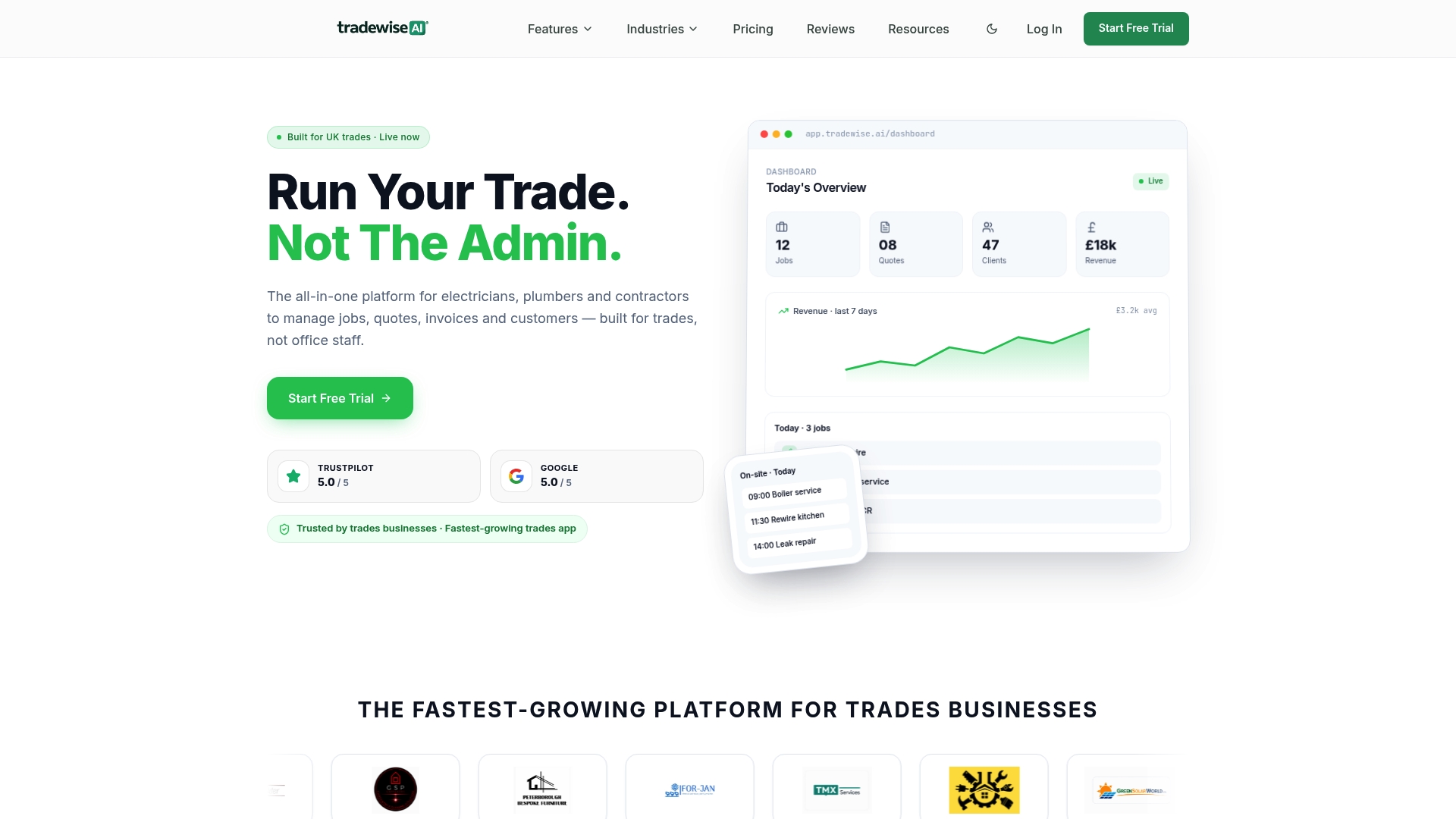
Three things to check in a trial: log a client interaction from your phone in under a minute; create an open opportunity and attach a quote; set an automatic follow-up reminder for a dormant bid. If those three actions feel natural and fast, the platform fits your workflow.
Start a demo or trial with Tradewisehq and see whether it fits your business before committing to anything. No lengthy onboarding, no consultant required — just your live data in a platform built for UK contractors.